
Firmware CoreStation
Suprema CoreStation
Modelul CoreStation face parte din gama Suprema, categoria „Access control”.
Printre caracteristicile tehnice se numără alimentare 12 V DC și funcționare între 0 și +50 °C. Fizic, cântărește 415 g și are dimensiunile 150 x 214 x 21.
La ultima verificare, cel mai nou firmware pentru CoreStation era V1.7.4 build 261020 (22.10.2026). Pagina se actualizează zilnic din lista oficială Suprema.
Firmware-ul se încarcă de obicei din interfața web a aparatului sau din software-ul de administrare al producătorului.
Tabelul de specificații de mai jos conține toate datele tehnice publicate de producător, traduse în română.
Firmware actual
| Versiune | Data | Regiune | Descărcare și note |
|---|---|---|---|
| V1.7.4 build 261020CoreStation firmware 1.7.4 | 22.10.2026 | Global | fișierul se descarcă din Download Center Suprema (cont gratuit, cu login) Note: Release notes (Suprema Docs) Ce e nou în această versiune (textul producătorului)Build No. 1.7.4_261020 New Features and Improvements - Improved CoreStation Setup Manager security vulnerabilities Bug Fixes Disconnected slave devices shown as online after restoring CoreStation settings. Affects version : 1.7.3 Child Wiegand reader not being locked by Trigger & Action when a Lock Override card is assigned to a user. Affects version : 1.7.2 Lock Override card authentication not working on a door created with a Wiegand reader when the reader is disabled. Affects version : 1.7.2 Registered card operating as a lock override instead of arm/disarm during arm/disarm authentication. Affects version : 1.7.2 Lock Override Card authentication not working when a device is disabled. Affects version : 1.7.2 Device not connecting when deleted and re-registered after an SCB Key is applied in an OSDP standard environment. Affects version : 1.0.0 |
Versiuni anterioare
| Versiune | Data | Regiune | Descărcare și note |
|---|---|---|---|
| V1.7.3 build 260610CoreStation firmware 1.7.3 | 12.06.2026 | Global | fișierul se descarcă din Download Center Suprema (cont gratuit, cu login) Note: Release notes (Suprema Docs) Ce e nou în această versiune (textul producătorului)Build No. 1.7.3_260610 New Features and Improvements Improved CoreStation Setup Manager features Supported manual configuration of SCB Keys. Supported backup and restoration of network information (Device ID, SCB Keys, etc.). Improved the ability to transfer existing settings when replacing the CoreStation. Improved the overall font sizes and UI. Supports feature to set the baud rate of slave devices. Improved to distinguish devices that support the Secure Tamper feature. Improved to allow the use of Secure Tamper regardless of the Device Hashkey Management option. Bug Fixes The master device disconnecting or alarms failing to clear when performing Clear Alarm on alarms triggered by Trigger & Action settings on master or slave devices. Affects version : 1.7.2 When a specific device is connected as a slave, configuration changes are not properly applied. Affects version : 1.0.0 The firmware upgrade failing for BioStation 2a devices connected as slaves. Affects version : 1.7.1 Card authentication failure on connected Wiegand readers. Affects version : 1.0.0 Some devices are displayed as "Unknown" in the CoreStation Setup Manager. Affects version : 1.7.2 Custom Smart Card Layout set through Batch Edit is not applied on the device detail page. Affects version : 1.0.0 |
| V1.7.2 build 260429CoreStation firmware 1.7.2 | 30.04.2026 | Global | fișierul se descarcă din Download Center Suprema (cont gratuit, cu login) Note: Release notes (Suprema Docs) Ce e nou în această versiune (textul producătorului)Build No. 1.7.2_260429 New Features and Improvements Supported EV2 Secure Messaging authentication and issuance for DESFire EV2 and EV3 cards. Supports the Lock Override feature, which allows you to enroll a card that can open a door to be opened using a specific card. Supports SL1, SL3, and SL1/SL3 Mix Mode for security level compatibility with MIFARE Plus EV1 cards. SL1: Compatible mode with MIFARE Classic SL3: Advanced security mode based on AES Supports Custom Smart Card of devices connected as slaves. Supports new device. - XPass Q2 Supports the Door Mode Override feature, which restores the door to its normal state after the administrator changes the door status and a certain period of time has elapsed. Bug Fixes Access group authentication behaves abnormally according to the schedule (Daily) when DST is applied. Affects version : 1.0.0 Inability to access the CoreStation Setup Manager after performing a factory reset. Affects version : 1.0.0 The device freezes when the RS-485 network mode on the device is set to Not Use using the SDK. Affects version : 1.0.0 |
| V1.7.1 build 240130CoreStation firmware 1.7.1 | 06.02.2024 | Global | fișierul se descarcă din Download Center Suprema (cont gratuit, cu login) Note: Release notes (Suprema Docs) Ce e nou în această versiune (textul producătorului)Build No. 1.7.1_240130 New Features and Improvements Supports Wireless Door Lock . Improved synchronization to complete if user enrollment fails when synchronizing multiple users to the device in BioStar 2. Improved to select and update only the desired information when updating user information. (Compatible with BioStar v2.9.0 or higher) Supports new devices. - BioStation 2a Bug Fix When using Server Matching , Card + Face or ID + Face authentication fails on FaceStation 2 connected as a slave. Affects version : 1.4.0 Resource file update fails on the device connected as a slave. Affects version : 1.5.2 After authenticating with ID + Face on a device connected as a slave, the ID Input screen does not appear when the ID icon is touched. Affects version : 1.0.0 Slave device that is set to be locked will not be locked if Secure Tamper occurs on the master device. Affects version : 1.4.0 The settings of the connected IM-120 are not being applied. Affects version : 1.6.1 Authentication fails when authenticating with a DESFire AoC while the device is connected as a slave. Affects version : 1.0.0 Device abnormally restarts when changing the device's Network settings in BioStar 2. Affects version : 1.0.0 When settings that are not supported are configured through the SDK, the device fails to boot properly. Affects version : 1.0.0 |
| V1.6.1 build 230217CoreStation firmware 1.6.1 | 21.02.2023 | Global | fișierul se descarcă din Download Center Suprema (cont gratuit, cu login) Note: Release notes (Suprema Docs) Ce e nou în această versiune (textul producătorului)Build No. 1.6.1_230217 New Features and Improvements - Supports 3rd party OSDP reader connection. Bug Fix Event log is not logged when the database or cache memory is broken Affects version : 1.0.0 . Deleting all users included in an access group in BioStar 2 does not delete the access group from the device's user information Affects version : 1.0.0 . Improved the structure to prevent authentication fail caused by broken database or cache memory Affects version : 1.0.0 . |
| V1.5.3 build 221026CoreStation firmware 1.5.3 | 02.11.2022 | Global | fișierul se descarcă din Download Center Suprema (cont gratuit, cu login) Note: Release notes (Suprema Docs) Ce e nou în această versiune (textul producătorului)Build No. 1.5.3_221026 New Features and Improvements XPass D2 new BLE (Bluetooth Low Energy) chip firmware(Build No. 1.7.0_220921) support. - The BLE chip parts of the hardware have been changed, and the firmware has been upgraded to be compatible with both the existing and new BLE chips. Added relay deactivation option for exit button input. - Added the option to set the door open request log to occur but the relay not to operate when the exit button is pressed. Separated the log related to the cause of the door unlock. Door open request by exit button Door open request by operator Improved the Arm/Disarm status is maintained if the device loses power. Bug Fix - Slave devices connected to specific RS-485 ports not being searched. Affects version : 1.0.0 |
| V1.5.2 build 211105CoreStation firmware 1.5.2 | 09.11.2021 | Global | fișierul se descarcă din Download Center Suprema (cont gratuit, cu login) Note: Release notes (Suprema Docs) Ce e nou în această versiune (textul producătorului)Build No. 1.5.2_211105 New Features and Improvements Supports new devices X-Station 2 Input Module (IM-120) |
| V1.5.1 build 210511CoreStation firmware 1.5.1 | 24.05.2021 | Global | fișierul se descarcă din Download Center Suprema (cont gratuit, cu login) Note: Release notes (Suprema Docs) Ce e nou în această versiune (textul producătorului)Build No. 1.5.1_210511 New Features and Improvements Upgraded to the 1.1.1i version of OpenSSL. Increased maximum number of face users (1 :N ). Before: 3,000 After: 4,000 Bug Fix The device rebooted when the Supervised Input short circuit occurred without the CoreStation SETUP Manager IP being completely saved. Affects version : 1.3.1 When calling the BS2_ResetConfigExceptNetInfo API from the BioStar Device SDK, a 'Timeout' error occurred. Affects version : 1.0.0 It failed to transfer user data during user synchronization as the face data size exceeded the maximum size allowed for the system. Affects version : 1.4.0 |
| V1.4.1 build 200902CoreStation firmware 1.4.1 | 25.09.2020 | Global | fișierul se descarcă din Download Center Suprema (cont gratuit, cu login) Note: Release notes (Suprema Docs) Ce e nou în această versiune (textul producătorului)Build No. 1.4.1_200902 New Features and Improvements Separated event logs of Mobile Access cards and RFID cards. Delete Change Device ID in CoreStation SETUP Manager user interface. - Change Device ID not supported through CoreStation SETUP Manager. Bug Fix Issue that the connection of the slave device is disconnected when the slave device is connected. Hash key stored unencrypted. An error occurs when a secure tamper occurs while upgrading the firmware version from 1.3.1 to 1.4.0. When using a static IP while DNS server address is configured, a reboot on the device causes communication problems between the server. |
| V1.4.0 build 200525CoreStation firmware 1.4.0 | 29.05.2020 | Global | fișierul se descarcă din Download Center Suprema (cont gratuit, cu login) Note: Release notes (Suprema Docs) Ce e nou în această versiune (textul producătorului)Build No. 1.4.0_200525 New Features and Improvements Supports face authentication devices. FaceStation 2 FaceLite Supports new device. - XPass D2 (Rev) Added feature to change device ID. Enhancement in the security of the device. Restrict unencrypted connections. Enhancement in security of encryption keys. Encrypt and migrate user information. Restrict access through communications such as TCP/IP, RS-232, and USB. Improved Anti-passback zone to operate based on the door status. Improved the scheduled unlock function for each floor when controlling elevator. Improved the CoreStation SETUP Manager Added feature to change device ID. Added feature to set IP. Duplicate check for device IP and CoreStation SETUP Manager IP settings. Supports FW upgrade for slave devices. Improved to show a warning message when a relay port in output status is 'On' in the Monitoring menu. Improved Setting menu by allowing scroll. Improved to show a warning message when a user sets the IP address of the CoreStation SETUP Manager. Bug Fix When rebooting the master device with multiple slave devices connected, Trigger & Action does not work as set. A bug where the master device is rebooted if the value sent to the slave device is greater than the defined value. Issue that it is possible to connect to the CoreStation SETUP Manager with the IP address of a device when using DHCP. A bug where OSDP Communication does not work normally if the value sent to the slave device is greater than the defined value. An issue where device gets disconnected or a timeout occurs when upgrading firmware or transferring users under SSL secure communication. A bug where the event log of the device is not sent in the order in which it occurred. |
| V1.3.1 build 191203CoreStation firmware 1.3.1 | 03.12.2019 | Global | fișierul se descarcă din Download Center Suprema (cont gratuit, cu login) Note: Release notes (Suprema Docs) Ce e nou în această versiune (textul producătorului)Build No. 1.3.1_191203 New Features and Improvements - Supports CoreStation Setup Manager. Bug Fix The list of connected slave devices is initialized if rebooting the master device after changing the RS-485 baudrate. When using firmware V1.3.0 the connection to the I/O device that using the firmware version below is lost. DM-20 FW V1.1.2 and below OM-120 FW V1.0.0 and below Secure I/O 2 FW V1.2.1 and below |
| V1.3.0 build 190626CoreStation firmware 1.3.0 | 12.07.2019 | Global | fișierul se descarcă din Download Center Suprema (cont gratuit, cu login) Note: Release notes (Suprema Docs) Ce e nou în această versiune (textul producătorului)Build No. 1.3.0_190626 Important Bug Fix When a door configured in a Scheduled Unlock Zone is opened by a Scheduled Unlock, the door is not locked if the zone is deleted. A code is added to prevent the authentication fails because the cache memory is broken. New Features and Improvements Supports Anti-Tailgating. Change the way new settings are applied when adding administrators using batch edit of devices. Existing: Overwrite a new setting to existing settings. Update: Add a new setting to existing settings. Increase of the number of administrators that can be added. Increase of the maximum number of floor levels. Support to the Clear APB for each user. Supports checking module firmware version. Support for connecting new devices. - XPass 2(XP2-MDPB, XP2-GDPB, XP2-GKDPB) Bug Fix The device does not send the Seos config to the slave device even though the slave device supports iCLASS Seos card. Applies FA improvement algorithm. Start time is not applied in UTC when importing filtered logs using SDK. Fixed mask error of DesFireCardConfig. Supports unsupported devices (FaceStation 2, FaceLite). The door operates as the Scheduled Unlock when restarting the master device while the door is configured to the Scheduled Unlock and Manual Lock. The master device is rebooted if deleting the zone while disconnected with the slave device. The title of the credential input screen is displayed differently on the master device and the slave device when using multiple authentication mode. Existing: master device (user ID, user name), slave device (user ID) Update: master device and slave device (user ID, user name) Relay works after reconnecting for authentication that occurred when elevator connection is disconnected. When an alarm occurs in the interlock zone, the alarm does not clear even though restarting the master device. Even though the fingerprint templates are set differently on the server and the device, the fingerprint enrollment succeeds in the slave device. |
| V1.2.0 build 181112CoreStation firmware 1.2.0 | 29.11.2018 | Global | fișierul se descarcă din Download Center Suprema (cont gratuit, cu login) Note: Release notes (Suprema Docs) Ce e nou în această versiune (textul producătorului)Build No. 1.2.0_181112 Important Bug Fix - A code is added to prevent the authentication fails because the cache memory is broken. New Features and Improvements Improves the data protection. Increase the items to encrypt the data. Support to setting the period for storing the personal information. Change the maximum value of the interval and width for the Wiegand Input. Support to the number of users, fingerprints, faces, and cards in Manage Users in Device. If the data transmission fails when communicating with OSDP, it is transmitted again. The site key is initialized if a secure tamper event occurs. If an administrator has registered, modified, or deleted a user, the event log shows whether the editing was done on the server or on the device. Support to the creation of up to 2048 Access Levels and Access Groups. Support to DESFire/DESFire EV1 Advanced option. Bug Fix A slave device that supports an iCLASS Seos card does not properly read the iCLASS Seos card. The device restarts if more than 8 outputs are set. Modified that if the same key is not sent to the slave device when the RS-485 primary key is set up on the master device, the master device sends it again. If the user uses the BS_GetLogBlob command to get the door ID, the door ID is not output normally. When physically disconnecting the RS-485 connection of the slave device and connecting another slave device to the same port, the connection status is displayed by the information of the slave device that was connected before. Improves I/O module Input and Output process. Modified the firmware of that slave device so that it cannot be upgraded when a device not supported by the master device is connected as a slave. The relays operate differently from the previous status if the slave device is reconnected. The authentication result value is sent from the Wiegand port even though any Wiegand reader is not connected. The alarm can be released in the Floors status after a fire alarm occurs when the elevator is configured as a Fire Alarm Zone. |
| V1.1.2 build 180706CoreStation firmware 1.1.2 | 24.07.2018 | Global | fișierul se descarcă din Download Center Suprema (cont gratuit, cu login) Note: Release notes (Suprema Docs) Ce e nou în această versiune (textul producătorului)Build No. 1.1.2_180706 Bug Fix - The device restarts when authentication fails. |
| V1.1.1 build 180523CoreStation firmware 1.1.1 | 20.06.2018 | Global | fișierul se descarcă din Download Center Suprema (cont gratuit, cu login) Note: Release notes (Suprema Docs) Ce e nou în această versiune (textul producătorului)Build No. 1.1.1_180523 New Features and Improvements In a device with an LCD, the user name is displayed on the LCD when authentication is successful even when connected in slave mode. Changed the default for the input from Supervised Input to Normal. Support for connecting new devices. - BioLite N2(BLN2-PAB), XPass D2(XPD2-GDB, XPD2-GKDB) Bug Fix Problem where logs are duplicated by repeatedly attempting to input Manual Lock, Manual Unlock, Release, etc. to the door disconnected from the device. Issue where event logs and real-time logs are not uploaded normally to BioStar 2. Problem that relay state is not maintained when reconnecting a device connected by RS-485. Issue in which the door relay status operates as On when the device is reconnected after starting and ending the Schedule Unlock with the door relay device disconnected. Problem that the time zone is not initialized even if the factory reset is performed while secure communication and data encryption key are in use. Issue where if the authentication is successful when the device set as door relay is disconnected, the relay will operate according to previous value after reconnection of the device. Issue where the device restarts when authenticating with an unregistered fingerprint. Issue that are not initialized for the tamper, AC Fail, and Supervised input when the factory reset is performed. |
| V1.1.0 build 180317CoreStation firmware 1.1.0 | 26.03.2018 | Global | fișierul se descarcă din Download Center Suprema (cont gratuit, cu login) Note: Release notes (Suprema Docs) Ce e nou în această versiune (textul producătorului)Build No. 1.1.0_180317 New Features and Improvements Support Interlock zone. Support Reset without Network Settings. Support Daylight Saving Time setting. Improves Trigger & Action for duress finger. Improves to handle the encryption key of the important information stored in database differently from server to server. Support the secure tamper. Support ISO14443A 10 Byte CSN. Support connecting with BioLite N2, XPass D2. Bug Fix Issue where RS-485 disconnect when changing home screen of the slave device to user's logo. Problem that the slave device is disconnected when the slave device finishes booting more slowly than the master device with the RS-485 encryption key set. Issue if the elevator is configured as a fire alarm zone, relay operation will be turned off when the alarm is released after the fire alarm. Fixed to retain previous rate when setting to the unsupported RS-485 rate. Problem that the duration of the supervised input behaves differently from the setting in Trigger & Action. Fixed to output the logs that the input information and the door open information of the intrusion sensor in the intrusion alarm zone. Problem that delay time of Action Signal Output is not applied in the slave device. |
| V1.0.0 build 170919CoreStation firmware 1.0.0 | 19.09.2017 | Global | fișierul se descarcă din Download Center Suprema (cont gratuit, cu login) Note: Release notes (Suprema Docs) Ce e nou în această versiune (textul producătorului)Build No. 1.0.0_170919 Initial Firmware Developed. |
Specificații CoreStation
Capacitate
| Max. User | 500,000 |
|---|---|
| Max. Credential (1:N) | Fingerprint: 100,000 Face: 4,000 |
| Max. Credential (1:1) | Fingerprint: 500,000 / Face: 30,000 Card: 500,000 / PIN: 500,000 |
| Max. Text Log | 5,000,000 |
| Max. Image Log | Nesuportat |
General
| Procesor | 1.4 GHz Octa Core |
|---|---|
| Memory | 8GB Flash + 1GB RAM |
| Crypto Chip | Suportat |
| Afișaj | Nesuportat |
| LED | Multi-color |
| Sound | Nesuportat |
| Temperatură de funcționare | 0°C ~ 50°C (32°F ~ 122°F) |
| Temperatură de depozitare | -40°C ~ 70°C (-40°F ~ 158°F) |
| Umiditate de funcționare | 0% ~ 80%, fără condensare |
| Umiditate de depozitare | 0% ~ 95%, fără condensare |
| Greutate | 415 g |
| Dimension (WxHxD, mm) | 150 x 214 x 21 |
| Certificări | CE, UKCA, KC, FCC, RCM, RoHS, REACH, WEEE, ETL Listed to UL 294 |
Interfețe
| Ethernet | Suportat (10/100 Mbps, Auto MDI/MDI-X) |
|---|---|
| Wi-Fi | Nesuportat |
| Protocol de rețea | TCP, UDP |
| RS-485 | 5 ch |
| RS-485 Communication Protocol | OSDP V2 Compliant |
| Wiegand | 4 ch |
| Input | 8 ch (TTL Input or Supervised Input selectable) |
| Releu | 4 relays |
| USB | Nesuportat |
| Card SD | Nesuportat |
| PoE | Nesuportat |
| Intercom | Nesuportat |
| Supervised Input | 8 ch (TTL Input or Supervised Input selectable) |
| Output | 8 ch |
| AUX Input | 2 ch(AC POWER FAIL, TAMPER) |
| Anti-sabotaj | Optional (ENCR-10) |
Electric
| Alimentare | Voltage: 12 Vdc, Current: Max. 3 A |
|---|
Connectivity
| Max. Slave Devices (RS-485) | Max. 64 devices (Max. 31 devices per port) |
|---|---|
| Max. Wiegand Devices | Max. 132 devices (with DM-20) |
Notes
| This is based on users enrolled without credentials. Facial authentication is supported only by FaceStation 2 and FaceLite. You can choose between Input or Supervised input. • When this product is a master device, connecting a device with a fingerprint sensor as a slave allows authentication of fingerprints using the slave device. - Max. Fingerprint Credentials (1:N): 100,000 - Max. Fingerprint Credentials (1:1): 500,000 |
Specificațiile sunt cele publicate de Suprema, cu etichetele traduse în română (preluate la 05.11.2026). Ce nu am tradus a rămas în engleză.
Documente oficiale
- Brochures: CoreStation Brochure EN (Jun 23, 2026, 43.81 MB)
- Brochures: CoreStation Family Brochure EN (May 13, 2025, 4.49 MB)
- Brochures: CoreStation Case Study Brochure EN (Aug 13, 2021, 2.65 MB)
Denumiri și variante: Suprema CoreStation, CS-40
Modele din aceeași serie
 Control accesBioEntry P2Firmware V1.6.1 build 260427 · 29.04.2026
 Control accesBioEntry R2Firmware V1.4.2 build 260428 · 30.04.2026
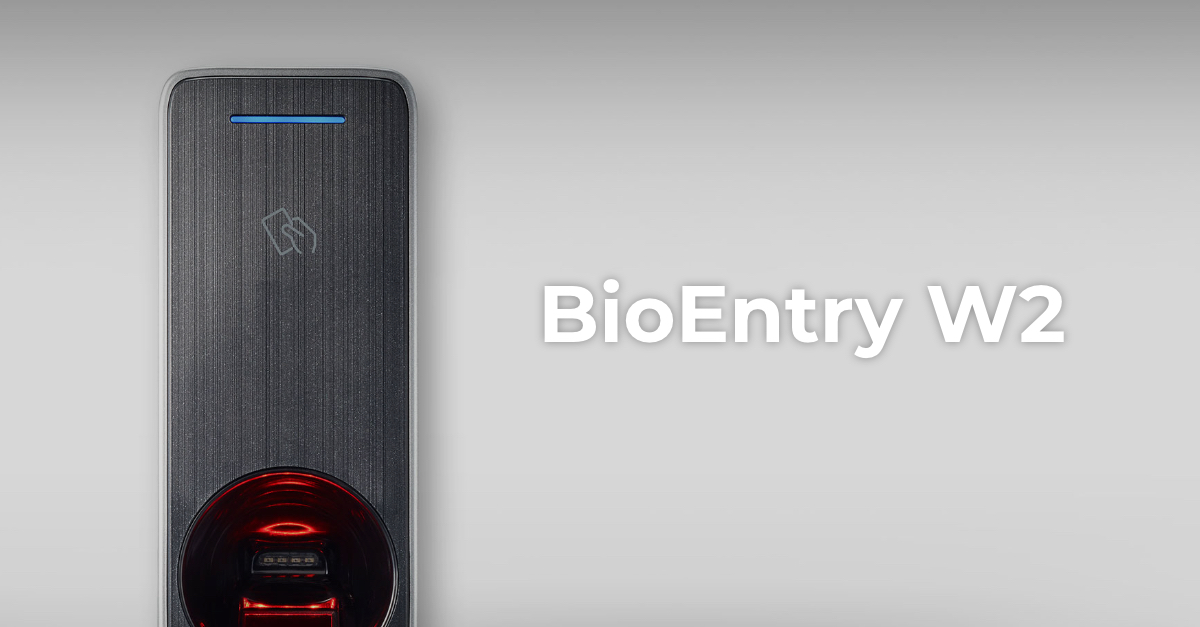 Control accesBioEntry W2Firmware V1.8.3 build 260807 · 25.08.2026
 Control accesBioLite N2Firmware V1.7.2 build 260818 · 26.08.2026
 Control accesFaceStation 2Firmware V1.5.5 build 240821 · 26.08.2024Control accesViOnyxFirmware V1.1.0 build 261015 · 16.10.2026
 Control accesXPass 2Firmware V1.5.3 build 260818 · 19.08.2026
 Control accesXPass D2Firmware V1.8.5 build 260728 · 30.07.2026
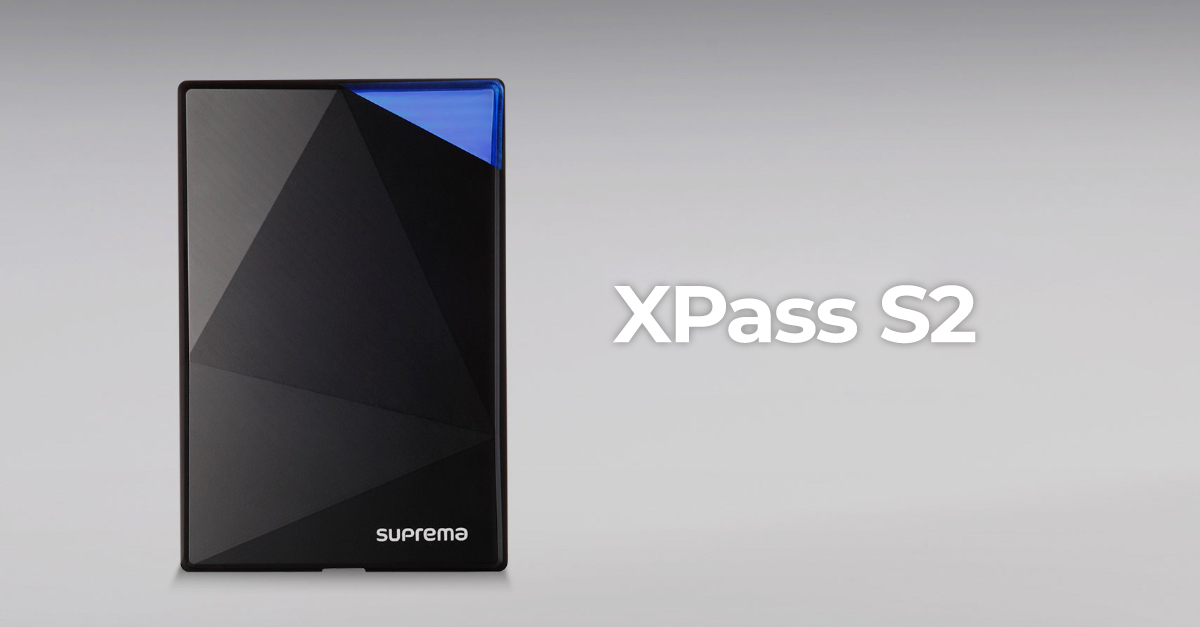 Control accesXPass S2Firmware V2.4.4 build 180724 · 04.09.2018
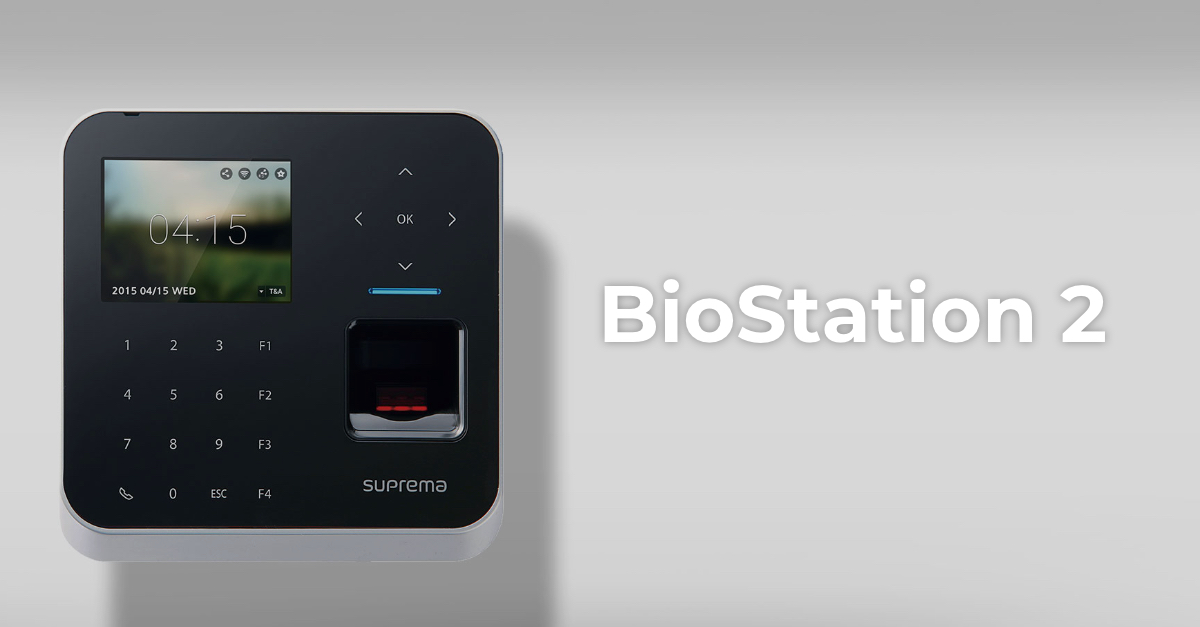 Control accesBioStation 2Fără firmware public
 Control accesBioStation A2Fără firmware public
 Control accesBioStation L2Fără firmware public