
Firmware BioLite N2
Suprema BioLite N2
- IP67
Suprema BioLite N2 este un dispozitiv de control acces, listat de producător la „Access control”.
Câteva date tehnice importante: ecran de 1,8", alimentare 12 V DC, protecție IP67/IP65 și funcționare între −20 și +50 °C. Ca gabarit, cântărește 255 g și are dimensiunile 58 x 190 x 44 (Bottom) / 34.6 (Top) (mm).
La ultima verificare, cel mai nou firmware pentru BioLite N2 era V1.7.2 build 260818 (26.08.2026). Pagina se actualizează zilnic din lista oficială Suprema.
Firmware-ul se încarcă de obicei din interfața web a aparatului sau din software-ul de administrare al producătorului.
Mai jos găsești fișa tehnică completă, tradusă în română.
Firmware actual
| Versiune | Data | Regiune | Descărcare și note |
|---|---|---|---|
| V1.7.2 build 260818BioLite N2 firmware 1.7.2 | 26.08.2026 | Global | fișierul se descarcă din Download Center Suprema (cont gratuit, cu login) Note: Release notes (Suprema Docs) Ce e nou în această versiune (textul producătorului)Build No. 1.7.2_260818 Caution Devices with the new BLE chip and the SE processor cannot downgrade to a lower version after upgrading the firmware to v1.5.0 or higher. Devices with existing BLE chips and SE processor can be downgraded to a lower version. After upgrading the firmware to v1.7.0, it is not able to downgrade to an earlier version of the firmware. For more information, check the serial number of the device and contact the Suprema . New Features and Improvements - Improved OSDP reader mode to display "Access Denied" when access is denied by a third-party control panel. - Improved BLE stability. Bug Fixes - Devices that do not support the buzzer failing to connect when integrated with an OSDP panel. Affects version : 1.0.0 - DESFire EV2 cards failing to write when issuing a Secure Credential Card. Affects version : 1.7.1 - Suprema Mobile Access authentication failing on certain Android devices. Affects version : 1.0.0 - CSN value being output for EV1 cards on a slave device connected to a third-party controller via OSDP when the Secure Messaging enforcement option is enabled. Affects version : 1.7.1 - An incorrect authentication failure reason is displayed when authenticating with an EV1 card on a slave device with Secure Messaging enabled. Affects version : 1.7.1 - Exception codes not being output when tagging an EV1 card on a device connected via OSDP with the Secure Messaging enforcement option enabled. Affects version : 1.7.1 - CSN value being transmitted to the Wiegand in device for EV1 cards when the Secure Messaging enforcement option is enabled on a bypass-configured Wiegand device. Affects version : 1.7.1 - Card authentication not working on slave devices when the master device is downgraded to a version that does not support Secure Messaging. Affects version : 1.7.1 |
| V1.6.0 build 000000BioLite N2 CLUe firmware 1.6.0 · Variantă: BioLite N2 CLUe · Etichetă regiune: CLUe | 09.04.2025 | Global | fișierul se descarcă din Download Center Suprema (cont gratuit, cu login) Note: Release notes (Suprema Docs) Ce e nou în această versiune (textul producătorului)Build No. 1.6.0_20250306_000000p SUPREMA CLUe Firmware New Features and Improvements Supports CLUe server connection. Supports CLUe screen mode. Supports external QR scanner. Supports synchronizing doors with the CLUe server. Supports synchronizing users with the CLUe server. Supports authentication via the CLUe server. Supports remote door control through the CLUe server. Supports reporting device event logs to the CLUe server. Supports automatic time synchronization via the internet. Supports CLUe fire zone. |
Versiuni anterioare
| Versiune | Data | Regiune | Descărcare și note |
|---|---|---|---|
| V1.7.1 build 260416BioLite N2 firmware 1.7.1 | 17.04.2026 | Global | fișierul se descarcă din Download Center Suprema (cont gratuit, cu login) Note: Release notes (Suprema Docs) Ce e nou în această versiune (textul producătorului)Build No. 1.7.1_260416 Caution Devices with the new BLE chip and the SE processor cannot downgrade to a lower version after upgrading the firmware to v1.5.0 or higher. Devices with existing BLE chips and SE processor can be downgraded to a lower version. After upgrading the firmware to v1.7.0, it is not able to downgrade to an earlier version of the firmware. For more information, check the serial number of the device and contact the Suprema . New Features and Improvements Supported EV2 Secure Messaging authentication and issuance for DESFire EV2 and EV3 cards. Supports the Ignore Repeated Signals Duration feature, which ignores repetitive authentication signals from the controller when the device is connected to a 3rd party controller via Wiegand. Supports not logging events when the Ignore Repeated Signals Duration feature is activated. Improved log display for unsupported events and errors on the device. Separated firmware builds for CE and Global (Non-CE) products. CE and Global (Non-CE) products can be identified via the label sticker on the back of the product. The Master Admin feature is enabled only on products with a label bearing the CE mark . |
| V1.7.0 build 251027BioLite N2 firmware 1.7.0 | 29.10.2025 | Global | fișierul se descarcă din Download Center Suprema (cont gratuit, cu login) Note: Release notes (Suprema Docs) Ce e nou în această versiune (textul producătorului)Build No. 1.7.0_251027 Caution Devices with the new BLE chip and the SE processor cannot downgrade to a lower version after upgrading the firmware to v1.5.0 or higher. Devices with existing BLE chips and SE processor can be downgraded to a lower version. After upgrading the firmware to v1.7.0, it is not able to downgrade to an earlier version of the firmware. For more information, check the serial number of the device and contact the Suprema . New Features and Improvements Supports the Master Admin setting, which grants full administrator privileges. Reflects global cybersecurity standards and the latest security requirements. Improved to distinguish devices that support the Secure Tamper feature. Bug Fixes Device abnormally restarts when changing the device’s Network settings in BioStar 2. Affects version : 1.0.0 When a user with more than two cards enrolled attempts card authentication to the Wiegand output device, the ID of a card other than the authenticated card is output. Affects version : 1.6.0 Arm/Disarm actions did not operate correctly on specific Supervised Input port of the DM-20 connected as a slave. Affects version : 1.0.0 Wiegand format card data of 25 bits or less is not recognized. Affects version : 1.0.0 In Trigger & Action , configuring two or more inputs causes the input logs and device lock logs to be repeatedly logged based on the number of configured inputs. Affects version : 1.0.0 When the card ID of an issued smart card is 32 digits, the card data is not correctly recognized during authentication with a Wiegand reader. Affects version : 1.0.0 |
| V1.6.2 build 241113BioLite N2 firmware 1.6.2 | 14.11.2024 | Global | fișierul se descarcă din Download Center Suprema (cont gratuit, cu login) Note: Release notes (Suprema Docs) Ce e nou în această versiune (textul producătorului)Build No. 1.6.2_241113 Caution Devices with the new BLE chip and the SE processor cannot downgrade to a lower version after upgrading the firmware to v1.5.0 or higher. Devices with existing BLE chips and SE processor can be downgraded to a lower version. For more information, check the serial number of the device and contact the Suprema . New Features and Improvements Supports Custom Smart Card Layout . Supports the Display Result from Controller feature for displaying authentication success or failure results from a 3rd party controller on the device screen when using Intelligent Slave . Supports the Auth Result Display Option that allows you to select how the user ID and name are displayed on the authentication result screen of the device. User ID Display User Name Display Supports feature to set the baud rate of slave devices. Extended the user expiration period to a maximum of ' 2037-12-31 '. Bug Fixes When Relay is set in the device menu, the door does not open with a mobile card. Affects version : 1.0.1 Calling the BS2_GetDeviceCapabilities function on a slave device connected via RS-485 outputs incorrect values. Affects version : 1.0.0 Some smart cards fail to be recognized in environments using the new SE chip firmware. Affects version : 1.5.0 When a fingerprint is entered into the slave device and fingerprint matching is in progress, the master device does not accept a fingerprint scan. Affects version : 1.0.0 When the Reset Time for Timed Anti PassBack is set to 0, anti-passback does not work. Affects version : 1.0.0 When authentication fails due to a fake fingerprint on a door with Dual Authentication enabled, the dual authentication process does not restart from the beginning. Affects version : 1.5.0 Fixed the text displayed on the screen when a Timed Anti PassBack violation occurs. Affects version : 1.0.0 |
| V1.6.1 build 240628BioLite N2 firmware 1.6.1 | 10.07.2024 | Global | fișierul se descarcă din Download Center Suprema (cont gratuit, cu login) Note: Release notes (Suprema Docs) Ce e nou în această versiune (textul producătorului)Build No. 1.6.1_240628 Caution Devices with the new BLE chip and the SE processor cannot downgrade to a lower version after upgrading the firmware to v1.5.0 or higher. Devices with existing BLE chips and SE processor can be downgraded to a lower version. For more information, check the serial number of the device and contact the Suprema . New Features and Improvements XPass D2 new BLE (Bluetooth Low Energy) chip firmware (Build No. 1.7.0_220921) support. - The BLE chip parts of the hardware have been changed, and the firmware has been upgraded to be compatible with both the existing and new BLE chips. Improved synchronization to complete if user enrollment fails when synchronizing multiple users to the device in BioStar 2. Improved smartcard output byte order setting. - When using Wiegand or OSDP output, it is improved to be affected by the smartcard output byte order when the Wiegand output information is set to send user ID. Improved to not recognize SEOS configuration cards as CSN for 1 minute after device booting. Improved to get user update succeeded event log using the GetLogWithFilter function in the SDK. Improved to ensure that values set with osdp_comset are correctly applied on the device connected as a slave. Bug Fixes Device does not recognize certain HID iCLASS Seos cards. Affects version : 1.0.0 Restart log is not logged in the device's Event Log when the master device is restarted. Affects version : 1.6.0 Device does not recognize certain MIFARE Classic cards. Affects version : 1.0.0 Authentication fails when authenticating with a DESFire AoC while the device is connected as a slave. Affects version : 1.0.0 The user ID stored as a 32-character string is truncated to only 31 characters in a specific event log. Affects version : 1.0.0 When a user with a 32-character user ID authenticates to the device while the device is not connected to the server, the authentication event log is not updated in BioStar 2 even after the device is reconnected to the server. Affects version : 1.0.0 When the bit interval is set for the Facility Code and ID Field of the Wiegand card format and the card is scanned during add user, the Facility Code is displayed as an incorrect value. Affects version : 1.4.1 |
| V1.6.0 build 230602BioLite N2 firmware 1.6.0 | 08.06.2023 | Global | fișierul se descarcă din Download Center Suprema (cont gratuit, cu login) Note: Release notes (Suprema Docs) Ce e nou în această versiune (textul producătorului)Build No. 1.6.0_230602 Caution Devices with the new BLE chip and the SE processor cannot downgrade to a lower version after upgrading the firmware to v1.5.0 or higher. Devices with existing BLE chips and SE processor can be downgraded to a lower version. For more information, check the serial number of the device and contact the Suprema . New Features and Improvements Supports a new SE processor and new firmware. Improved the structure to prevent authentication fail caused by broken database or cache memory. Improved to select and update only the desired information when updating user information. (Compatible with BioStar v2.9.0 or higher) Bug Fixes When authenticating with a BLE mobile card running on iOS, authentication fails and the device restarts intermittently. Affects version : 1.0.0 Card authentication performance being slower than the previous versions. Affects version : 1.5.0 Improved the OSDP ID to also be deleted when a security tamper occurs on the device connected as a slave. Affects version : 1.0.0 When using the card to authenticate to the device, the card that was normally authenticated fails intermittently. Affects version : 1.0.0 Applying an invalid custom resource causes the device to restart. Affects version : 1.0.0 Deleting all users included in an access group in BioStar 2 does not delete the access group from the device's user information. Affects version : 1.0.0 Device does not recognize certain HID iCLASS Seos cards. Affects version : 1.0.0 When the LAN cable connected to the device is disconnected and reconnected, it takes a long time for IP to be assigned by DHCP. Affects version : 1.0.0 Door Locked event occurs when input signal gets detected while configured to Arm/Disarm by input signal. Affects version : 1.0.0 Intermittently, the door does not open even if authentication succeeds when the door uses the slave device's relay. Affects version : 1.0.0 |
| V1.5.0 build 220621BioLite N2 firmware 1.5.0 | 21.06.2022 | Global | fișierul se descarcă din Download Center Suprema (cont gratuit, cu login) Note: Release notes (Suprema Docs) Ce e nou în această versiune (textul producătorului)Build No. 1.5.0_220621 Caution Devices with the new BLE chip and the SE processor cannot downgrade to a lower version after upgrading the firmware to v1.5.0 or higher. Devices with existing BLE chips and SE processor can be downgraded to a lower version. For more information, check the serial number of the device and contact the Suprema . New Features and Improvements Added new models that do not support BLE (Bluetooth Low Energy). - BLN2-OA, BLN2-OD Supports setting the byte order for smart cards. - Supports setting the byte order of data to be output to Wiegand or OSDP. Supports a new BLE (Bluetooth Low Energy) chip. - The BLE chip parts of the hardware have been changed, and the firmware has been upgraded to be compatible with both the existing and new BLE chips. Supports the dual SE processor. Separated the log related to the cause of the door unlock. Door open request by exit button Door open request by operator Added relay deactivation option for exit button input. - Added the option to set the door open request log to occur but the relay not to operate when the exit button is pressed. Supports Live Finger Detection. Bug Fixes Mobile card authentication suddenly does not work Affects version : 1.3.2 . Global APB behavior for the same input was different depending on firmware version Affects version : 1.4.0 . Device does not connect to a 3rd party controller (Software House iSTAR Edge G2) via OSDP Affects version : 1.4.1 . When changing the intelligent slave settings on the detailed page of the device on BioStar 2, the settings were not applied Affects version : 1.4.2 . Migration malfunction occurs when the firmware is upgraded from v1.2.0 or earlier to v1.3.0 or higher Affects version : 1.3.0 . - Migration did not complete and the device boots to the main screen, some keys do not work or an abnormal screen is displayed. When communicating with a 3rd party control panel via OSDP, the device incorrectly responds as 'Inactive' when receiving the Input Status Request command while the input port is grounded Affects version : 1.4.1 . When communicating with a 3rd party control panel via OSDP, the device does not respond to the Output Status Report command while the relay reacts to it Affects version : 1.4.1 . When communicating with a 3rd party control panel via OSDP, the device incorrectly responds as 'Inactive' when receiving the Output Status Request command while the relay status is 'On' Affects version : 1.4.1 . Device does not recognize certain HID iCLASS Seos cards Affects version : 1.0.0 . |
| V1.5.0 build 220621BioLite N2 CLUe firmware 1.5.0 · Variantă: BioLite N2 CLUe · Etichetă regiune: CLUe | 21.06.2022 | Global | fișierul se descarcă din Download Center Suprema (cont gratuit, cu login) Note: Release notes (Suprema Docs) Ce e nou în această versiune (textul producătorului)Build No. 1.5.0_220621 Caution Devices with the new BLE chip and the SE processor cannot downgrade to a lower version after upgrading the firmware to v1.5.0 or higher. Devices with existing BLE chips and SE processor can be downgraded to a lower version. For more information, check the serial number of the device and contact the Suprema . New Features and Improvements Added new models that do not support BLE (Bluetooth Low Energy). - BLN2-OA, BLN2-OD Supports setting the byte order for smart cards. - Supports setting the byte order of data to be output to Wiegand or OSDP. Supports a new BLE (Bluetooth Low Energy) chip. - The BLE chip parts of the hardware have been changed, and the firmware has been upgraded to be compatible with both the existing and new BLE chips. Supports the dual SE processor. Separated the log related to the cause of the door unlock. Door open request by exit button Door open request by operator Added relay deactivation option for exit button input. - Added the option to set the door open request log to occur but the relay not to operate when the exit button is pressed. Supports Live Finger Detection. Bug Fixes Mobile card authentication suddenly does not work Affects version : 1.3.2 . Global APB behavior for the same input was different depending on firmware version Affects version : 1.4.0 . Device does not connect to a 3rd party controller (Software House iSTAR Edge G2) via OSDP Affects version : 1.4.1 . When changing the intelligent slave settings on the detailed page of the device on BioStar 2, the settings were not applied Affects version : 1.4.2 . Migration malfunction occurs when the firmware is upgraded from v1.2.0 or earlier to v1.3.0 or higher Affects version : 1.3.0 . - Migration did not complete and the device boots to the main screen, some keys do not work or an abnormal screen is displayed. When communicating with a 3rd party control panel via OSDP, the device incorrectly responds as 'Inactive' when receiving the Input Status Request command while the input port is grounded Affects version : 1.4.1 . When communicating with a 3rd party control panel via OSDP, the device does not respond to the Output Status Report command while the relay reacts to it Affects version : 1.4.1 . When communicating with a 3rd party control panel via OSDP, the device incorrectly responds as 'Inactive' when receiving the Output Status Request command while the relay status is 'On' Affects version : 1.4.1 . Device does not recognize certain HID iCLASS Seos cards Affects version : 1.0.0 . |
| V1.4.2 build 220125BioLite N2 firmware 1.4.2 | 11.02.2022 | Global | fișierul se descarcă din Download Center Suprema (cont gratuit, cu login) Note: Release notes (Suprema Docs) Ce e nou în această versiune (textul producătorului)Build No. 1.4.2_220125 New Features and Improvements Supports a new BLE (Bluetooth Low Energy) chip. - The BLE chip parts of the hardware have been changed, and the firmware has been upgraded to be compatible with both the existing and new BLE chips. Improved to transmit entire card data, including the parity bit, when a user authenticated the fingerprint while the Wiegand card was registered. Bug Fixes When initializing the master device with the 'Without Network' option, the RS-485 communication key was initialized and the slave device was disconnected Affects version : 1.0.0 . Slave devices are disconnected when the master device is rebooted Affects version : 1.0.0 . The device failed to recognize the iCLASS Seos card intermittently before rebooting the device (BLN2-OAB, BLN2-PAB) Affects version : 1.0.0 . When loading the logs for the user who entered the admin menu using the SDK, the user ID was not displayed Affects version : 1.0.0 . If some ports of the OM-120 connected as a slave are set as a door relay and the device is rebooted, the relay was operated abnormally Affects version : 1.0.0 . PIN authentication did not work properly when using Device Hashkey Management Affects version : 1.3.0 . Abnormal authentication failure occurred when the slave device's auth mode was set to card+fingerprint Affects version : 1.3.0 . When authenticating on a device that has dual authentication set up, the authentication success sound is not output for the dual authentication result, and the home screen is maintained Affects version : 1.4.0 . The 'Delete the Root Certificate' was not displayed when a user with the administrator level accessed the menu on the device where the certificate was stored Affects version : 1.3.0 . Improved to check for the duplication of cards registered with users when transmitting user data from the server to devices Affects version : 1.2.0 . The user ID was abnormally displayed in the event log if the user authenticated with AoC set as the blacklist card when the User ID Type was set to Alphanumeric Affects version : 1.0.0 . When the device is connected as an intelligent slave and the first card registered to the user is a Wiegand card of a format other than 26-bit, the CSN value is output through OSDP when authenticated with the user's credentials other than the card Affects version : 1.4.1 . When setting the elevator to the scheduled unlock zone and using the 'Started by User Authentication' option, the floor is activated normally when a user belonging to the access group authenticates, but the 'Floor released' logs are output Affects version : 1.3.0 . Failed upgrading firmware related to BLE Affects version : 1.4.1 . |
| V1.4.2 build 220125BioLite N2 CLUe firmware 1.4.2 · Variantă: BioLite N2 CLUe · Etichetă regiune: CLUe | 11.02.2022 | Global | fișierul se descarcă din Download Center Suprema (cont gratuit, cu login) Note: Release notes (Suprema Docs) Ce e nou în această versiune (textul producătorului)Build No. 1.4.2_220125 New Features and Improvements Supports a new BLE (Bluetooth Low Energy) chip. - The BLE chip parts of the hardware have been changed, and the firmware has been upgraded to be compatible with both the existing and new BLE chips. Improved to transmit entire card data, including the parity bit, when a user authenticated the fingerprint while the Wiegand card was registered. Bug Fixes When initializing the master device with the 'Without Network' option, the RS-485 communication key was initialized and the slave device was disconnected Affects version : 1.0.0 . Slave devices are disconnected when the master device is rebooted Affects version : 1.0.0 . The device failed to recognize the iCLASS Seos card intermittently before rebooting the device (BLN2-OAB, BLN2-PAB) Affects version : 1.0.0 . When loading the logs for the user who entered the admin menu using the SDK, the user ID was not displayed Affects version : 1.0.0 . If some ports of the OM-120 connected as a slave are set as a door relay and the device is rebooted, the relay was operated abnormally Affects version : 1.0.0 . PIN authentication did not work properly when using Device Hashkey Management Affects version : 1.3.0 . Abnormal authentication failure occurred when the slave device's auth mode was set to card+fingerprint Affects version : 1.3.0 . When authenticating on a device that has dual authentication set up, the authentication success sound is not output for the dual authentication result, and the home screen is maintained Affects version : 1.4.0 . The 'Delete the Root Certificate' was not displayed when a user with the administrator level accessed the menu on the device where the certificate was stored Affects version : 1.3.0 . Improved to check for the duplication of cards registered with users when transmitting user data from the server to devices Affects version : 1.2.0 . The user ID was abnormally displayed in the event log if the user authenticated with AoC set as the blacklist card when the User ID Type was set to Alphanumeric Affects version : 1.0.0 . When the device is connected as an intelligent slave and the first card registered to the user is a Wiegand card of a format other than 26-bit, the CSN value is output through OSDP when authenticated with the user's credentials other than the card Affects version : 1.4.1 . When setting the elevator to the scheduled unlock zone and using the 'Started by User Authentication' option, the floor is activated normally when a user belonging to the access group authenticates, but the 'Floor released' logs are output Affects version : 1.3.0 . Failed upgrading firmware related to BLE Affects version : 1.4.1 . |
| V1.4.1 build 210917BioLite N2 firmware 1.4.1 | 28.09.2021 | Global | fișierul se descarcă din Download Center Suprema (cont gratuit, cu login) Note: Release notes (Suprema Docs) Ce e nou în această versiune (textul producătorului)Build No. 1.4.1_210917 New Features and Improvements Intelligent Slave Support - Intelligent Slave: A function that enables 1:1 or 1 :N matching directly from the Suprema device and transmits the authentication result as OSDP card data to the third-party controller. Bug Fixes - Smart card data were output with the wrong BitCount when the device was connected to a 3rd-party system via OSDP. Affects version : 1.4.0 or earlier |
| V1.4.1 build 210917BioLite N2 CLUe firmware 1.4.1 · Variantă: BioLite N2 CLUe · Etichetă regiune: CLUe | 28.09.2021 | Global | fișierul se descarcă din Download Center Suprema (cont gratuit, cu login) Note: Release notes (Suprema Docs) Ce e nou în această versiune (textul producătorului)Build No. 1.4.1_210917 New Features and Improvements Intelligent Slave Support - Intelligent Slave: A function that enables 1:1 or 1 :N matching directly from the Suprema device and transmits the authentication result as OSDP card data to the third-party controller. Bug Fixes - Smart card data were output with the wrong BitCount when the device was connected to a 3rd-party system via OSDP. Affects version : 1.4.0 or earlier |
| V1.4.0 build 210617BioLite N2 firmware 1.4.0 | 25.06.2021 | Global | fișierul se descarcă din Download Center Suprema (cont gratuit, cu login) Note: Release notes (Suprema Docs) Ce e nou în această versiune (textul producătorului)Build No. 1.4.0_210617 New Features and Improvements Improved manually turning the secure tamper on or off even when the default hash key is set. Upgraded to the 1.1.1i version of OpenSSL. Separated event logs of Mobile Access cards and RFID cards. Bug Fixes When the connection of the slave device in the Scheduled Unlock Zone was disconnected and then was reconnected, the relay did not maintain the previous status. Affects version : 1.3.2 or earlier The screen was abnormally displayed when the second user authentication was successful on a slave device with dual authentication. Affects version : 1.4.0 After being disconnected from BioStar 2, an incorrect pop-up message was displayed until they were reconnected. Affects version : 1.3.2 or earlier The device rebooted abnormally when the firmware version was upgraded to 1.3.2 after changing the slave device with firmware version 1.2.0 to a master device. Affects version : 1.3.2 or earlier The relay operated as Off (Lock) after setting the scheduled unlock zone in the elevator and rebooting the master device. Affects version : 1.3.2 or earlier The slave device rebooted abnormally. Affects version : 1.3.2 or earlier Disconnected logs frequently occurred when the device was used with Secure I/O 2. Affects version : 1.3.2 or earlier The Wiegand reader operated as Unlock after setting the Wiegand reader connected to DM-20 to Lock and rebooting the device when using the device with DM-20. Affects version : 1.3.2 or earlier The door remained locked and did not open after rebooting the device when it was set to Manual Unlock. Affects version : 1.3.2 or earlier Ten administrators were still not deleted from the device when initializing the device that has 1,000 assigned administrators. Affects version : 1.3.2 or earlier It was not able to enter special symbols (., ?, /, *) in the server URL field. Affects version : 1.3.2 or earlier Keystrokes were not working or a delay occurred in a user interface after upgrading the firmware. Affects version : 1.3.2 or earlier When enrolling a new fingerprint to AoC, it was able to authenticate the user with both the new fingerprint data and the existing fingerprint data. Affects version : 1.3.2 or earlier It was able to set not only Card Only but the other modes for Wiegand readers. Affects version : 1.3.2 or earlier |
| V1.4.0 build 210617BioLite N2 CLUe firmware 1.4.0 · Variantă: BioLite N2 CLUe · Etichetă regiune: CLUe | 25.06.2021 | Global | fișierul se descarcă din Download Center Suprema (cont gratuit, cu login) Note: Release notes (Suprema Docs) Ce e nou în această versiune (textul producătorului)Build No. 1.4.0_210617 New Features and Improvements Improved manually turning the secure tamper on or off even when the default hash key is set. Upgraded to the 1.1.1i version of OpenSSL. Separated event logs of Mobile Access cards and RFID cards. Bug Fixes When the connection of the slave device in the Scheduled Unlock Zone was disconnected and then was reconnected, the relay did not maintain the previous status. Affects version : 1.3.2 or earlier The screen was abnormally displayed when the second user authentication was successful on a slave device with dual authentication. Affects version : 1.4.0 After being disconnected from BioStar 2, an incorrect pop-up message was displayed until they were reconnected. Affects version : 1.3.2 or earlier The device rebooted abnormally when the firmware version was upgraded to 1.3.2 after changing the slave device with firmware version 1.2.0 to a master device. Affects version : 1.3.2 or earlier The relay operated as Off (Lock) after setting the scheduled unlock zone in the elevator and rebooting the master device. Affects version : 1.3.2 or earlier The slave device rebooted abnormally. Affects version : 1.3.2 or earlier Disconnected logs frequently occurred when the device was used with Secure I/O 2. Affects version : 1.3.2 or earlier The Wiegand reader operated as Unlock after setting the Wiegand reader connected to DM-20 to Lock and rebooting the device when using the device with DM-20. Affects version : 1.3.2 or earlier The door remained locked and did not open after rebooting the device when it was set to Manual Unlock. Affects version : 1.3.2 or earlier Ten administrators were still not deleted from the device when initializing the device that has 1,000 assigned administrators. Affects version : 1.3.2 or earlier It was not able to enter special symbols (., ?, /, *) in the server URL field. Affects version : 1.3.2 or earlier Keystrokes were not working or a delay occurred in a user interface after upgrading the firmware. Affects version : 1.3.2 or earlier When enrolling a new fingerprint to AoC, it was able to authenticate the user with both the new fingerprint data and the existing fingerprint data. Affects version : 1.3.2 or earlier It was able to set not only Card Only but the other modes for Wiegand readers. Affects version : 1.3.2 or earlier |
| V1.3.2 build 200917BioLite N2 firmware 1.3.2 | 28.09.2020 | Global | fișierul se descarcă din Download Center Suprema (cont gratuit, cu login) Note: Release notes (Suprema Docs) Ce e nou în această versiune (textul producătorului)Build No. 1.3.2_200917 Bug Fixes Device registration using Mobile Access app does not work on dynamic site. When setting the device zone using SDK, an error occurs and does not work properly. |
| V1.3.2 build 200917BioLite N2 CLUe firmware 1.3.2 · Variantă: BioLite N2 CLUe · Etichetă regiune: CLUe | 28.09.2020 | Global | fișierul se descarcă din Download Center Suprema (cont gratuit, cu login) Note: Release notes (Suprema Docs) Ce e nou în această versiune (textul producătorului)Build No. 1.3.2_200917 Bug Fixes Device registration using Mobile Access app does not work on dynamic site. When setting the device zone using SDK, an error occurs and does not work properly. |
| V1.3.1 build 200702BioLite N2 firmware 1.3.1 | 14.07.2020 | Global | fișierul se descarcă din Download Center Suprema (cont gratuit, cu login) Note: Release notes (Suprema Docs) Ce e nou în această versiune (textul producătorului)Build No. 1.3.1_200702 Main Fixes - Fingerprint authentication fails if the device is connected as a slave when using the ISO fingerprint template. |
| V1.3.1 build 200702BioLite N2 CLUe firmware 1.3.1 · Variantă: BioLite N2 CLUe · Etichetă regiune: CLUe | 14.07.2020 | Global | fișierul se descarcă din Download Center Suprema (cont gratuit, cu login) Note: Release notes (Suprema Docs) Ce e nou în această versiune (textul producătorului)Build No. 1.3.1_200702 Main Fixes - Fingerprint authentication fails if the device is connected as a slave when using the ISO fingerprint template. |
| V1.3.0 build 200609BioLite N2 firmware 1.3.0 | 11.06.2020 | Global | fișierul se descarcă din Download Center Suprema (cont gratuit, cu login) Note: Release notes (Suprema Docs) Ce e nou în această versiune (textul producătorului)Build No. 1.3.0_200609 Main Fixes - Logs generated while the device is disconnected are not sent to BioStar 2, even after the device is reconnected. New Features and Improvements Added feature to change device ID. Enhancement in the security of the device. Restrict unencrypted connections. Enhancement in security of encryption keys. Encrypt and migrate user information. Improved Anti-passback zone to operate based on the door status. Improved the scheduled unlock zone function for each floor when controlling elevator. Supports new device. - XPass D2 (Rev) Support to the Mobile Access V1.1. Bug Fixes When the master device is rebooted with both the scheduled unlock and manual lock set, it operates using the scheduled unlock. The device does not recognize the iCLASS cards issued by 1st generation devices. Once a card has been registered on the Wiegand output device, the device will not work properly when trying to output data using a fingerprint registered to another user. When a user authenticates the fingerprint after setting the byte order as LSB and the Wiegand output information as the user ID, the device will reboot. When a user authenticates on the slave device using a smart card or the face, the master device will reboot. When the user ID type is set to alphanumeric, a user ID with spaces can be registered on the device. When BioStation 2 is connected as a slave device, the output port cannot be set in the Trigger and Action. RS-485 communication with BioEntry R2 (BER2-OD) does not work properly. A bug that caused delays in the output of motion signals. The change in authentication mode is not applied. The device reboots or a timeout occurs when upgrading firmware or transferring user data during SSL secure communication. An error occurs when updating the fingerprint template. Authentication of fingerprints registered as duress fingerprints fails. Authentication mode setting does not work properly when XPass 2 is connected as a slave device. Some resources are not initialized even when the BioStation 2 connected as a slave device is factory reset. After the message 'Invalid payload' occurs on the slave device, it is disconnected abnormally and reconnection is impossible. An error occurs when authenticating with an iCLASS SEOS card when a smart card layout is set but SEOS is not selected in the card type option. An error occurs when authenticating with an AoC or SCC issued in DES/AES encryption mode. In the case of anti-passback violations in the global anti-passback zone, an authentication success log is generated. In the RS-485 communication, if a user attempts to perform fingerprint authentication continuously from the device, authentication fails. The device does not recognize the iCLASS cards intermittently. |
| V1.3.0 build 200609BioLite N2 CLUe firmware 1.3.0 · Variantă: BioLite N2 CLUe · Etichetă regiune: CLUe | 11.06.2020 | Global | fișierul se descarcă din Download Center Suprema (cont gratuit, cu login) Note: Release notes (Suprema Docs) Ce e nou în această versiune (textul producătorului)Build No. 1.3.0_200609 Main Fixes - Logs generated while the device is disconnected are not sent to BioStar 2, even after the device is reconnected. New Features and Improvements Added feature to change device ID. Enhancement in the security of the device. Restrict unencrypted connections. Enhancement in security of encryption keys. Encrypt and migrate user information. Improved Anti-passback zone to operate based on the door status. Improved the scheduled unlock zone function for each floor when controlling elevator. Supports new device. - XPass D2 (Rev) Support to the Mobile Access V1.1. Bug Fixes When the master device is rebooted with both the scheduled unlock and manual lock set, it operates using the scheduled unlock. The device does not recognize the iCLASS cards issued by 1st generation devices. Once a card has been registered on the Wiegand output device, the device will not work properly when trying to output data using a fingerprint registered to another user. When a user authenticates the fingerprint after setting the byte order as LSB and the Wiegand output information as the user ID, the device will reboot. When a user authenticates on the slave device using a smart card or the face, the master device will reboot. When the user ID type is set to alphanumeric, a user ID with spaces can be registered on the device. When BioStation 2 is connected as a slave device, the output port cannot be set in the Trigger and Action. RS-485 communication with BioEntry R2 (BER2-OD) does not work properly. A bug that caused delays in the output of motion signals. The change in authentication mode is not applied. The device reboots or a timeout occurs when upgrading firmware or transferring user data during SSL secure communication. An error occurs when updating the fingerprint template. Authentication of fingerprints registered as duress fingerprints fails. Authentication mode setting does not work properly when XPass 2 is connected as a slave device. Some resources are not initialized even when the BioStation 2 connected as a slave device is factory reset. After the message 'Invalid payload' occurs on the slave device, it is disconnected abnormally and reconnection is impossible. An error occurs when authenticating with an iCLASS SEOS card when a smart card layout is set but SEOS is not selected in the card type option. An error occurs when authenticating with an AoC or SCC issued in DES/AES encryption mode. In the case of anti-passback violations in the global anti-passback zone, an authentication success log is generated. In the RS-485 communication, if a user attempts to perform fingerprint authentication continuously from the device, authentication fails. The device does not recognize the iCLASS cards intermittently. |
| V1.2.0 build 190806BioLite N2 firmware 1.2.0 | 09.08.2019 | Global | fișierul se descarcă din Download Center Suprema (cont gratuit, cu login) Note: Release notes (Suprema Docs) Ce e nou în această versiune (textul producătorului)Build No. 1.2.0_190806 Main Fixes The master device abnormally shuts down if it is operated after reconnecting a disconnected slave device. The master device abnormally shuts down if the RS-485 mode of the master device is changed after disconnecting the 31 connected slave devices. Unable to enter the Job Code menu if a user authenticates with AoC. New Features and Improvements OSDP Standardization - Improved to comply with OSDP V2.1.7 protocol when connecting with 3rd-party controllers. Increase of the number of administrators that can be added. Info You can add up to 1,000 device administrators. To add more than 10 device administrators, the device must be connected to BioStar 2 v2.7.3 or higher. Support to the Clear APB for each user. Supports options by card type. Increase of the maximum number of floor levels to up to 2,048. Change the way new settings are applied when adding administrators using batch edit of devices. Before: Overwrite a new setting to existing settings. After: Add a new setting to existing settings. Supports the duplicate fingerprint check when registering users on a device. Supports setting options for Wiegand authentication result output. - User ID and Card ID Supports Anti-Tailgating at doors. If the data transmission fails when communicating with OSDP, it is transmitted again. Support for RS-485 connections to new devices - XPass 2(XP2-MDPB, XP2-GDPB, XP2-GKDPB) Bug Fixes Even if the CSN, Wiegand card option is disabled, the device recognizes EM and HID Prox cards (BLN2-OAB, BLN2-PAB). If the value of menu timeout is shorter than the auth timeout, a pop-up for success or fail does not occur when an T&A pop-up message is output after authentication. The device response to fingerprint or key input is slow. Start time is not applied in UTC when importing filtered logs using SDK. The held open occurs abnormally if the door is configured with a slave device after the slave device reboots. Applies FA(False Acceptance) improvement algorithm. Users without Administrator permission can access all menus on the device. Relay works after reconnecting for authentication that occurred when elevator connection is disconnected. When using Auth Mode, only the user ID is displayed on the next critical request screen on the slave device. Access is denied and user ID is displayed abnormally when using a smart card or fingerprint authentication in One Device Mode. |
| V1.2.0 build 190806BioLite N2 CLUe firmware 1.2.0 · Variantă: BioLite N2 CLUe · Etichetă regiune: CLUe | 09.08.2019 | Global | fișierul se descarcă din Download Center Suprema (cont gratuit, cu login) Note: Release notes (Suprema Docs) Ce e nou în această versiune (textul producătorului)Build No. 1.2.0_190806 Main Fixes The master device abnormally shuts down if it is operated after reconnecting a disconnected slave device. The master device abnormally shuts down if the RS-485 mode of the master device is changed after disconnecting the 31 connected slave devices. Unable to enter the Job Code menu if a user authenticates with AoC. New Features and Improvements OSDP Standardization - Improved to comply with OSDP V2.1.7 protocol when connecting with 3rd-party controllers. Increase of the number of administrators that can be added. Info You can add up to 1,000 device administrators. To add more than 10 device administrators, the device must be connected to BioStar 2 v2.7.3 or higher. Support to the Clear APB for each user. Supports options by card type. Increase of the maximum number of floor levels to up to 2,048. Change the way new settings are applied when adding administrators using batch edit of devices. Before: Overwrite a new setting to existing settings. After: Add a new setting to existing settings. Supports the duplicate fingerprint check when registering users on a device. Supports setting options for Wiegand authentication result output. - User ID and Card ID Supports Anti-Tailgating at doors. If the data transmission fails when communicating with OSDP, it is transmitted again. Support for RS-485 connections to new devices - XPass 2(XP2-MDPB, XP2-GDPB, XP2-GKDPB) Bug Fixes Even if the CSN, Wiegand card option is disabled, the device recognizes EM and HID Prox cards (BLN2-OAB, BLN2-PAB). If the value of menu timeout is shorter than the auth timeout, a pop-up for success or fail does not occur when an T&A pop-up message is output after authentication. The device response to fingerprint or key input is slow. Start time is not applied in UTC when importing filtered logs using SDK. The held open occurs abnormally if the door is configured with a slave device after the slave device reboots. Applies FA(False Acceptance) improvement algorithm. Users without Administrator permission can access all menus on the device. Relay works after reconnecting for authentication that occurred when elevator connection is disconnected. When using Auth Mode, only the user ID is displayed on the next critical request screen on the slave device. Access is denied and user ID is displayed abnormally when using a smart card or fingerprint authentication in One Device Mode. |
| V1.1.0 build 181210BioLite N2 firmware 1.1.0 | 11.12.2018 | Global | fișierul se descarcă din Download Center Suprema (cont gratuit, cu login) Note: Release notes (Suprema Docs) Ce e nou în această versiune (textul producătorului)Build No. 1.1.0_181210 Main Fixes When Micom is reset, the output does not restore to its previous status and the device cannot recognize the card. The DESFire EV1 card issued with the AES encryption option is recognized as a CSN card. Wiegand Out is not output when authenticating with blacklist card. With Bypass enabled, authentication failure message is not displayed when unregistered ID is authenticated. The user cannot issue a new File after the App and File are created when issuing the DESFire card. Some time zones are missing and the device reboots abnormally. A code is added to prevent the authentication fails because the cache memory is broken. The sensor does not work if a user reboots the device and then authenticates the fingerprint. New Features and Improvements Support to AES encryption type for DESFire card. Support to DESFire/DESFire EV1 Advanced option. Support to the creation of up to 2048 Access Levels and Access Groups. If a user is registered, modified, or deleted, the event log shows whether the editing was done on the server or on the device. If the data transmission fails when communicating with OSDP, it is transmitted again. Improves the data protection. Increase the items to encrypt the data. Support to setting the period for storing the personal information. Support for additional features in Secure Tamper: Delete Users, Logs, Data Encryption Key, SSL certificate, and Smart Card Layout when a secure tamper event occurs. Change the maximum value of the width for the Wiegand Input. Support to the number of users, fingerprints, faces, and cards in Manage Users in Device. Support for Individual Authentication Successful Messages and Working alarm time reports. When using The bypass, The card ID is output as Wiegand even though a user authenticates with the AoC. Bug Fixes The relays operate differently from the previous status if the slave device is reconnected. The alarm can be released in the Floors status after a fire alarm occurs when the elevator is configured as a Fire Alarm Zone. Modified the firmware of that slave device so that it cannot be upgraded when a device not supported by the master device is connected as a slave. Japanese language resource is not applied normally when the language is set to Japanese. The new event log is missing and is not displayed. Change some special characters (\, /, :, *, ?, ", ', `, <, >, |, .) to be unavailable when setting a user name. An administrator cannot set the permissions of other administrators. The tamper off event occurs when the bracket is removed and the device is rebooted. When rebooting the device, the tamper on/off notification does not appear immediately. The Authentication success or failure setting in Trigger & Action does not work normally. If a user authenticates the card to XPass D2 connected to as a slave device, the beep sounds twice. If the user uses the BS_GetLogBlob command to get the door ID, the door ID is not output normally. When registering a fingerprin |
| V1.1.0 build 181210BioLite N2 CLUe firmware 1.1.0 · Variantă: BioLite N2 CLUe · Etichetă regiune: CLUe | 11.12.2018 | Global | fișierul se descarcă din Download Center Suprema (cont gratuit, cu login) Note: Release notes (Suprema Docs) Ce e nou în această versiune (textul producătorului)Build No. 1.1.0_181210 Main Fixes When Micom is reset, the output does not restore to its previous status and the device cannot recognize the card. The DESFire EV1 card issued with the AES encryption option is recognized as a CSN card. Wiegand Out is not output when authenticating with blacklist card. With Bypass enabled, authentication failure message is not displayed when unregistered ID is authenticated. The user cannot issue a new File after the App and File are created when issuing the DESFire card. Some time zones are missing and the device reboots abnormally. A code is added to prevent the authentication fails because the cache memory is broken. The sensor does not work if a user reboots the device and then authenticates the fingerprint. New Features and Improvements Support to AES encryption type for DESFire card. Support to DESFire/DESFire EV1 Advanced option. Support to the creation of up to 2048 Access Levels and Access Groups. If a user is registered, modified, or deleted, the event log shows whether the editing was done on the server or on the device. If the data transmission fails when communicating with OSDP, it is transmitted again. Improves the data protection. Increase the items to encrypt the data. Support to setting the period for storing the personal information. Support for additional features in Secure Tamper: Delete Users, Logs, Data Encryption Key, SSL certificate, and Smart Card Layout when a secure tamper event occurs. Change the maximum value of the width for the Wiegand Input. Support to the number of users, fingerprints, faces, and cards in Manage Users in Device. Support for Individual Authentication Successful Messages and Working alarm time reports. When using The bypass, The card ID is output as Wiegand even though a user authenticates with the AoC. Bug Fixes The relays operate differently from the previous status if the slave device is reconnected. The alarm can be released in the Floors status after a fire alarm occurs when the elevator is configured as a Fire Alarm Zone. Modified the firmware of that slave device so that it cannot be upgraded when a device not supported by the master device is connected as a slave. Japanese language resource is not applied normally when the language is set to Japanese. The new event log is missing and is not displayed. Change some special characters (\, /, :, *, ?, ", ', `, <, >, |, .) to be unavailable when setting a user name. An administrator cannot set the permissions of other administrators. The tamper off event occurs when the bracket is removed and the device is rebooted. When rebooting the device, the tamper on/off notification does not appear immediately. The Authentication success or failure setting in Trigger & Action does not work normally. If a user authenticates the card to XPass D2 connected to as a slave device, the beep sounds twice. If the user uses the BS_GetLogBlob command to get the door ID, the door ID is not output normally. When registering a fingerprin |
| V1.0.2 build 180709BioLite N2 firmware 1.0.2 | 20.07.2018 | Global | fișierul se descarcă din Download Center Suprema (cont gratuit, cu login) Note: Release notes (Suprema Docs) Ce e nou în această versiune (textul producătorului)Build No. 1.0.2_180709 New Features and Improvements Support for connecting new devices. - BioLite N2(BLN2-PAB), XPass D2(XPD2-GDB, XPD2-GKDB) Bug Fixes The bypass does not work when authentication with AoC in Wiegand output. Event logs and real-time logs are not uploaded normally to BioStar 2. The device does not work as set for relay alarms when connecting Secure I/O 2 as a slave to the device. The arm/disarm key is displayed on a device not included in Intrusion Alarm Zone. The device restarts when authenticating with an unregistered fingerprint. The device cannot read CSN because the card recognized as an NFC tag. The device restarts when authentication fails. The device restarts if fingerprint authentication is tried continuously when BioLite N2(BLN2-PAB) is connected as a master device. |
| V1.0.2 build 180709BioLite N2 CLUe firmware 1.0.2 · Variantă: BioLite N2 CLUe · Etichetă regiune: CLUe | 20.07.2018 | Global | fișierul se descarcă din Download Center Suprema (cont gratuit, cu login) Note: Release notes (Suprema Docs) Ce e nou în această versiune (textul producătorului)Build No. 1.0.2_180709 New Features and Improvements Support for connecting new devices. - BioLite N2(BLN2-PAB), XPass D2(XPD2-GDB, XPD2-GKDB) Bug Fixes The bypass does not work when authentication with AoC in Wiegand output. Event logs and real-time logs are not uploaded normally to BioStar 2. The device does not work as set for relay alarms when connecting Secure I/O 2 as a slave to the device. The arm/disarm key is displayed on a device not included in Intrusion Alarm Zone. The device restarts when authenticating with an unregistered fingerprint. The device cannot read CSN because the card recognized as an NFC tag. The device restarts when authentication fails. The device restarts if fingerprint authentication is tried continuously when BioLite N2(BLN2-PAB) is connected as a master device. |
| V1.0.1 build 180426BioLite N2 firmware 1.0.1 | 27.04.2018 | Global | fișierul se descarcă din Download Center Suprema (cont gratuit, cu login) Note: Release notes (Suprema Docs) Ce e nou în această versiune (textul producătorului)Build No. 1.0.1_180426 New Features and Improvements - Improves the product validation method for the fingerprint sensor. |
| V1.0.1 build 180426BioLite N2 CLUe firmware 1.0.1 · Variantă: BioLite N2 CLUe · Etichetă regiune: CLUe | 27.04.2018 | Global | fișierul se descarcă din Download Center Suprema (cont gratuit, cu login) Note: Release notes (Suprema Docs) Ce e nou în această versiune (textul producătorului)Build No. 1.0.1_180426 New Features and Improvements - Improves the product validation method for the fingerprint sensor. |
| V1.0.0 build 180403BioLite N2 firmware 1.0.0 | 04.04.2018 | Global | fișierul se descarcă din Download Center Suprema (cont gratuit, cu login) Note: Release notes (Suprema Docs) Ce e nou în această versiune (textul producătorului)Build No. 1.0.0_180403 Initial Firmware Developed. |
| V1.0.0 build 180403BioLite N2 CLUe firmware 1.0.0 · Variantă: BioLite N2 CLUe · Etichetă regiune: CLUe | 04.04.2018 | Global | fișierul se descarcă din Download Center Suprema (cont gratuit, cu login) Note: Release notes (Suprema Docs) Ce e nou în această versiune (textul producătorului)Build No. 1.0.0_180403 Initial Firmware Developed. |
Specificații BioLite N2
Credential
| RF Option | BLN2-ODB: 125kHz EM & 13.56MHz MIFARE, MIFARE Plus, DESFire, DESFire EV1/EV2/EV3, FeliCa, NFC & 2.4GHz BLE BLN2-OAB: 125kHz EM, HID Prox & 13.56MHz MIFARE, MIFARE Plus, DESFire, DESFire EV1/EV2/EV3, FeliCa, iCLASS SE/SR/Seos, NFC & 2.4GHz BLE BLN2-PAB: 125kHz EM, HID Prox & 13.56MHz MIFARE, MIFARE Plus, DESFire, DESFire EV1/EV2/EV3, FeliCa, iCLASS SE/SR/Seos, NFC & 2.4GHz BLE |
|---|---|
| RF read range | BLN2-ODB: MIFARE/DESFire: 50 mm, EM/FeliCa: 30 mm BLN2-OAB: MIFARE/DESFire/HID iCLASS: 50 mm, EM/HID Prox/FeliCa: 30 mm BLN2-PAB: MIFARE/DESFire/HID iCLASS: 50 mm, EM/HID Prox/FeliCa: 30 mm |
| Mobile Card | NFC, BLE |
Protections
| IP rating | IP65, IP67 |
|---|---|
| IK rating | Nesuportat |
Fingerprint
| Template | SUPREMA / ISO 19794-2 / ANSI 378 |
|---|---|
| Extractor / Matcher | MINEX certified and compliant |
| Live Fingerprint Detection | Supported (SW-based) |
Capacitate
| Max. User | 10,000 |
|---|---|
| Max. Credential (1:N) | Fingerprint: 10,000 |
| Max. Credential (1:1) | Fingerprint: 10,000 / Card: 10,000 / PIN: 10,000 |
| Max. Text Log | 1,000,000 |
| Max. Image Log | Nesuportat |
General
| Procesor | 1.2 GHz |
|---|---|
| Memory | 4GB Flash + 64Mb RAM |
| Crypto Chip | Suportat |
| Afișaj | 1.77” color TFT LCD |
| LED | Nesuportat |
| Sound | 16-bit |
| Temperatură de funcționare | BLN2-ODB: -20°C ~ 50°C (-4°F ~ 122°F) BLN2-OAB: -20°C ~ 50°C (-4°F ~ 122°F) BLN2-PAB: -10°C ~ 50°C (14°F ~ 122°F) |
| Temperatură de depozitare | BLN2-ODB: -40°C ~ 70°C (-40°F ~ 158°F) BLN2-OAB: -40°C ~ 70°C (-40°F ~ 158°F) BLN2-PAB: -20°C ~ 60°C (-4°F ~ 140°F) |
| Umiditate de funcționare | 0% ~ 80%, fără condensare |
| Umiditate de depozitare | 0% ~ 90%, fără condensare |
| Greutate | Device: 255g, Bracket: 57g (including washers and bolts) |
| Dimension (WxHxD, mm) | 58 x 190 x 44 (Bottom) / 34.6 (Top) (mm) |
| Certificări | CE, UKCA, KC, FCC, IC, RCM, BIS, SIG, RoHS, REACH, WEEE |
Interfețe
| Ethernet | Supported (10/100 Mbps, auto MDI/MDI-X) |
|---|---|
| Wi-Fi | Nesuportat |
| Protocol de rețea | TCP, UDP |
| RS-485 | 1 ch Master / Slave (Selectable) |
| RS-485 Communication Protocol | OSDP V2 Compliant |
| Wiegand | 1 ch Input / Output (Selectable) |
| Input | 2ch Inputs |
| Releu | 1 Relay |
| USB | Nesuportat |
| Card SD | Nesuportat |
| PoE | Nesuportat |
| Intercom | Nesuportat |
| Anti-sabotaj | Suportat |
Electric
| Alimentare | Voltage: 12 Vdc Current: Max. 0.4 A |
|---|
Notes
| The RF detection range may vary depending on the installation environment. |
Specificațiile sunt cele publicate de Suprema, cu etichetele traduse în română (preluate la 05.11.2026). Ce nu am tradus a rămas în engleză.
Documente oficiale
Denumiri și variante: Suprema BioLite N2, BLN2-ODB, BLN2-OAB, BLN2-PAB, BioLite N2 CLUe
Modele din aceeași serie
 Control accesBioEntry P2Firmware V1.6.1 build 260427 · 29.04.2026
 Control accesBioEntry R2Firmware V1.4.2 build 260428 · 30.04.2026
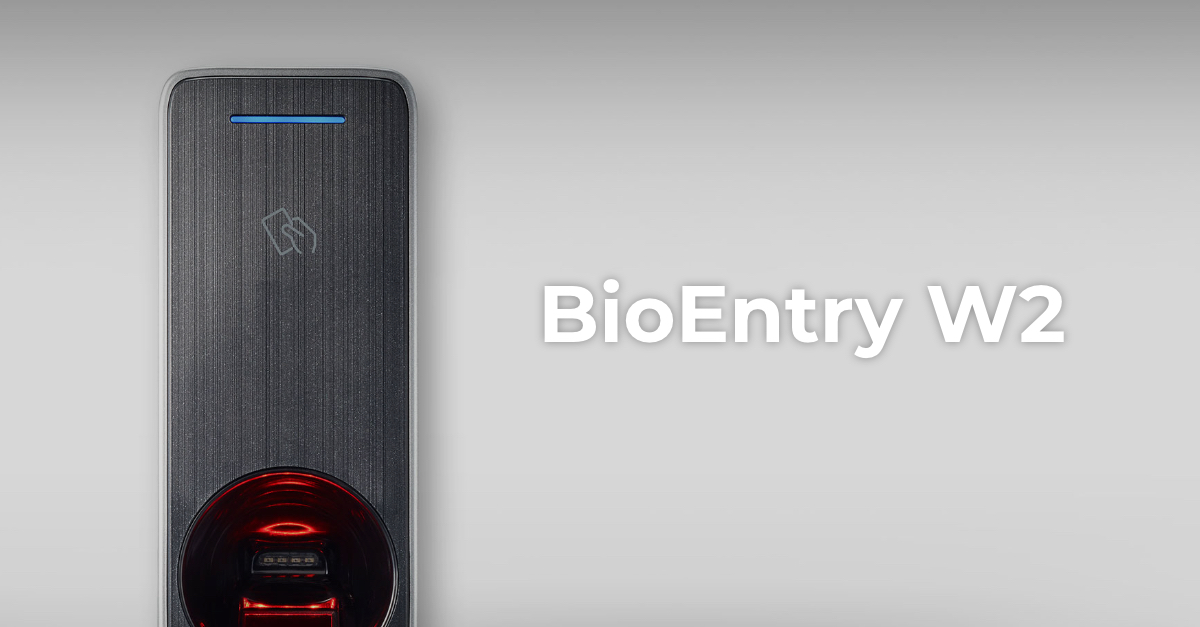 Control accesBioEntry W2Firmware V1.8.3 build 260807 · 25.08.2026
 Control accesCoreStationFirmware V1.7.4 build 261020 · 22.10.2026
 Control accesFaceStation 2Firmware V1.5.5 build 240821 · 26.08.2024Control accesViOnyxFirmware V1.1.0 build 261015 · 16.10.2026
 Control accesXPass 2Firmware V1.5.3 build 260818 · 19.08.2026
 Control accesXPass D2Firmware V1.8.5 build 260728 · 30.07.2026
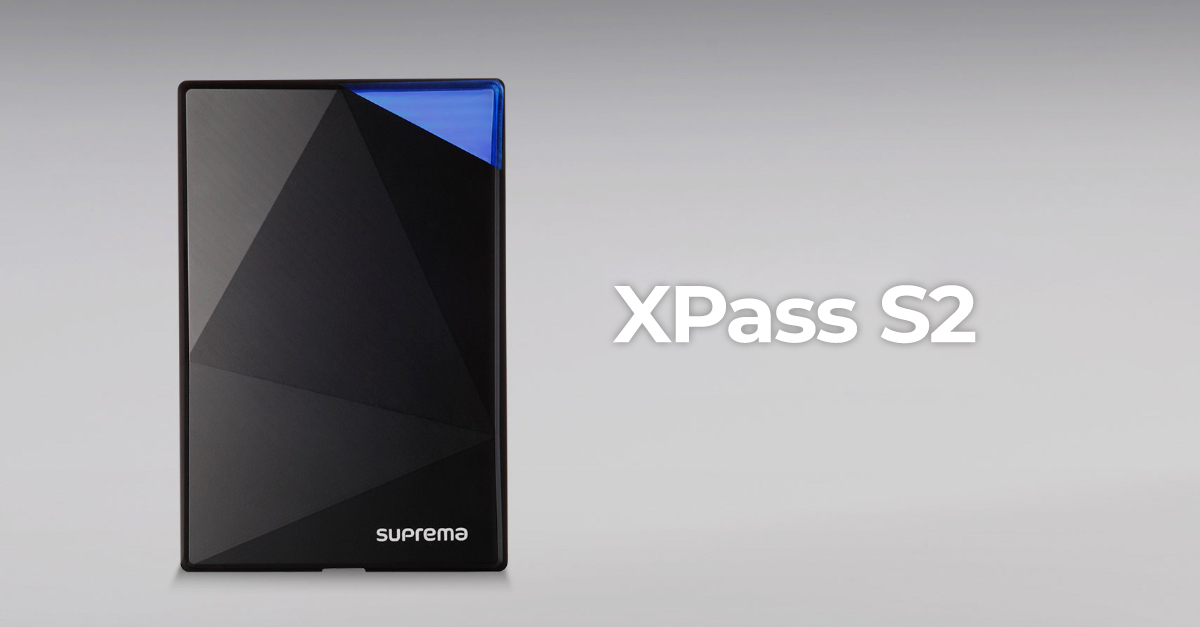 Control accesXPass S2Firmware V2.4.4 build 180724 · 04.09.2018
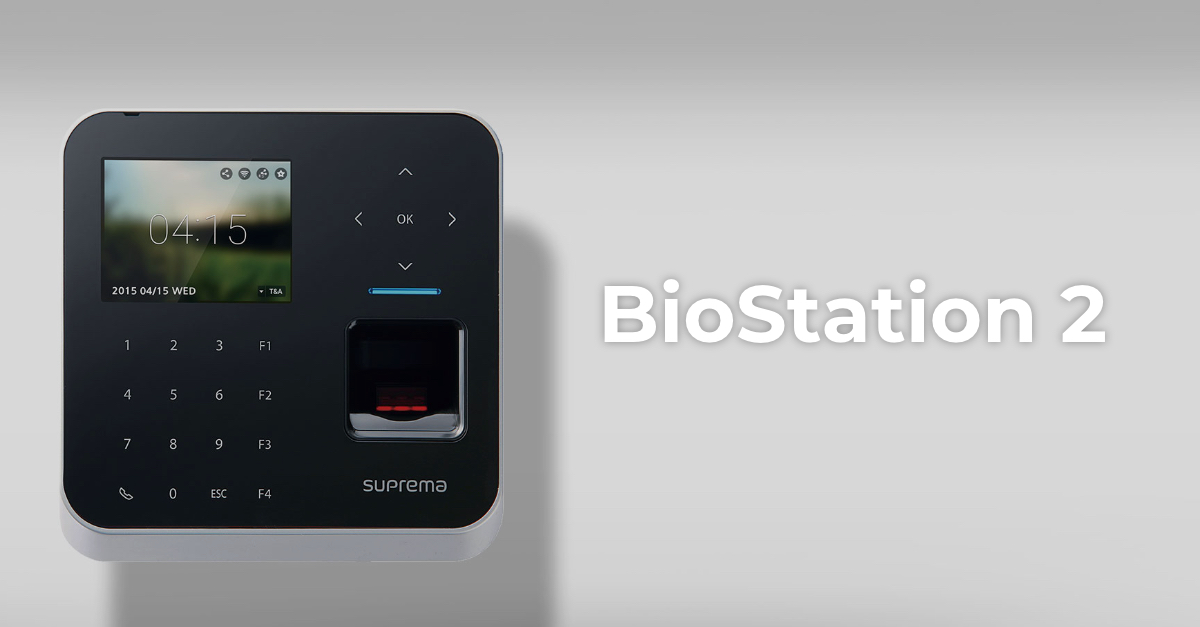 Control accesBioStation 2Fără firmware public
 Control accesBioStation A2Fără firmware public
 Control accesBioStation L2Fără firmware public