
Firmware BioStation 3
Suprema BioStation 3
- PoE
- IP65
BioStation 3 este un dispozitiv de control acces Suprema din categoria „Biometric readers & terminals”.
Din fișa tehnică reținem: ecran de 5,5", alimentare PoE (802.3at), protecție IP65, rezistență la impact IK06 și funcționare între −20 și +50 °C. Aparatul cântărește 370 g și are dimensiunile 82.5 x 171 x 23.4 (mm).
Suprema oferă pentru BioStation 3 firmware-ul V1.5.1 build 260918, lansat la 22.09.2026. Fișierul se descarcă direct de pe serverele Suprema; IPCCTV nu găzduiește firmware.
Firmware-ul se încarcă de obicei din interfața web a aparatului sau din software-ul de administrare al producătorului.
Tabelul de specificații de mai jos conține toate datele tehnice publicate de producător, traduse în română.
Firmware actual
| Versiune | Data | Regiune | Descărcare și note |
|---|---|---|---|
| V1.5.1 build 260918BioStation 3 firmware 1.5.1 | 22.09.2026 | Global | fișierul se descarcă din Download Center Suprema (cont gratuit, cu login) Note: Release notes (Suprema Docs) Ce e nou în această versiune (textul producătorului)Build No. 1.5.1_260918 Caution If you are using a device with firmware version v1.4.0, you must upgrade to v1.4.1 before use. As important security and stability improvements are included, using the latest version after the upgrade is mandatory. After upgrading the firmware to v1.4.0, it is not able to downgrade to an earlier version of the firmware. For more information, check the serial number of the device and contact the Suprema . Bug Fixes Lock Override card authentication not working on a door created with a Wiegand reader when the reader is disabled. Affects version : 1.5.0 Card authentication not proceeding after unlocking Auth Fail Lockout , entering a menu, and returning to the main screen. Affects version : 1.5.0 Mismatch between the displayed popup and the actual behavior when authentication fails after entering Job Code . Affects version : 1.5.0 Device lock status not displayed in BioStar X even when the device is locked by Auth Fail Lockout . Affects version : 1.5.0 Unlocking Auth Fail Lockout with ID + PIN also releasing locks that were not intended to be released. Affects version : 1.5.0 Administrator authentication failure count decreasing when PIN entry fails while unlocking Auth Fail Lockout . Affects version : 1.5.0 Slave device locking immediately on a single authentication failure after being deleted and re-added while in Auth Fail Lockout . Affects version : 1.5.0 Administrator authentication failed event occurring when controlling a door while in Auth Fail Lockout . Affects version : 1.5.0 Second-stage lock remaining instead of switching to the first stage when 2nd Lockout Duration is turned off during a second-stage Auth Fail Lockout . Affects version : 1.5.0 Authentication being processed as successful and releasing the lock when unlocking Auth Fail Lockout . Affects version : 1.5.0 Child Wiegand reader not being locked by Trigger & Action when a Lock Override card is assigned to a user. Affects version : 1.4.0 Newly set key not applied and the default key being used in OSDP secure communication. Affects version : 1.5.0 Slave Auth Fail Lockout releasing correctly only once after a master reboot and malfunctioning thereafter. Affects version : 1.5.0 PIN failure during Arm authentication resulting in access denial instead of being handled as Auth Fail Lockout . Affects version : 1.5.0 Slave Auth Fail Lockout not releasable through card authentication. Affects version : 1.5.0 Home screen logo image not reflected until reboot when changed via the SDK. Affects version : 1.0.0 |
| V1.1.0 build 090500BioStation 3 CLUe firmware 1.1.0 · Variantă: BioStation 3 CLUe · Etichetă regiune: CLUe | 11.12.2024 | Global | fișierul se descarcă din Download Center Suprema (cont gratuit, cu login) Note: Release notes (Suprema Docs) Ce e nou în această versiune (textul producătorului)Build No. 1.1.0_20241128_090500P SUPREMA CLUe Firmware New Features and Improvements Supports CLUe server connection. Supports CLUe screen mode. Supports USB-type external QR scanner. Supports synchronizing doors with the CLUe server. Supports synchronizing users with the CLUe server. Supports authentication via the CLUe server. Supports remote door control through the CLUe server. Supports reporting device event logs to the CLUe server. Supports automatic time synchronization via the internet. Supports CLUe fire zone. |
Versiuni anterioare
| Versiune | Data | Regiune | Descărcare și note |
|---|---|---|---|
| V1.5.0 build 260819BioStation 3 firmware 1.5.0 | 19.08.2026 | Global | fișierul se descarcă din Download Center Suprema (cont gratuit, cu login) Note: Release notes (Suprema Docs) Ce e nou în această versiune (textul producătorului)Build No. 1.5.0_260819 Caution If you are using a device with firmware version v1.4.0, you must upgrade to v1.4.1 before use. As important security and stability improvements are included, using the latest version after the upgrade is mandatory. After upgrading the firmware to v1.4.0, it is not able to downgrade to an earlier version of the firmware. For more information, check the serial number of the device and contact the Suprema . New Features and Improvements - Supports new device. - XPass Q2 - Added Auth Fail Lockout feature, which locks the device after repeated PIN authentication failures. - Added and improved face authentication features - Improved face authentication performance - Added support for sequential multi-face authentication (device license required) - Added support for Anti-Tailgating - Supports feature to set the baud rate of slave devices. - Improved Master Admin to enforce re-enrollment when fewer than two credentials remain. - Improved USB export/import file name handling - Changed the file name generated during USB export to start with BioStarX - Fixed Files exported from BioStar X not appearing in the import list - Improved log display for unsupported events and errors on the device. - Changed the authentication success icon color to green. - Improved OSDP reader mode to display "Access Denied" when access is denied by a third-party control panel. - Improved zone status display and alarm clearing behavior after power restart following a fire alarm. - Improved BLE stability. - Expanded allowed characters for User ID and User Name - Added support for periods (.) in User ID - Added support for periods (.) and apostrophes (') in User Name Bug Fixes - Suprema Mobile Access authentication failing on iPhones upgraded to iOS 26 or later. Affects version : 1.0.0 - Manual Lock failing to release after the set time elapses. Affects version : 1.4.0 - When multiple devices are connected to a third-party control panel, rebooting one device causes the RS-485 connections of the other devices to be disconnected. Affects version : 1.0.2 - Attendance status not recorded correctly according to the configured schedule times. Affects version : 1.0.0 - Card authentication not working on slave devices when the master device is downgraded to a version that does not support Secure Messaging. Affects version : 1.4.3 - An incorrect authentication failure reason is displayed when authenticating with an EV1 card on a slave device with Secure Messaging enabled. Affects version : 1.4.3 - CSN value being output for EV1 cards on a slave device connected to a third-party controller via OSDP when the Secure Messaging enforcement option is enabled. Affects version : 1.4.3 - CSN value being transmitted to the Wiegand in device for EV1 cards when the Secure Messaging enforcement option is enabled on a bypass-configured Wiegand device. Affects version : 1.4.3 - Suprema Mobile Access authentication failing on certain Android devices. Affects version : |
| V1.4.3 build 260406BioStation 3 firmware 1.4.3 | 10.04.2026 | Global | fișierul se descarcă din Download Center Suprema (cont gratuit, cu login) Note: Release notes (Suprema Docs) Ce e nou în această versiune (textul producătorului)Build No. 1.4.3_260406 Caution If you are using a device with firmware version v1.4.0, you must upgrade to v1.4.1 before use. As important security and stability improvements are included, using the latest version after the upgrade is mandatory. After upgrading the firmware to v1.4.0, it is not able to downgrade to an earlier version of the firmware. For more information, check the serial number of the device and contact the Suprema . New Features and Improvements - Supported EV2 Secure Messaging authentication and issuance for DESFire EV2 and EV3 cards. Bug Fixes - Authentication success screen not closing after selecting a T&A Code upon successful card authentication when the device's Auth Mode is set to card only and the T&A Required option is enabled. Affects version : 1.0.0 |
| V1.4.2 build 260309BioStation 3 firmware 1.4.2 | 12.03.2026 | Global | fișierul se descarcă din Download Center Suprema (cont gratuit, cu login) Note: Release notes (Suprema Docs) Ce e nou în această versiune (textul producătorului)Build No. 1.4.2_260309 Caution If you are using a device with firmware version v1.4.0, you must upgrade to v1.4.1 before use. As important security and stability improvements are included, using the latest version after the upgrade is mandatory. After upgrading the firmware to v1.4.0, it is not able to downgrade to an earlier version of the firmware. For more information, check the serial number of the device and contact the Suprema . New Features and Improvements Separated firmware builds for CE and Global (Non-CE) products. CE and Global (Non-CE) products can be identified via the label sticker on the back of the product. The Master Admin feature is enabled only on products with a label bearing the CE mark . Bug Fixes Card format and write failure after changing the Primary Key of an issued MIFARE SL1 card. Affects version : 1.4.1 After enrolling credentials for the Master Admin to the slave device in BioStar 2, the enrolled information is not displayed when re-entering the device details page. Affects version : 1.4.1 |
| V1.4.1 build 250929BioStation 3 firmware 1.4.1 | 29.09.2025 | Global | fișierul se descarcă din Download Center Suprema (cont gratuit, cu login) Note: Release notes (Suprema Docs) Ce e nou în această versiune (textul producătorului)Build No. 1.4.1_250929 Caution If you are using a device with firmware version v1.4.0, you must upgrade to v1.4.1 before use. As important security and stability improvements are included, using the latest version after the upgrade is mandatory. After upgrading the firmware to v1.4.0, it is not able to downgrade to an earlier version of the firmware. For more information, check the serial number of the device and contact the Suprema . Bug Fixes Fixed issue where unnecessary logs were getting logged. Affects version : 1.4.0 Applying device settings in BioStar 2 causes a logout due to a WLAN encryption problem. Affects version : 1.4.0 |
| V1.4.0 build 250909BioStation 3 firmware 1.4.0 | 09.09.2025 | Global | fișierul se descarcă din Download Center Suprema (cont gratuit, cu login) Note: Release notes (Suprema Docs) Ce e nou în această versiune (textul producătorului)Build No. 1.4.0_250909 Caution If you are using a device with firmware version v1.4.0, you must upgrade to v1.4.1 before use. As important security and stability improvements are included, using the latest version after the upgrade is mandatory. After upgrading the firmware to v1.4.0, it is not able to downgrade to an earlier version of the firmware. For more information, check the serial number of the device and contact the Suprema . New Features and Improvements Supports the Lock Override feature, which allows you to enroll a card that can open a door to be opened using a specific card. Improved so that when authentication is attempted on a door set to Manual Lock , an authentication failure event occurs and a locked message appears. Supports the Master Admin setting, which grants full administrator privileges. Reflects global cybersecurity standards and the latest security requirements. Supports real-time monitoring of the device's multiple statuses in BioStar X. Supports the Extended Door Open Time feature, which allows certain users to have the door remain open longer than the default door open time. Supports the Door Mode Override feature, which restores the door to its normal state after the administrator changes the door status and a certain period of time has elapsed. Supports controlling the relay of a connected door from the device menu. Improved facial authentication and face anti-spoofing performance in low-light and strong external light environments. Improved RTSP playback compatibility with Genetec Security Center. Improved to distinguish devices that support the Server Private Message feature. Updated product power specifications in the Regulatory & Licenses menu. 24V - 1.2A → 24V - 0.7A 12V - 2.5A → 12V - 1A Supports not logging events when the Ignore Repeated Signals Duration feature is activated. Added identification code to support recognition of the latest cards. - DESFire EV3 Improved to distinguish devices that support the Secure Tamper feature. Supports saving setting values other than Check Before Authentication when configuring the Require No Mask using the SDK. Supports SL1, SL3, and SL1/SL3 Mix Mode for security level compatibility with MIFARE Plus EV1 cards. SL1: Compatible mode with MIFARE Classic SL3: Advanced security mode based on AES Improved time synchronization behavior between server and devices. Bug Fixes Users created by adding the numeric string '00' to the user ID are set as administrators but fail to authenticate when entering the menu. Affects version : 1.0.0 When the AoC issued to a user whose user ID includes the string '00' is suspended, authentication is still successful. Affects version : 1.0.0 Authentication with a QR code fails when the T&A Mode is set to By User for large data QR codes, but re-authentication with the QR code succeeds without selecting T&A . Affects version : 1.3.0 Calling the BS2_GetDeviceCapabilities function on a slave device connected via RS-485 outputs incorrect values. A |
| V1.3.1 build 240902BioStation 3 firmware 1.3.1 | 03.09.2024 | Global | fișierul se descarcă din Download Center Suprema (cont gratuit, cu login) Note: Release notes (Suprema Docs) Ce e nou în această versiune (textul producătorului)Build No. 1.3.1_240902 New Features and Improvements Improved the issue that occurs when the Display Name of the saved extension number is long. Improved to show an ellipsis in the extension number list for long display names. On the call screen, only the middle part of the Display Name is displayed. Improved wrapping of long display names on the call screen. Improved UI in Advanced Settings screen in AUTHENTICATION . Improved vulnerability in conditions required when setting RTSP login password. Added Store Visual Face Image feature. - Supports the feature to save both the actual image and the template in the visual face, or to save only the template without storing the actual image. Added an option to enable or disable the Scramble Keypad , which randomizes the position of numeric keys when entering a PIN. - AUTHENTICATION → Scramble Keypad Added a feature that prevents facial authentication from occurring at close range to reduce false authentication during facial authentication at close range. Improved face anti-spoofing performance. Info Face anti-spoofing performance has been improved to pass the iBeta Level 1 ISO 30107-3 Presentation Attack Detection Test. We recommend using the Fake Detection feature set to Normal in environments with strong sunlight. Added FAS_IR_SP in Device Info to check the algorithm version of face anti-spoofing. Added a Require No Mask option that allows rejecting authentication for users wearing a mask during face authentication. Added Hidden Network that allows manually adding and connecting to a wireless network by directly entering network information on the device. Improved to periodically check the Wi-Fi signal strength of the connected wireless network, ensuring the Wi-Fi signal strength icon on the home screen is updated. Bug Fixes When setting a user validity Period , an error message is not displayed when the Start Date is set to exceed the End Date . Affects version : 1.2.0 Fixed some strings in user validity Period settings. Affects version : 1.0.0 The keypad that appears when setting certain menus is hidden from view by obscuring the menu. Affects version : 1.0.0 When the name of a Schedule created in BioStar 2 is long, the schedule name overlaps with the UI in menus where schedule settings are required. Affects version : 1.0.0 When a long server address is entered in the Edit Server menu, the server URL text overlaps with the screen UI. Affects version : 1.0.0 When an initialized device is connected as a slave via RS-485, the LED status indicator on the slave device blinks blue and green. Affects version : 1.0.0 Intermittently, the settings in face authentication are not saved. Affects version : 1.0.0 When the device does not have a face authentication mode, after registering 50,000 face credential users and setting the face authentication mode, the menu freezes when entering the user menu. Affects version : 1.0.0 When deleting an Extensions from the extension list, the Display Name of other co |
| V1.3.0 build 240514BioStation 3 firmware 1.3.0 | 28.06.2024 | Global | fișierul se descarcă din Download Center Suprema (cont gratuit, cu login) Note: Release notes (Suprema Docs) Ce e nou în această versiune (textul producătorului)Build No. 1.3.0_240514 New Features and Improvements XPass D2 new BLE (Bluetooth Low Energy) chip firmware (Build No. 1.7.0_220921) support. - The BLE chip parts of the hardware have been changed, and the firmware has been upgraded to be compatible with both the existing and new BLE chips. Supports Custom Smart Card Layout . Improved to not recognize SEOS configuration cards as CSN for 1 minute after device booting. Added event code for QR authentication. Support for adding FeliCa card to Custom Smart Card Layout . Extended the user expiration period to a maximum of ' 2037-12-31 '. Supports the Display Result from Controller feature for displaying authentication success or failure results from a 3rd party controller on the device screen when using Intelligent Slave . Supports the Ignore Repeated Signals Duration feature, which ignores repetitive authentication signals from the controller when the device is connected to a 3rd party controller via Wiegand. Improved Intercom screen UI. Supports the SIP Server Transport feature, which selects the SIP transmission method when setting up the SIP server of Intercom on the device. Supports the feature of selecting the resolution of the video output from the device when using Intercom and RTSP . Intercom Video Resolution RTSP Video Resolution Improved to get user update succeeded event log using the GetLogWithFilter function in the SDK. Supports the Auth Result Display Option that allows you to select how the user ID and name are displayed on the authentication result screen of the device. Improved pop-up message displayed when authentication fails for users who set the second credential as a fingerprint in Extended Private Auth Mode . Bug Fixes When the maximum number of extension numbers that can be stored on the device is exceeded, the Add Extension icon is still displayed. Affects version : 1.0.0 An issue occurs when authenticating with a face not wearing a mask on a device with the Mask Detection set to Enabled (Soft) and the mask check method set to Check After Authentication . Affects version : 1.0.0 An authentication mode error occurs intermittently. The device freezes when facial authentication is continuous. When the Wireless AP power is turned off and the device is restarted, the wireless network does not automatically reconnect when the AP power is turned back on. Affects version : 1.0.0 When the Auth Mode is set to Card / QR Code and the mask check method is set to Check Before Authentication on the device, QR authentication intermittently fails after wearing a mask and authenticating. Affects version : 1.1.0 If device settings are changed in BioStar 2 during an intercom call, card authentication fails after the call ends. Affects version : 1.1.0 Authentication fails when authenticating with a DESFire AoC while the device is connected as a slave. Affects version : 1.0.0 When Relay is set in the device menu, the door does not open with a mobile card. Affects version : 1.0.0 If a general |
| V1.2.1 build 231113BioStation 3 firmware 1.2.1 | 27.11.2023 | Global | fișierul se descarcă din Download Center Suprema (cont gratuit, cu login) Note: Release notes (Suprema Docs) Ce e nou în această versiune (textul producătorului)Build No. 1.2.1_231113 Firmware Repackaging |
| V1.2.0 build 231005BioStation 3 firmware 1.2.0 | 05.10.2023 | Global | fișierul se descarcă din Download Center Suprema (cont gratuit, cu login) Note: Release notes (Suprema Docs) Ce e nou în această versiune (textul producătorului)Build No. 1.2.0_231005 New Features and Improvements Supports Template on Mobile . Improved face anti-spoofing performance when Operation Mode is set to Fusion Matching and Fake Detection is set to Normal . Fixed strings in the Use QR as Card menu. Separated event code for QR authentication. Added Voice Instruction. Updated Japanese regulatory certification electronic notation. Bug Fixes The Server URL for device's Device ▶ Server Connection in BioStar 2 does not appear on the device configuration. Affects version : 1.0.1 Authentication result does not appear when authenticating with entering ID followed by an action returning to home screen after entering the menu as an administrator. Affects version : 1.0.0 The screen overlaps when swiping to scroll the Event Log list screen. Affects version : 1.0.0 When authenticating with ID + PIN on a device connected as a slave, the user ID is displayed but the user name is not displayed. Affects version : 1.1.1 Firmware upgrade succeeds with an invalid resource file. Affects version : 1.0.0 When upgrading firmware, resource file included in the firmware does not get updated. Affects version : 1.0.0 When user information is sent from BioStar 2 to a master device that does not have 1 :N authentication mode, 1 :N authentication fails on the device connected as a slave. Affects version : 1.0.0 Restart log is not logged in the device's Event Log when the master device is restarted. Affects version : 1.0.1 The device turns off when the user Format Card in BioStar 2. Affects version : 1.0.0 Device freezes or restarts when continuously authenticating with an EM card. Affects version : 1.0.0 When devices are connected as a master-slave and the door is deleted and added again, the door does not open even if authentication has succeeded with the device connected as a slave. Affects version : 1.0.0 Fixed string for scheduled lock zone violation. Affects version : 1.0.0 Fixed smartcard output byte order setting. Affects version : 1.1.0 - When using Wiegand or OSDP output, it is fixed to be affected by the smartcard output byte order when the Wiegand output information is set to send user ID. |
| V1.1.1 build 230621BioStation 3 firmware 1.1.1 | 28.06.2023 | Global | fișierul se descarcă din Download Center Suprema (cont gratuit, cu login) Note: Release notes (Suprema Docs) Ce e nou în această versiune (textul producătorului)Build No. 1.1.1_230621 Bug Fixes Device does not recognize certain HID iCLASS Seos cards. Affects version : 1.0.0 When authenticating with a BLE mobile card running on iOS, authentication fails and the device restarts intermittently. Affects version : 1.0.0 When a user registered from FaceStation F2 v1.x.x is sent to BioStation 3 through BioStar 2, the device restarts. Affects version : 1.1.0 Entering ID and PIN to access administrator menu reaches timeout quicker than expected. Affects version : 1.0.0 When authenticating with a card while face authentication mode is off and QR is disabled, the camera preview screen is displayed after the authentication result appears. Affects version : 1.0.0 LED indicator operation is maintained even when the device is locked due to an event set in Trigger & Action . Affects version : 1.0.0 |
| V1.1.0 build 230414BioStation 3 firmware 1.1.0 | 19.04.2023 | Global | fișierul se descarcă din Download Center Suprema (cont gratuit, cu login) Note: Release notes (Suprema Docs) Ce e nou în această versiune (textul producătorului)Build No. 1.1.0_230414 New Features and Improvements Supports QR code recognition and authentication using the camera. Supports activating licenses for use of specific features on devices. Improved LED operation according to illuminance. Supports Thai font. Added Japanese regulatory certification electronic notation. Improved performance of the authentication result displayed when face authentication is performed from a slave device. Improved smartcard output byte order setting. - When using Wiegand or OSDP output, it is improved to be affected by the smartcard output byte order when the Wiegand output information is set to send user ID. Improved performance of the authentication result and LED action. Improved scrolling performance in lists when querying users or logs. Improved call failure pop-up messages and end call operation when SIP Intercom when there is no response from the other party. Optimized camera performance to enhance face and QR authentication performance in various illuminance environments. Improved mask detection algorithm. Improved to display an error message when pressing OK when there are unentered items from SIP Setting in the Intercom of the device. Improved face anti-spoofing performance. Bug Fixes Applying an invalid custom resource causes the device to restart. Affects version : 1.0.0 Face authentication fails on a slave device when the master device restarts without having any Auth Mode . Affects version : 1.0.0 Changing the Auth Timeout in BioStar 2 does not apply to the device. Affects version : 1.0.0 An issue where an administrator with the device setup operating level can initialize the device. Affects version : 1.0.0 Intermittently, the door does not open even if authentication succeeds when the door uses the slave device's relay. Affects version : 1.0.0 When face authentication is performed while pressing the Call button on the main screen to use the Intercom , only the main screen is displayed instead of the intercom screen. Affects version : 1.0.0 |
| V1.0.2 build 230111BioStation 3 firmware 1.0.2 | 20.01.2023 | Global | fișierul se descarcă din Download Center Suprema (cont gratuit, cu login) Note: Release notes (Suprema Docs) Ce e nou în această versiune (textul producătorului)Build No. 1.0.2_230111 New Features and Improvements Supports a new SE processor and new firmware. - Support downgrade to lower version firmware. Fixed incorrect Partial Modify Fail (Server) log occurred by changing user information from the server where the user does not exist on the device. Bug Fixes When using the relay of the master device for the door, the door does not open when authenticating from the device connected as a slave. Affects version : 1.0.0 Face authentication does not work when set to low Baud Rate in Serial Setting . Affects version : 1.0.0 Missing custom font files other than English and Korean. Affects version : 1.0.0 When authenticating with face, the Wiegand port outputs an incorrect value as other user information that was previously authenticated with card. Affects version : 1.0.0 Door Locked event occurs when input signal gets detected while configured to Arm/Disarm by input signal. Affects version : 1.0.0 Modifying the authentication mode causes other previously set authentication modes to disappear. Affects version : 1.0.0 The list number column and list column overlaps on the extension number screen. Affects version : 1.0.0 When issuing a smartcard including a visual face template using the SDK, the card scan screen suddenly disappears. Affects version : 1.0.0 |
| V1.0.2 build 230111BioStation 3 CLUe firmware 1.0.2 · Variantă: BioStation 3 CLUe · Etichetă regiune: CLUe | 20.01.2023 | Global | fișierul se descarcă din Download Center Suprema (cont gratuit, cu login) Note: Release notes (Suprema Docs) Ce e nou în această versiune (textul producătorului)Build No. 1.0.2_230111 New Features and Improvements Supports a new SE processor and new firmware. - Support downgrade to lower version firmware. Fixed incorrect Partial Modify Fail (Server) log occurred by changing user information from the server where the user does not exist on the device. Bug Fixes When using the relay of the master device for the door, the door does not open when authenticating from the device connected as a slave. Affects version : 1.0.0 Face authentication does not work when set to low Baud Rate in Serial Setting . Affects version : 1.0.0 Missing custom font files other than English and Korean. Affects version : 1.0.0 When authenticating with face, the Wiegand port outputs an incorrect value as other user information that was previously authenticated with card. Affects version : 1.0.0 Door Locked event occurs when input signal gets detected while configured to Arm/Disarm by input signal. Affects version : 1.0.0 Modifying the authentication mode causes other previously set authentication modes to disappear. Affects version : 1.0.0 The list number column and list column overlaps on the extension number screen. Affects version : 1.0.0 When issuing a smartcard including a visual face template using the SDK, the card scan screen suddenly disappears. Affects version : 1.0.0 |
| V1.0.1 build 221020BioStation 3 firmware 1.0.1 | 21.10.2022 | Global | fișierul se descarcă din Download Center Suprema (cont gratuit, cu login) Note: Release notes (Suprema Docs) Ce e nou în această versiune (textul producătorului)Build No. 1.0.1_221020 New Features and Improvements Improved motion detection performance for low-light environments. Improved Visual Face matching algorithm. Improved all pop-up messages displayed on the device to operate according to the time set in Message Timeout . Fixed Korean and English strings in the RTSP menu. Bug Fixes When upgrading resources or firmware from BioStar 2, the device could not check the progress of the upgrade because no information was displayed. Affects version : 1.0.0 When synchronizing multiple users to a device in BioStar 2 and then restarting the device, the User Usage on the device displays a different number of visual faces than the number of synchronized. Affects version : 1.0.0 When entering the device detail page after adding a logo image to the device connected as a slave, an Invalid payload error occurs and the RS-485 get disconnected. Affects version : 1.0.0 When Device Hashkey Management is set to Use in BioStar 2 and migration proceeds, all users are deleted from the device, but a delete notification pop-up is not displayed. Affects version : 1.0.0 Device hangs intermittently and then restarts. Affects version : 1.0.0 When entering the Wireless , the new SSID does not appear, but only the previously searched SSID appears. Affects version : 1.0.0 When enrolling a visual face or card on a device using the BioStar 2, the scan screen is not visible and the screen saver state remains. Affects version : 1.0.0 When the call button on the main screen is pressed with only one extension number stored in the device, it does not connect directly. Affects version : 1.0.0 In Edit User , if you select Extended Private Auth Mode as ID + Fingerprint / PIN and press OK , the fingerprint icon is incorrectly displayed as a face icon in the Extended Private Auth Mode list. Affects version : 1.0.0 Authentication failure occurs when authenticating with AoC with private auth mode set to Card + Face . Affects version : 1.0.0 When the device is restarted via BioStar 2, only a notification sound plays and the restart pop-up message does not appear. Affects version : 1.0.0 Firmware upgrade via USB restarts the device without a success or failure popup message. Affects version : 1.0.0 In BioStar 2's T&A menu, the Schedule display part is blank when creating a T&A Code with a Schedule other than Always and selecting the T&A Code on the device. Affects version : 1.0.0 Memory usage incorrectly displayed in DRAM Usage in Memory Info . Affects version : 1.0.0 When entering the menu from a device connected as a slave, a normal menu touch sound plays instead of a warning sound. Affects version : 1.0.0 When enrolling a visual face in the USER menu in BioStar 2, when the scan waiting time exceeded while enrolling the 1st face and then scanning the 2nd face, the face enrolled in the 1st appears. Affects version : 1.0.0 If the network is connected to a wireless LAN and then enters Wireless again after changing to an ethernet con |
| V1.0.1 build 221020BioStation 3 CLUe firmware 1.0.1 · Variantă: BioStation 3 CLUe · Etichetă regiune: CLUe | 21.10.2022 | Global | fișierul se descarcă din Download Center Suprema (cont gratuit, cu login) Note: Release notes (Suprema Docs) Ce e nou în această versiune (textul producătorului)Build No. 1.0.1_221020 New Features and Improvements Improved motion detection performance for low-light environments. Improved Visual Face matching algorithm. Improved all pop-up messages displayed on the device to operate according to the time set in Message Timeout . Fixed Korean and English strings in the RTSP menu. Bug Fixes When upgrading resources or firmware from BioStar 2, the device could not check the progress of the upgrade because no information was displayed. Affects version : 1.0.0 When synchronizing multiple users to a device in BioStar 2 and then restarting the device, the User Usage on the device displays a different number of visual faces than the number of synchronized. Affects version : 1.0.0 When entering the device detail page after adding a logo image to the device connected as a slave, an Invalid payload error occurs and the RS-485 get disconnected. Affects version : 1.0.0 When Device Hashkey Management is set to Use in BioStar 2 and migration proceeds, all users are deleted from the device, but a delete notification pop-up is not displayed. Affects version : 1.0.0 Device hangs intermittently and then restarts. Affects version : 1.0.0 When entering the Wireless , the new SSID does not appear, but only the previously searched SSID appears. Affects version : 1.0.0 When enrolling a visual face or card on a device using the BioStar 2, the scan screen is not visible and the screen saver state remains. Affects version : 1.0.0 When the call button on the main screen is pressed with only one extension number stored in the device, it does not connect directly. Affects version : 1.0.0 In Edit User , if you select Extended Private Auth Mode as ID + Fingerprint / PIN and press OK , the fingerprint icon is incorrectly displayed as a face icon in the Extended Private Auth Mode list. Affects version : 1.0.0 Authentication failure occurs when authenticating with AoC with private auth mode set to Card + Face . Affects version : 1.0.0 When the device is restarted via BioStar 2, only a notification sound plays and the restart pop-up message does not appear. Affects version : 1.0.0 Firmware upgrade via USB restarts the device without a success or failure popup message. Affects version : 1.0.0 In BioStar 2's T&A menu, the Schedule display part is blank when creating a T&A Code with a Schedule other than Always and selecting the T&A Code on the device. Affects version : 1.0.0 Memory usage incorrectly displayed in DRAM Usage in Memory Info . Affects version : 1.0.0 When entering the menu from a device connected as a slave, a normal menu touch sound plays instead of a warning sound. Affects version : 1.0.0 When enrolling a visual face in the USER menu in BioStar 2, when the scan waiting time exceeded while enrolling the 1st face and then scanning the 2nd face, the face enrolled in the 1st appears. Affects version : 1.0.0 If the network is connected to a wireless LAN and then enters Wireless again after changing to an ethernet con |
| V1.0.0 build 220901BioStation 3 firmware 1.0.0 | 01.09.2022 | Global | fișierul se descarcă din Download Center Suprema (cont gratuit, cu login) Note: Release notes (Suprema Docs) Ce e nou în această versiune (textul producătorului)Build No. 1.0.0_220901 Initial Firmware Developed. |
| V1.0.0 build 220901BioStation 3 CLUe firmware 1.0.0 · Variantă: BioStation 3 CLUe · Etichetă regiune: CLUe | 01.09.2022 | Global | fișierul se descarcă din Download Center Suprema (cont gratuit, cu login) Note: Release notes (Suprema Docs) Ce e nou în această versiune (textul producătorului)Build No. 1.0.0_220901 Initial Firmware Developed. |
Specificații BioStation 3
Credential
| Biometrics | Face |
|---|---|
| RF Option | BS3-DB: 125kHz EM & 13.56MHz MIFARE, MIFARE Plus, DESFire, DESFire EV1/EV2/EV3, FeliCa BS3-APWB: 125kHz EM, HID Prox & 13.56MHz MIFARE, MIFARE Plus, DESFire, DESFire EV1/EV2/EV3, FeliCa, iCLASS SE/SR/Seos |
| RF read range | BS3-DB: EM/MIFARE/DESFire: 30 mm, FeliCa: 15 mm BS3-APWB: EM/HID Prox/MIFARE/DESFire/HID iCLASS: 30 mm, FeliCa: 15 mm |
| Mobile Card | NFC, BLE |
| QR/Barcode | Suportat |
| Scrambled Keypad (PIN) | Suportat |
Protections
| IP rating | IP65 |
|---|---|
| IK rating | IK06 |
Face
| Authentication Distance | 0.3 ~ 1.0 m |
|---|---|
| Authentication Height | 1.4 ~ 1.9 m |
| Matching speed | Within 0.2 seconds |
| Live Face Detection | Suportat |
Capacitate
| Max. User | 100,000 |
|---|---|
| Max. Credential (1:N) | Face: 50,000 |
| Max. Credential (1:1) | Face: 100,000 / Card: 100,000 / PIN: 100,000 |
| Max. Text Log | 5,000,000 |
| Max. Image Log | 50,000 |
General
| Procesor | 1.5GHz Quad Core |
|---|---|
| Memory | 32GB Flash + 4GB RAM |
| Crypto Chip | Suportat |
| Afișaj | 5.5" IPS color LCD |
| Display Resolution | 720 x 1280 pixels |
| Cameră | IR: 2M pixels Visual: 2M pixels |
| Sound | 16bit |
| Temperatură de funcționare | -20°C ~ 50°C (-4°F ~ 122°F) |
| Temperatură de depozitare | -40 °C ~ 70 °C |
| Umiditate de funcționare | 0% ~ 80%, fără condensare |
| Umiditate de depozitare | 0 % ~ 90 %, fără condensare |
| Greutate | BS3-DB: Device: 370g Bracket (Including washer and bolt): 90g BS3-APWB: Device: 380g Bracket (Including washer and bolt): 90g |
| Dimension (WxHxD, mm) | 82.5 x 171 x 23.4 (mm) |
| Certificări | BS3-DB: CE, UKCA, KC, FCC, IC, RCM, BIS, SIG, RoHS, REACH, WEEE, MIC, TELEC BS3-APWB: CE, UKCA, KC, FCC, IC, RCM, BIS, SIG, RoHS, REACH, WEEE, MIC, TELEC, ETL Listed to UL 294 |
Interfețe
| Ethernet | Supported (10/100/1000 Mbps, auto MDI/MDI-X) |
|---|---|
| Wi-Fi | BS3-DB: Not supported BS3-APWB: Supported (802.11 b/g/n 2.4GHz) |
| Protocol de rețea | TCP, UDP |
| RS-485 | 1 ch Master / Slave (Selectable) |
| RS-485 Communication Protocol | OSDP V2 Compliant |
| Wiegand | 1 ch Input, 1 ch Output |
| Input | 3ch Inputs |
| Releu | 1 Relay |
| USB | USB 2.0 (Host) |
| USB expansion port | Suportat |
| PoE+ | BS3-DB: Not supported BS3-APWB: Supported (IEEE 802.3 at compliant) |
| Intercom | Suportat |
| RTSP (Real Time Streaming Protocol) | Suportat |
| Anti-sabotaj | Suportat |
Electric
| Alimentare | Voltage: 12 Vdc, Current: Max. 1 A Voltage: 24 Vdc, Current: Max. 0.7 A |
|---|
Notes
| RF read range will vary depending on the installation environment. Supports QR/Barcodes composed of up to 32 ASCII code strings. Requires a separate license. The minimum facial authentication distance shown is the default setting for the product, and the recommended facial authentication distance is 0.6 – 1.0 m. The number of users registered without having any credential data. Requires PoE+ (IEEE 802.3at, 30 W) or PoE++ (IEEE 802.3bt, 60~100 W) power. Standard PoE (IEEE 802.3af, 15.4 W) is not supported. Using standard PoE may cause devices to operate unstably or be permanently damaged. Before connecting the device, make sure your network switch or PoE injector supports PoE+ or PoE++. • When this product is a master device, connecting a device with a fingerprint sensor as a slave allows authentication of fingerprints using the slave device. - Max. Fingerprint Credentials (1:N): 100,000 - Max. Fingerprint Credentials (1:1): 100,000 |
Specificațiile sunt cele publicate de Suprema, cu etichetele traduse în română (preluate la 05.11.2026). Ce nu am tradus a rămas în engleză.
Documente oficiale
Denumiri și variante: Suprema BioStation 3, BS3-DB, BS3-APWB, BioStation 3 CLUe
Modele din aceeași serie
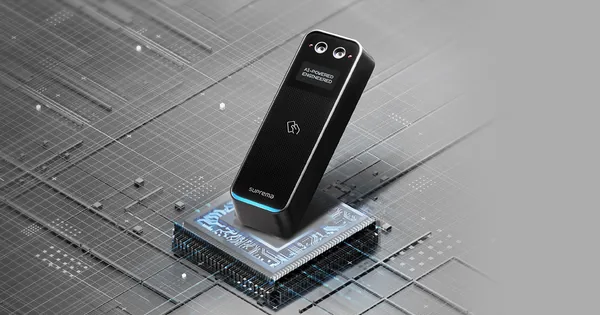 Control accesBioEntry W3Firmware V1.0.4 build 260812 · 25.08.2026
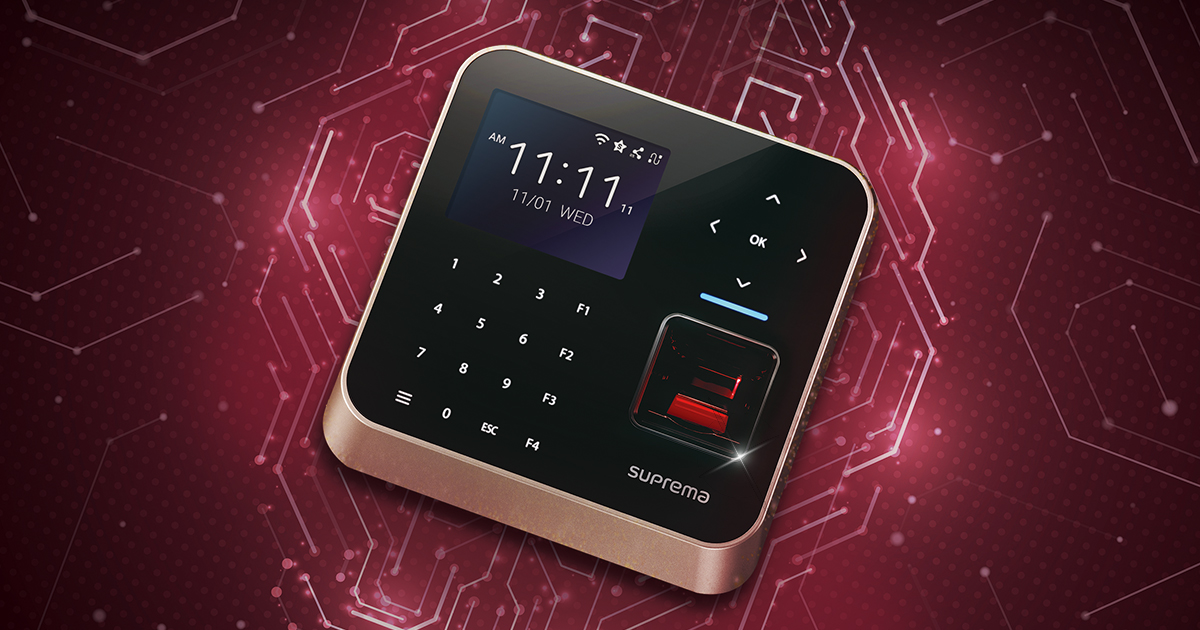 Control accesBioStation 2aFirmware V1.2.4 build 260810 · 25.08.2026
 Control accesBioStation 3 MaxFirmware V1.1.0 build 260922 · 23.09.2026
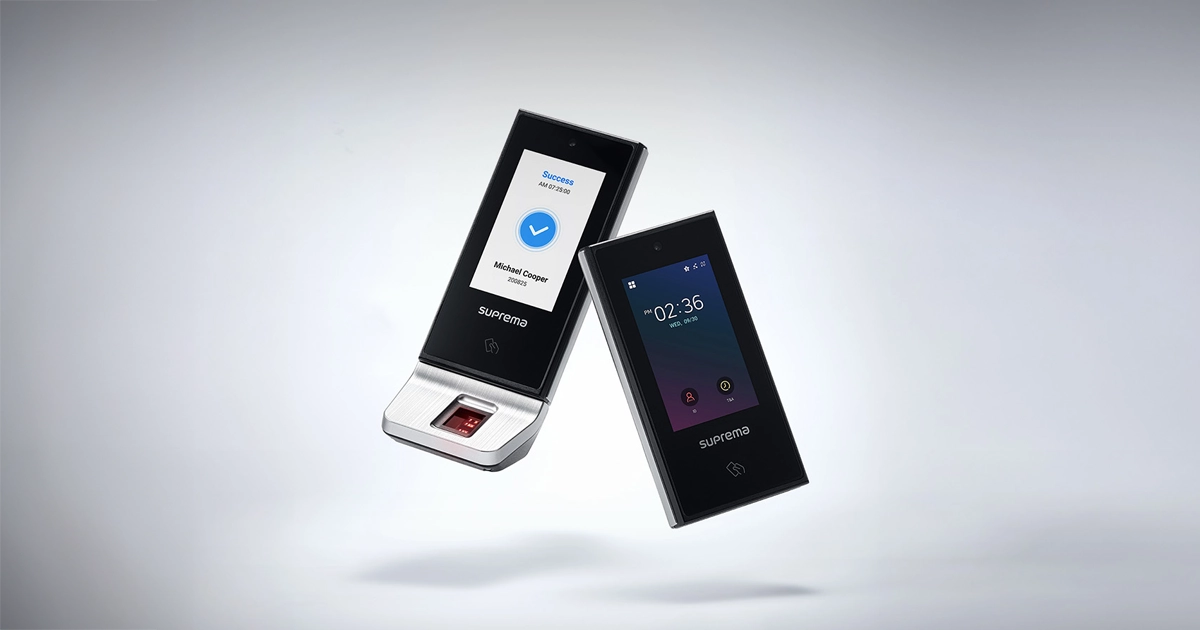 Control accesX-Station 2Firmware V1.4.2 build 260819 · 26.08.2026