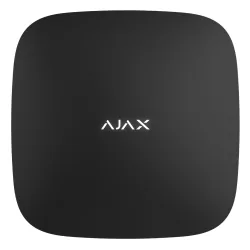
Firmware Hub (2G) Jeweller
Hub Jeweller
Ajax Hub (2G) Jeweller este o componentă de sistem de alarmă, listat de producător la „Hub”.
Câteva date tehnice importante: funcționare între −10 și +40 °C. Aparatul cântărește 350 g și are dimensiunile 163 × 163 × 36 mm.
Ultima versiune de firmware publicată de Ajax pentru Hub (2G) Jeweller este OS Malevich 2.15.147, din 01.09.2025. Mai jos găsești link-ul oficial de descărcare, notele de versiune și versiunile anterioare.
Ajax nu publică fișiere de firmware; actualizarea se face prin hub/aplicația Ajax.
Tabelul de specificații de mai jos conține toate datele tehnice publicate de producător, traduse în română.
Firmware actual
| Versiune | Data | Regiune | Descărcare și note |
|---|---|---|---|
| OS Malevich 2.15.147 | 01.09.2025 | Global | fără fișier: se instalează automat prin hub Note: OS Malevich — istoric Ce e nou în această versiune (textul producătorului)Hub (2G) Jeweller: ◇ Added support for the Ajax SIM service: a pre-installed roaming SIM card for reliable connectivity and alarm transmission. ◇ Minor fixes improving system performance. |
Versiuni anterioare
| Versiune | Data | Regiune | Descărcare și note |
|---|---|---|---|
| OS Malevich 2.15.141 | 01.02.2025 | Global | fără fișier: se instalează automat prin hub Note: OS Malevich — istoric Ce e nou în această versiune (textul producătorului)Hub (2G) Jeweller: ◇ This OS Malevich version provides system stability and support for all security system features. |
| OS Malevich 2.15.4 | 01.11.2023 | Global | fără fișier: se instalează automat prin hub Note: OS Malevich — istoric Ce e nou în această versiune (textul producătorului)Hub: ◇ This OS Malevich version provides support for FireProtect 2 RB (Heat/Smoke/CO) Jeweller and FireProtect 2 RB (Heat/Smoke) Jeweller detectors. |
| OS Malevich 2.15.2aceeași versiune pentru 8 modele | 01.06.2023 | Global | fără fișier: se instalează automat prin hub Note: OS Malevich — istoric Ce e nou în această versiune (textul producătorului)Hub: ◇ This OS Malevich version provides system stability and support for all security system features. |
| OS Malevich 2.15aceeași versiune pentru 8 modele | 01.04.2023 | Global | fără fișier: se instalează automat prin hub Note: OS Malevich — istoric Ce e nou în această versiune (textul producătorului)Hub: ◇ This OS Malevich version provides system stability and support for all security system features. |
| OS Malevich 2.14aceeași versiune pentru 8 modele | 01.11.2022 | Global | fără fișier: se instalează automat prin hub Note: OS Malevich — istoric Ce e nou în această versiune (textul producătorului)Hub: ◇ This OS Malevich version provides system stability and support for all security system features. |
| OS Malevich 2.13.1aceeași versiune pentru 5 modele | 01.07.2022 | Global | fără fișier: se instalează automat prin hub Note: OS Malevich — istoric Ce e nou în această versiune (textul producătorului)Hub: ◇ This OS Malevich version provides system stability and support for all security system features. |
| OS Malevich 2.13aceeași versiune pentru 5 modele | 01.05.2022 | Global | fără fișier: se instalează automat prin hub Note: OS Malevich — istoric Ce e nou în această versiune (textul producătorului)Hub: ◇ New Privacy menu in hub settings and a Privacy Manager position for hub admins. These two features allow managing access of system users to surveillance cameras streams. ◇ New security system devices support. We will notify you as soon as they become available for purchase. |
| OS Malevich 2.12.1aceeași versiune pentru 5 modele | 01.12.2021 | Global | fără fișier: se instalează automat prin hub Note: OS Malevich — istoric Ce e nou în această versiune (textul producătorului)All Ajax hubs: ◇ Chime. A sound that sirens connected to the system emit when a door opens. The Chime alerts those inside that someone has either entered or exited the premises. The option works only for disarmed systems and devices that are not in Always Active mode. To set the Chime, enable the corresponding setting both for sirens and opening detectors. Chime is available for indoor sirens starting from version 5.55.1.0, and for outdoor sirens starting from version 3.73.1.0. ◇ Other minor fixes and improvements. |
| OS Malevich 2.12aceeași versiune pentru 5 modele | 01.09.2021 | Global | fără fișier: se instalează automat prin hub Note: OS Malevich — istoric Ce e nou în această versiune (textul producătorului)Hub: ◇ Flexible adjustment of sirens signalling in Night Mode. To use this feature, go to siren settings and select Beeps Settings. ◇ Updated operating algorithm for server connection loss notifications. You can choose whether to receive notifications of hub-server connection loss through selected communicating channels: Ethernet, cellular, Wi-Fi. To adjust corresponding notifications, go to hub settings: Service → Server connection. ◇ Other minor fixes and improvements. |
| OS Malevich 2.11aceeași versiune pentru 5 modele | 01.04.2021 | Global | fără fișier: se instalează automat prin hub Note: OS Malevich — istoric Ce e nou în această versiune (textul producătorului)Hub: ◇ Modified operation algorithm of pulse detectors connected to MultiTransmitter. Pulse detector alarms are currently not displayed as malfunctions in Ajax apps, when the security system is disarmed. |
| OS Malevich 2.10aceeași versiune pentru 5 modele | 01.11.2020 | Global | fără fișier: se instalează automat prin hub Note: OS Malevich — istoric Ce e nou în această versiune (textul producătorului)All Ajax hubs: ◇ Two-stage arming. The feature splits the arming process into two stages: initiation and finishing. Users can initiate remote arming from the Ajax app — the system will be armed if no detectors have been triggered within the specified time. Also, users can initiate arming using a control device (SpaceControl or KeyPad) — the system will be armed by triggering the device marked as Second-Stage Device. For example, when closing a door on which DoorProtect is installed. Find this feature in service settings of the hub (Hub — Settings — Service — Arming/Disarming Process). What is the Two-Stage Arming feature and how to configure it ◇ Transmitting the alarm restoration to an ARC. The feature enables configuring when the hub transmits the restoration code to a monitoring station. Two options are available: when restoring or when disarming. The feature is configured in the monitoring station parameters (Hub — Settings — Monitoring Station — Alarm Restore on ARC). ◇ Alarm confirmation. The system sends a separate Alarm Confirmation event to a monitoring station if several selected devices have been triggered within the specified time. Find this feature in service settings of the hub (Hub — Settings — Service — Alarm confirmation). What is alarm confirmation feature and how to configure it ◇ Restoration after alarm. The feature does not allow arming the system if an alarm has been activated previously. To arm the system, it must be restored by an authorized user (PRO or administrator). The types of alarms that require restoration are specified when configuring the feature. Find this feature in service settings of the hub (Hub — Settings — Service — Restore After Alarm). The right to restore is configured for each user separately (Hub — Settings — Users — User Settings — Restore After Alarm). What is the System Restoration After Alarm feature and how to configure it ◇ Selective system integrity check. Administrator or PRO user can choose the hub states that are included in the integrity check before arming the system. Find this feature in service settings of the hub (Hub — Settings — Service — System integrity check). ◇ Delay for alarm transmission when disarming. The feature allows postponing the alarm transmission after the end of the entry delay if the security system has not been disarmed. Please note that PD 6662:2017 allows disarming the system with a KeyPad only when an alarm is already sent. To disarm the system before sending an alarm, enable the Allow disarming with keypad option. Find this feature in service settings of the hub (Hub — Settings — Service — Arming/Disarming Process). What is Alarm transmission delay when disarming ◇ Devices auto deactivation. The feature is designed to ignore detector notifications if it has not returned to its initial state within a specified time, or after a specified number of alarms. The timer applies only to bistable detectors (e.g., DoorProtect, LeaksProtect). Find this feature in service se |
| OS Malevich 2.9aceeași versiune pentru 5 modele | 01.08.2020 | Global | fără fișier: se instalează automat prin hub Note: OS Malevich — istoric Ce e nou în această versiune (textul producătorului)All Ajax hubs: ◇ New devices support: Hub 2 Plus, StreetSiren DoubleDeck, MultiTransmitter. ◇ Possibility to seamlessly replace the old hub with a new one. No reconfiguration, adding users and devices. To use the function, go to the Import Data menu in the settings of the new hub. For data transferring to occur, both hubs should have OS Malevich no lower than 2.9. How to transfer settings and devices from one hub to another ◇ Temporary deactivation function for devices. A damaged or improperly installed device that bothers users and security companies with false notifications can be excluded from the system, without deleting the device and its settings. The new menu Temporary deactivation is available in the device settings. How to temporarily deactivate a device without removing it from the system ◇ Pulse mode for Socket and WallSwitch: when the state of contact changes only for the time specified in the settings and then returns to its initial position. The pulse duration Relay, WallSwitch and Socket can be from 0.5 to 255 seconds. You can also configure the initial state of the contacts — normally closed or open (NC/NO). This allows you to adjust the pulse accordingly to the task of the automation device. The pulse mode is available in the settings of devices with a firmware version of no lower than 5.54.1.0. ◇ Customized alarm types for Button and Transmitter. The text of notification in applications and the event code transmitted to the security company’s monitoring software depend on the type of alarm. There are five types of alarms available for customizing: intrusion, fire, medical, panic button, gas leak. The type of alarm is set in the device settings. ◇ Transmission of the user’s coordinates to a security central monitoring station by pressing the panic button in the app. This function allows you to inform the security company about an emergency outside the facility protected by Ajax. And other users of the system can now copy the geolocation coordinates or go to the online map from the notification in the event feed. ◇ Additional protection against accidental clicks of SpaceControl. Now in SpaceControl settings with firmware version no lower than 5.54.1.0, you can enable response only by double or long press. ◇ Adjustable brightness of the Socket LED frame. Now, bright light will not bother you in bedrooms and rooms where the indication is unnecessary. In Socket settings with firmware version no lower than 3.55.0, you can select full, low brightness or switch off the LED frame. ◇ Possibility to disable the alarm indication of security detectors. In the detector settings, you can now disable the LED indicator’s flashing in case of an alarm. The setting is available for DoorProtect, DoorProtect Plus, MotionProtect, MotionProtect Plus, CombiProtect, MotionProtect Outdoor, MotionCam and GlassProtect with a firmware version no lower than 5.55.0.0, and MotionProtect Curtain with a firmware version no lower than 6.53.1.1. ◇ Notifying about s |
| OS Malevich 2.8.1aceeași versiune pentru 5 modele | 01.11.2019 | Global | fără fișier: se instalează automat prin hub Note: OS Malevich — istoric Ce e nou în această versiune (textul producătorului)All Ajax hubs: ◇ Scenarios Scenarios automate your routines and help your security system to actively resist threats. Program a flood prevention system to shut off the water at the first signs of leakage. Create a heating schedule or set up the electric locks to activate when the security system is armed. How to create and configure a scenario in the Ajax security system ◇ Visual alarm verification With the new MotionCam detector you’ll see exactly what triggered the motion alarm: a babysitter that forgot to disarm the house, a hyperactive dog, or a burglar that climbed through the window. - First photo delivered in under 9 seconds - Up to 4 years of operation on the pre-installed batteries - Communicates at a distance of up to 1700 m from the hub ◇ Button — smart home remote control Now you can use Button as a wireless panic button or as a remote control for the automation devices: Relay, WallSwitch or Socket. Choose how they would react to a short or long press. ◇ Multi ReX Hub Plus, Hub 2 and Hub 2 Plus support up to 5 ReX range extenders, which expands a potential coverage area of the security system to up to 35 km². ReX boosts the autonomy of security and makes it more reliable by integrating the connected detectors into an autonomous group within the system. |
| OS Malevich 2.8aceeași versiune pentru 5 modele | 01.11.2019 | Global | fără fișier: se instalează automat prin hub Note: OS Malevich — istoric Ce e nou în această versiune (textul producătorului)All Ajax hubs: ◇ OS Malevich 2.8 prepares your hub for a significant feature expansion of your security system. They will become available within a few weeks, along with the updated Ajax apps for iOS, Android, Windows, and macOS. |
| OS Malevich 2.7aceeași versiune pentru 5 modele | 01.02.2019 | Global | fără fișier: se instalează automat prin hub Note: OS Malevich — istoric Ce e nou în această versiune (textul producătorului)All Ajax hubs: ◇ Two security protocols. Now Ajax can send alarms and report events to the CMS via SIA protocol. This feature will be useful for central monitoring stations that don’t use the Contact ID protocol. ◇ Personal SpaceControl. Assign the key fob to one specific user to get personalized notifications about arming and disarming. ◇ MotionProtect Outdoor power supply. Check the status of the external power supply in the mobile app and get instant notifications about power outages. |
| OS Malevich 2.6aceeași versiune pentru 5 modele | 01.08.2018 | Global | fără fișier: se instalează automat prin hub Note: OS Malevich — istoric Ce e nou în această versiune (textul producătorului)All Ajax hubs: ◇ Meet Groups. It’s a new way to secure your home or office. Arm the groups one by one or all at once with a tap in the app. ◇ Passcodes for everyone. KeyPad now can recognize users by personal passcodes. And every user can set a passcode whichever he likes. ◇ Double reliability. You can add two IP address for sending alarms to the central monitoring station directly. ◇ Control everything. The actions for adding and deleting groups, rooms, users, devices, cameras will be displayed in the notifications feed. ◇ More options. We have moved the entrance/leaving delays to the device’s settings. They can be applied to perimetral arming. ◇ Flexible access. Now you can disable the list of devices and all notifications for some users. |
| OS Malevich 2.5aceeași versiune pentru 5 modele | 01.12.2017 | Global | fără fișier: se instalează automat prin hub Note: OS Malevich — istoric Ce e nou în această versiune (textul producătorului)All Ajax hubs: ◇ Arming permission feature |
| OS Malevich 2.4aceeași versiune pentru 5 modele | 01.12.2017 | Global | fără fișier: se instalează automat prin hub Note: OS Malevich — istoric Ce e nou în această versiune (textul producătorului)All Ajax hubs: ◇ Connect the system directly to a security company ◇ More users and more rooms ◇ Phone calls for all users ◇ Keyboard support ◇ Siren activation flexibility ◇ A fire detection network What is Interconnected FireProtect Alarms ◇ Test fire detectors directly from the application ◇ Improved protection against false fire alarms ◇ Disable the remote control alarm button ◇ Reducing dependence on the cloud ◇ New software distribution system |
Specificații Hub (2G) Jeweller
Variante
| Hub (2G) Jeweller | HB.Y.J — specificațiile de mai jos |
|---|---|
| Hub (4G) Jeweller | HB.4G.J |
Capacitate
| Wireless Ajax devices | Până la 100 Specifically, up to 10 sirens and 1 range extender. |
|---|---|
| Ajax NVRs | Până la 14 |
| Ajax cameras | Până la 224 via Ajax NVRs and up to 200 standalone |
| Third-party IP cameras | Până la 10 when using RTSP via SDK Până la 224 when using ONVIF via Ajax NVRs |
| Users | Până la 50 - Any number of admin users within the hub limit. - PRO accounts for installers. - PRO accounts for installation and monitoring companies. - Access management for users. |
| Automation scenarios | Până la 5 - Alarm reactions. - Scheduled actions. - Security mode changing reactions. Hub (2G) Jeweller does not support scenarios by temperature, humidity, and CO₂ concentration. Scenarios for comfort and productivity are available for other hub models. |
| Security groups | Până la 9 |
| Rooms | Până la 50 |
| Support for MotionCam detectors | unavailable |
Comunicație wireless
| Tehnologie de comunicație Jeweller | Proprietary wireless communication technology to transmit alarms and events. Key features: - Two-way communication. - Advanced anti-sabotage. - Block encryption featuring a dynamic key. - Instant notifications. - Remote configuration via the Ajax apps. |
|---|---|
| Benzi de frecvență | 866.0 – 866.5 MHz 868.0 – 868.6 MHz 868.7 – 869.2 MHz 905.0 – 926.5 MHz 915.85 – 926.5 MHz 921.0 – 922.0 MHz Depends on the sales region. |
| Putere maximă radiată (ERP) | Până la 20 mW Featured automatic power control to reduce power consumption and noise interference. |
| Modulație semnal radio | GFSK |
| Rază semnal radio | Până la 2,000 m Between the hub and connected devices (in an open space). Maximum range depends on the connected device. |
| Polling interval | from 12 – 300 s Adjusted by PRO or user with admin rights in the Ajax apps. |
| Comunicație criptată | All the data stored and transmitted are protected by block encryption with a dynamic key. |
| Salt de frecvență | Used to prevent radio interference and radio signal interception. |
Recomandări
| The device operating voltage is 110–240 V~. | |
| Hub (2G) Jeweller is designed for indoor installation only. |
Canale de comunicație
| Ethernet | 1 8P8C socket Până la 100 Mbps. |
|---|---|
| Cellular | 1 micro-SIM slot |
| Cellular bands | 2G: PCS1900/DCS1800/GSM850/GSM900 (B2/B3/B5/B8) Depends on the sales region. The hub does not support Voice over LTE (VoLTE). |
| Automatic switching between communication channels | Instant switching between Ethernet and SIM. |
| Communication channels prioritization | - Ethernet - Cellular connection Communication channels work in parallel, to increase system reliability. Most of the data is transmitted via Ethernet. |
Notificări
| Supported notification types | - Push - SMS - Calls |
|---|---|
| Tipuri de evenimente | - Alarms - Malfunctions - Events - Security mode changing The notification types are configured individually for each user. |
Monitorizare
| Supported protocols | - SIA (DC-09) - SurGard (Contact ID) - ADEMCO 685 - Other proprietary protocols |
|---|---|
| Tipuri de evenimente | - System alarms and events - Panic button coordinates |
Alimentare
| Main | 110–240 V~, 50/60 Hz Până la 10 W of mains power consumption. |
|---|---|
| Backup | built-in backup rechargeable battery: Li-ion 2 А·h Până la 15 hours of offline operation when the Ethernet is switched off. The hub manufactured after August 26, 2022, has a 3-pin battery. If the hub was manufactured earlier, the battery can be a 2-pin or 3-pin one. To find out the battery type, contact Ajax Technical Support or check it manually. |
| Alternative | 12 V⎓ Connected via an alternative power supply unit 12V PSU for Hub/Hub Plus/ReX, which is sold separately. |
Carcasă
| Dimensiuni | 163 × 163 × 36 mm |
|---|---|
| Greutate | 350 g |
| Interval temperatură de funcționare | from −10 °C – +40 °C |
| Umiditate de funcționare | Până la 75% |
| Clasă de protecție | IP20 |
Culori
| Negru | |
| Alb |
Conținut set
| Hub (2G) Jeweller | |
| SmartBracket mounting panel | |
| Power supply cable | |
| Ethernet cable | |
| Kit de montaj | |
| GSM start package (available not in all countries) | |
| Ghid de pornire rapidă |
Standarde și certificări
| Conformitate cu standardele de alarmă | EN 50131-3:2009 EN 50136-2:2013 EN 50131-10:2014 EN 50136-1:2012 / A1:2018 EN 50131-6:2017 / A1:2021 EN 50131-5-3:2017 EN 50131-1:2006/A1:2009/A2:2017/A3:2020 PD 6662:2017* Certificate issued by TREZOR TEST s.r.o. |
|---|---|
| Grad de securitate (SG) | 2 Certificate issued by TREZOR TEST s.r.o. |
| Directiva RED | EN 300 220-1 V3.1.1 EN 300 220-2 V3.2.1 EN 301 511 V12.5.1 EN 18031-1:2024 EN 18031-2:2024 Certificate issued by MiCOM Labs |
| Restriction of Hazardous Substances (RoHS) | EN IEC 63000:2018 Test report issued by Shenzhen NTEK Testing Technology Co. |
| Directiva EMC | EN 301 489-1 V2.2.3 EN 301 489-3 V2.1.1 EN 55032:2015+A11:2020 EN 55035:2017+A11:2020 EN IEC 61000-3-2:2019+A1:2021+A2:2024 EN 61000-3-3:2013+A1:2019+A2:2021 Certificate issued by MiCOM Labs |
| Directiva de joasă tensiune (LVD) | EN 62479:2010 EN 62311:2020 EN 62368-1:2020+A11:2020 Certificate issued by MiCOM Labs |
| Clasă de mediu conform EN 50131 | || Certificate issued by TREZOR TEST s.r.o. |
| NIST | FIPS 197 |
| PSTI UK | Schedule 1 |
Specificațiile sunt cele publicate de Ajax, cu etichetele traduse în română (preluate la 02.11.2026). Ce nu am tradus a rămas în engleză.
Documente oficiale
- Manual de utilizare
- Fișă tehnică (datasheet): Hub (2G) Jeweller
- Fișă tehnică (datasheet): Hub (4G) Jeweller
- TA-2020/8401 Approved
- EU Declaration of Conformity
- RoHS Declaration of Conformity
- Specificații online: Hub (2G) Jeweller
- Specificații online: Hub (4G) Jeweller
- Istoric OS Malevich (versiuni și noutăți)
- Verificare versiune firmware după ID-ul dispozitivului (formular Ajax)
Denumiri și variante: Hub (2G), Hub 2G, HB.Y.J
Modele din aceeași serie
 AlarmăEN54 Fire Hub JewellerFirmware V2.45 · 01.10.2026
 AlarmăHub (4G) JewellerFirmware V2.45 · 01.10.2026
 AlarmăHub 2 (2G) JewellerFirmware V2.45 · 01.10.2026
 AlarmăHub 2 (4G) JewellerFirmware V2.45 · 01.10.2026
 AlarmăHub 2 Plus JewellerFirmware V2.45 · 01.10.2026
 AlarmăHub BP JewellerFirmware V2.45 · 01.10.2026
 AlarmăHub BP Jeweller (without casing)Firmware V2.45 · 01.10.2026AlarmăHub Plus JewellerFirmware V2.45 · 01.10.2026
 AlarmăSuperior Hub G3 JewellerFirmware V2.45 · 01.10.2026
 AlarmăSuperior Hub Hybrid (2G)Firmware V2.45 · 01.10.2026
 AlarmăSuperior Hub Hybrid (4G)Firmware V2.45 · 01.10.2026
 AlarmăSuperior Hub Hybrid (4G) (without casing)Firmware V2.45 · 01.10.2026