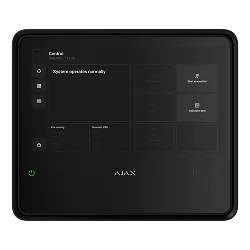
Firmware EN54 Fire Hub Jeweller
EN54 Fire Hub Jeweller este o componentă de sistem de alarmă Ajax din categoria „Hub”.
Printre caracteristicile tehnice se numără funcționare între −10 și +40 °C. Aparatul cântărește 2 g și are dimensiunile 263 × 223 × 54 mm.
La ultima verificare, cel mai nou firmware pentru EN54 Fire Hub Jeweller era OS Malevich 2.45 (01.10.2026). Pagina se actualizează zilnic din lista oficială Ajax.
Aceeași versiune de firmware este publicată pentru 18 modele.
Ajax nu publică fișiere de firmware; actualizarea se face prin hub/aplicația Ajax.
Mai jos găsești fișa tehnică completă, tradusă în română.
Firmware actual
| Versiune | Data | Regiune | Descărcare și note |
|---|---|---|---|
| OS Malevich 2.45aceeași versiune pentru 18 modele | 01.10.2026 | Global | fără fișier: se instalează automat prin hub Note: OS Malevich — istoric Ce e nou în această versiune (textul producătorului)All Ajax hubs (except Hub (2G) Jeweller): ◇ This OS Malevich version includes fixes and improvements that enhance system stability. EN54 Fire Hub Jeweller: ◇ Added the Evacuation button access setting. It allows defining who can start evacuation from the CIE screen: anyone without additional permissions or only users with access level 2. By default, access is restricted to level 2. The setting is available in the following Ajax apps versions: - Ajax Security System v3.57 and later; - Ajax Desktop v5.57 and later; - Ajax PRO: Tool for Engineers v2.57 and later; - Ajax PRO Desktop v5.57 and later. ◇ Added an indication on the CIE screen showing whether Investigation delay and Acknowledgment delay are enabled. |
Versiuni anterioare
| Versiune | Data | Regiune | Descărcare și note |
|---|---|---|---|
| OS Malevich 2.43aceeași versiune pentru 15 modele | 01.09.2026 | Global | fără fișier: se instalează automat prin hub Note: OS Malevich — istoric Ce e nou în această versiune (textul producătorului)All Ajax hubs (except Superior Hub Hybrid (4G), Superior Hub Hybrid (2G), and Hub (2G) Jeweller): ◇ Added a new scenario type: By device inactivity. It automatically arms the system when selected devices detect no activity on the premises for a set period of time. The feature is available in the following Ajax apps versions: - Ajax Security System v3.55 and later; - Ajax Desktop v5.55 and later; - Ajax PRO: Tool for Engineers v2.55 and later; - Ajax PRO Desktop v5.55 and later. All Ajax hubs (except Superior Hub Hybrid (4G), Superior Hub Hybrid (2G), Hub (4G) Jeweller, and Hub (2G) Jeweller): ◇ Extended the System integrity check feature which allows to choose which malfunctions still let a user arm the system and which don't. It's set for each user, installer, or company in their profile settings and also applies to all security control devices.The feature is available in the following Ajax apps versions: - Ajax Security System v3.55 and later; - Ajax Desktop v5.55 and later; - Ajax PRO: Tool for Engineers v2.55 and later; - Ajax PRO Desktop v5.55 and later. |
| OS Malevich 2.42aceeași versiune pentru 11 modele | 01.08.2026 | Global | fără fișier: se instalează automat prin hub Note: OS Malevich — istoric Ce e nou în această versiune (textul producătorului)All Ajax hubs (except Hub (2G) Jeweller, Hub BP Jeweller, and Hub BP Jeweller (without casing)): ◇ This OS Malevich version includes fixes and improvements that enhance system stability. |
| OS Malevich 2.41aceeași versiune pentru 9 modele | 01.07.2026 | Global | fără fișier: se instalează automat prin hub Note: OS Malevich — istoric Ce e nou în această versiune (textul producătorului)All Ajax hubs (except Hub (2G) Jeweller, Hub BP Jeweller, and Hub BP Jeweller (without casing)): ◇ This OS Malevich version includes fixes and improvements that enhance system stability. |
| OS Malevich 2.40aceeași versiune pentru 11 modele | 01.05.2026 | Global | fără fișier: se instalează automat prin hub Note: OS Malevich — istoric Ce e nou în această versiune (textul producătorului)EN54 Fire Hub Jeweller: ◇ Added new fire scenario triggers: device faults and device disablements can now trigger fire alarm scenarios. The update is available in the following Ajax apps versions: - Ajax Security System v3.48 and later; - Ajax Desktop v5.48 and later; - Ajax PRO: Tool for Engineers v2.48 and later; - Ajax PRO Desktop v5.48 and later. ◇ Added the Power supply test feature. This test allows users to check the backup battery and CIE power supply parameters. An admin or user with access level 2 can run the power supply test from the CIE touchscreen: Device settings → Power supply test. ◇ Added hub login with a fireman key: a dedicated feature for fire brigades that provides fast access to restricted level 2 fire system functions using a fireman key. You can integrate third-party fireman key switches with potential-free dry contacts into the Ajax system via EN54 I/O Module (2X2) Jeweller. The feature is available in the following Ajax apps versions: - Ajax Security System v3.48 and later; - Ajax Desktop v5.48 and later; - Ajax PRO: Tool for Engineers v2.48 and later; - Ajax PRO Desktop v5.48 and later. ◇ Added the Repeat entry delay setting, which restarts the delay with each new alarm until the system is disarmed. To configure select the hub: Settings → Services → Arming/disarming process. ◇ Minor fixes improving system performance. |
| OS Malevich 2.39aceeași versiune pentru 11 modele | 01.04.2026 | Global | fără fișier: se instalează automat prin hub Note: OS Malevich — istoric Ce e nou în această versiune (textul producătorului)All Ajax hubs (except Hub (2G) Jeweller): ◇ This OS Malevich version provides system stability and support for all security system features. |
| OS Malevich 2.38aceeași versiune pentru 10 modele | 01.03.2026 | Global | fără fișier: se instalează automat prin hub Note: OS Malevich — istoric Ce e nou în această versiune (textul producătorului)All Ajax hubs (except Hub (2G) Jeweller, Hub (4G) Jeweller, and Hub BP Jeweller): ◇ Added the Send alarm when connected device goes offline setting, which allows you to configure whether the system treats a device connection loss as a malfunction or an alarm. The setting is available in the hub Jeweller or Jeweller/Fibra settings in the Ajax PRO apps of the following versions: - Ajax PRO: Tool for Engineer v2.42 and later; - Ajax PRO Desktop v5.42 and later. |
| OS Malevich 2.36aceeași versiune pentru 11 modele | 01.01.2026 | Global | fără fișier: se instalează automat prin hub Note: OS Malevich — istoric Ce e nou în această versiune (textul producătorului)EN54 Fire Hub Jeweller: ◇ Added the Deactivate notifications feature that allows disabling notifications of Jeweller connection loss for cases when fire detectors are installed in fire engines. The feature can be configured from the CIE touch screen. ◇ Added the EN-54 compliance mode, designed to limit devices and system functionality to features covered by EN 54 certification. When this mode is enabled, any non-certified or additional options are not available to ensure full EN 54 compliance. |
| OS Malevich 2.35aceeași versiune pentru 9 modele | 01.11.2025 | Global | fără fișier: se instalează automat prin hub Note: OS Malevich — istoric Ce e nou în această versiune (textul producătorului)EN54 Fire Hub Jeweller: ◇ Added the Zone test feature to verify fire system performance without false alarms. ◇ Added the investigation and acknowledgment delays for better fire alarm management from the app or the CIE. ◇ Support for new CIE languages. ◇ Added the Day alarm mode that allows monitoring certain areas of the facility and controlling access to them when the system is disarmed. To configure day alarm zones, select the CIE: Settings → Service → Day alarm. The feature is available in the following Ajax PRO apps versions: - Ajax PRO: Tool for Engineers v2.34 and later; - Ajax PRO Desktop v5.34 and later. ◇ For EN54 Line devices, added the ability to act as triggers in alarm scenarios. The feature is available in the following Ajax apps versions: - Ajax Security System v3.36 and later; - Ajax Desktop v5.36 and later; - Ajax PRO: Tool for Engineers v2.36 and later; - Ajax PRO Desktop v5.36 and later. ◇ Minor fixes improving system performance. |
Specificații EN54 Fire Hub Jeweller
Capacitate
| Devices | Până la 200 Supports Ajax devices from the EN54 product line, wireless intrusion devices, and resettable buttons for manual fire alarm activation in any combination, except for the following: - up to 10 intrusion sirens; - up to 50 keypads with a built-in buzzer; - up to 5 EN54 Fire ReX Jeweller range extenders. |
|---|---|
| Fire zones | Până la 40 Alerts about fire in separate zones. Every zone may include multiple rooms. |
| Users | Până la 200 - Any number of admin users within the CIE limit. - PRO accounts for installers. - PRO accounts for installation and monitoring companies. - Access management for users. |
| Automation scenarios | Până la 64 - By alarm. - By schedule. - By arming/disarming. - By temperature, humidity, CO2 concentration. - By pressing Button. - By touching LightSwitch. |
| Rooms | Până la 80 |
| Security groups | Până la 25 |
| Event log | Până la 6,000 events Fire alarm system events. Can be viewed on the CIE display. Events are saved on the non-volatile onboard flash memory. Până la 500 events Fire alarm, intrusion, and other system events. Can be viewed in the events feed in Ajax apps. |
Comunicație
| Tehnologie de comunicație Jeweller | Proprietary wireless communication technology to transmit commands, alarms, and events. Key features: - Two-way communication. - Advanced sabotage protection. - Block encryption featuring a dynamic key. - Instant notifications. - Remote control and configuration in Ajax apps. |
|---|---|
| Benzi de frecvență | 866.0–866.5 MHz 868.0–868.6 MHz 868.7–869.2 MHz 905.0–926.5 MHz 915.85–926.5 MHz 921.0–922.0 MHz Depends on the sales region. |
| Putere maximă radiată (ERP) | Până la 20 mW Automatic power control to reduce power consumption and radio interference. |
| Modulație semnal radio | GFSK |
| Rază de comunicație radio | Până la 1,800 m Between the CIE and connected devices (in an open space). Maximum range depends on the connected device. |
| Comunicație criptată | All stored and transmitted data are protected by block encryption featuring a dynamic key. |
| Salt de frecvență | To prevent radio interference and jamming. |
| Tehnologie de comunicație Wings | Proprietary wireless communication technology to transmit photo verifications and update firmware. Key features: - Two-way communication. - Advanced sabotage protection. - Block encryption featuring a dynamic key. - Data packages reload in case of transmission errors. - Photo delivery check. |
| Benzi de frecvență | 866.0–866.5 MHz 868.0–868.6 MHz 868.7–869.2 MHz 905.0–926.5 MHz 915.85–926.5 MHz 921.0–922.0 MHz Depends on the sales region. |
| Rază de comunicație radio | Până la 1,800 m Between the CIE and connected devices (in an open space). Maximum range depends on the connected device. |
| Comunicație criptată | All stored and transmitted data is protected by block encryption featuring a dynamic key. |
| Salt de frecvență | To prevent radio interference and jamming. |
Canale de comunicație
| Ethernet | 1 8P8C socket Până la 100 Mbps. |
|---|---|
| Cellular | 2 micro-SIM slots |
| Cellular frequencies | 2G: PCS1900/DCS1800/GSM850/GSM900 (B2/B3/B5/B8) 4G (LTE): FDD B1/B2/B3/B4/B5/B7/B8/B20/B28/B66 Depends on the sales region. The CIE does not support Voice over LTE (VoLTE). |
| Wi-Fi | 802.11 b/g/n module Până la 72 Mbps. |
| Automatic switching between communication channels | - Instant switching between Ethernet, Wi-Fi, and SIM. - Instant switching between 4G (LTE) and 2G networks of one SIM. - Switching between SIMs takes up to 4 minutes. |
| Communication channels prioritization | - Ethernet - Wi-Fi - Cellular connection Communication channels work in parallel to increase the system’s reliability. Most of the data is transmitted via Ethernet. |
Notificări
| Supported notification types | - Push notifications - SMS - Calls |
|---|---|
| Tipuri de evenimente | - Alarms - Video alerts - Faults (for fire alarm devices) - Malfunctions (for other Ajax devices) - Security state change - System events - Non-security alerts - Automation devices - Smart lock events - Doorbell ringing The notification types are configured individually for each user. |
Monitorizare
| Supported protocols | - SIA (DC-09) - SurGard (Contact ID) |
|---|---|
| Tipuri de evenimente | - System alarms and events - Panic button coordinates - Photo verification |
Fire alarm system management
| Indication of fire alarms and faults | - display - LED indicators - sound LEDs on the front panel of the CIE and the built-in buzzer notify users of fire alarms in zones, faults, and system states. In case of fire, the CIE also activates visual alarm devices and fire alarm sounders. The CIE display also shows system states and detailed alarm information. |
|---|---|
| Fire alarm control | - start evacuation - reset - mute buzzer - silence / resound sounders - override delays (coming soon) - indication test Users with appropriate rights can manage the fire alarm system via these options. |
| Fire alarm system settings | Users with appropriate rights can configure all fire alarm system settings via the CIE. |
| Event log | Stores a detailed log of fire alarms and system events. Capacity: up to 6,000 events. |
Verificare foto
| Photo verification types | - Photo by alarm - Photo by scenario - Photo on demand - Photo by schedule - Photo by arming/disarming |
|---|---|
| Photo delivery time | Până la 9 s By default. |
| Photo resolution | Până la 960 × 720 pixels Depends on the detector. |
| Number of photos in a series | from 1 – 5 pictures |
Funcții suplimentare
| User authorization | To manage the fire alarm system via the CIE touch screen, the user must log in by entering a code or presenting a personal access device. |
|---|---|
| Control | - codes - Tag key fobs (coming soon) - Pass cards (coming soon) |
| Contactless access (coming soon) | DESFire® EV1, EV2 ISO14443-А (13.56 MHz) |
| Access codes | Până la 200 codes One code per each user. Defines user access level to security and fire alarm system management. |
| Duress codes | Până la 200 personal codes One code per each user. |
| Built-in buzzer | volume at least 60 dB at a distance of 1 m Sound alerts of fire alarms. volume at least 50 dB at a distance of 1 m Sound alerts of faults. |
| LED indication | red For fire alarms. yellow For device faults, tests, and disablements. green For power supply status. |
| Special tool (key) | The special tool is used to unlock the housing and replace the internal battery or dismantle the device from the SmartBracket mounting panel. The battery is not included in the CIE complete set. |
Afișaj
| Diagonal | 10.1″ |
|---|---|
| Matrix type | IPS |
| Rezoluție | 1024 × 600 px |
| Senzor | capacitive |
| Backlight settings | Manually adjustable in the CIE on-screen settings. |
| Interface language | Configurable via the CIE touch screen or in the CIE settings in Ajax apps. |
Outputs
| Output 1 | Relay output for alerting the monitoring company in case of a system fault. Contact state is normally closed (NC) by default. |
|---|---|
| Output 2 | Relay output for alerting the monitoring company in case of a fire alarm. Contact state is normally open (NO) by default. |
| Operating mode | bistable |
| External power supply | 10–30 V⎓ The relay does not supply power to connected devices. |
| Energy consumption | Până la 60 W In standby mode. |
| Maximum resistive load | Până la 2 A at 30 V⎓ |
| Maximum inductive/capacitive load | Până la 2 A at 30 V⎓ |
Recomandări de montaj
| The device is designed for indoor use only. | |
| Use GlandBox if power and signal cables are not routed inside the wall. | |
| The device operating voltage is 110–240 V~. |
Protecție anti-sabotaj
| Tamper button | Notifications about the fault on attempts to detach the device from the surface or remove the mounting panel. |
|---|---|
| Protecție anti-spoofing | Autentificare dispozitiv |
| Connection loss detection | after 36 s Detection time depends on Jeweller settings. |
Alimentare
| External | 110–240 V, 50/60 Hz Până la 0.48 A of mains power consumption. |
|---|---|
| Internal | 7.4 V⎓, 5 Ah/10 Ah On Rechargeable Li-ion battery not included in the complete set: EN54 Internal Battery (24h) or EN54 Internal Battery (72h). |
Autonomous operation
| On internal battery | Până la 24 hours On EN54 Internal Battery (24h) not included in the complete set. Battery life is based on display activation only when tapped, using W-Fi, Ethernet, and cellular (LTE) communication channels. Până la 72 hours On EN54 Internal Battery (72h) not included in the complete set. Battery life is based on display activation only when tapped, using W-Fi, Ethernet, and cellular (LTE) communication channels. |
|---|
Carcasă
| Dimensiuni | 263 × 223 × 54 mm |
|---|---|
| Greutate | 1,526 g |
| Interval temperatură de funcționare | from -10 °C – +40 °C |
| Umiditate de funcționare | Până la 75% fără condensare |
| Clasă de protecție | IP20 |
| Flammability rating | UL 94 V-0 |
Culoare
| Negru | |
| Alb |
Conținut set
| EN54 Fire Hub Jeweller | |
| SmartBracket mounting panel | |
| Kit de montaj | |
| Ethernet cable | |
| Special tool (key) | |
| Ghid de pornire rapidă |
Revizie
| 1 |
Standarde și certificări
| Conformitate cu standardele de alarmă | EN 50131-1:2006/A1:2009/A2:2017/A3:2020 EN 50131-3:2009 EN 50131-5-3:2017 EN 50131-6:2017/A1:2021 EN 50131-10:2014 EN 50136-1:2012/A1:2018 EN 50136-2:2013 PD 6662:2017 Certificate issued by TREZOR TEST s.r.o. |
|---|---|
| Grad de securitate (SG) | 2 Certificate issued by TREZOR TEST s.r.o. |
| Directiva RoHS | EN IEC 63000:2018 Test report issued by Shenzhen NTEK Testing Technology Co. |
| Directiva RED | ETSI EN 301 908-1 V15.2.1 ETSI EN 301 908-13 V13.2.1 ETSI EN 300 220-1 V3.1.1 ETSI EN 300 220-2 V3.3.1 ETSI EN 301 511 V12.5.1 ETSI EN 300 328 V2.2.2 ETSI EN 300 330 v2.1.1 EN 18031-1:2024 EN 18031-2:2024 Certificate issued by TIMCO Engineering, Inc. |
| Directiva EMC | ETSI EN 301 489-1 V2.2.3 ETSI EN 301 489-3 V2.3.2 ETSI EN 301 489-17 V3.3.1 ETSI EN 301 489-52 V1.3.1 EN 55032:2015+A11:2020 EN 55035:2017+A11:2020 EN IEC 61000-3-2:2019+A1:2021+ A2:2024 EN 61000-3-3:2013+A1:2019+A2:2021 Certificate issued by TIMCO Engineering, Inc. |
| Directiva de joasă tensiune (LVD) | EN IEC 62368-1:2024+A11:2024 EN IEC 62311:2020 Certificate issued by TIMCO Engineering, Inc. |
| Clasă de mediu conform EN 50131 | || Certificate issued by TREZOR TEST s.r.o. |
| PSTI UK | Schedule 1 |
| Construction Products Regulation (CPR) | EN 54-2:1997 EN 54-2:1997/AC:1999 EN 54-2:1997/A1:2006 EN 54-4:1997/AC:1999/A1:2002/A2:2006 EN 54-4:1997/AC:1999 EN 54-4:1997/A1:2002 EN 54-4:1997/A2:2006 EN 54-21:2006 EN 54-25:2008 EN 54-25:2008/AC:2012 Certificate issued by Dedal Attestation & Certification LTD |
| Compliance with the Law of Ukraine “On the Provision of Construction Products on the Market” | DSTU EN 54-2:2003 with amendment No. 1:2012 and correction No. 1:2019; (EN 54-2:1997/AC: 1999/A1:2006, IDT) DSTU EN 54-4:2003 with amendment No. 2:2012 DSTU EN 54-4:2019 with amendment No. 1:2019 and correction No. 1:2019 (EN 54-4:1997/AC:1999/A1:2002/A2:2006, IDT) DSTU EN 54-21:2009 (EN 54-21:2006, IDT) DSTU EN 54-25:2010 with amendment No. 1:2019 (EN 54-25:2008/AC:2012, IDT) DSTU EN 54-13:2022 Certificate issued by the State Certification Center of the SES of Ukraine |
| BOSEC | B-9382-FD-1104 Certificate issued by BOSEC brand committee and ANPI asbl / vzw |
| DBI Certification | 232.304 Certificate issued by DBI Certification A/S |
| Swedish Rules for fire alarms SBF 110:8 | № 25-550 Certificate issued by SVENSK BRAND- OCH SÄKERHETSCERTIFIERING |
| UAE SoC | Certificate issued by Dedal Attestation & Certification LTD |
| Compatibility and connectability assessment of system components | EN 54-13:2017+A1:2019 Certificate issued by Dedal Attestation & Certification LTD |
| СNBOP-PlB | Nr 6138/2026 Certificate issued by Centrum Naukowo-Badawcze Ochrony Przeciwpożarowej im․ Józefa Tuliszkowskiego – Państwowy Instytut Badawczy |
Specificațiile sunt cele publicate de Ajax, cu etichetele traduse în română (preluate la 02.11.2026). Ce nu am tradus a rămas în engleză.
Documente oficiale
- Manual de utilizare
- Fișă tehnică (datasheet)
- TA-2025/3224 Approved
- EU Declaration of Conformity
- Declaration of Performance
- Specificații online
- Istoric OS Malevich (versiuni și noutăți)
- Verificare versiune firmware după ID-ul dispozitivului (formular Ajax)
Denumiri și variante: EN54 Fire Hub, FH.54.J
Modele din aceeași serie
 AlarmăHub (2G) JewellerFirmware V2.15.147 · 01.09.2025
 AlarmăHub (4G) JewellerFirmware V2.45 · 01.10.2026
 AlarmăHub 2 (2G) JewellerFirmware V2.45 · 01.10.2026
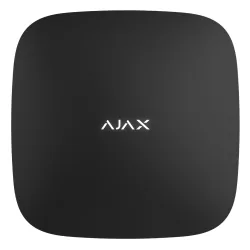 AlarmăHub 2 (4G) JewellerFirmware V2.45 · 01.10.2026
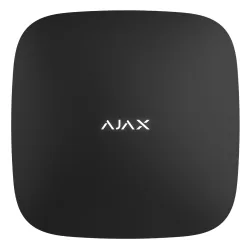 AlarmăHub 2 Plus JewellerFirmware V2.45 · 01.10.2026
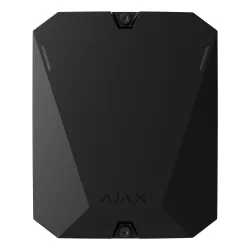 AlarmăHub BP JewellerFirmware V2.45 · 01.10.2026
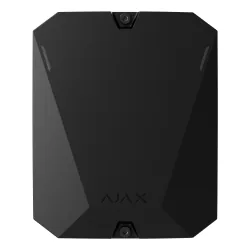 AlarmăHub BP Jeweller (without casing)Firmware V2.45 · 01.10.2026AlarmăHub Plus JewellerFirmware V2.45 · 01.10.2026
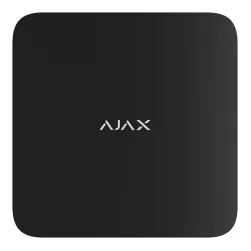 AlarmăSuperior Hub G3 JewellerFirmware V2.45 · 01.10.2026
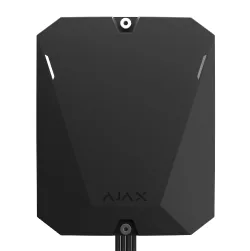 AlarmăSuperior Hub Hybrid (2G)Firmware V2.45 · 01.10.2026
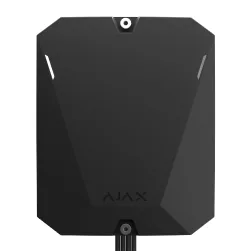 AlarmăSuperior Hub Hybrid (4G)Firmware V2.45 · 01.10.2026
 AlarmăSuperior Hub Hybrid (4G) (without casing)Firmware V2.45 · 01.10.2026