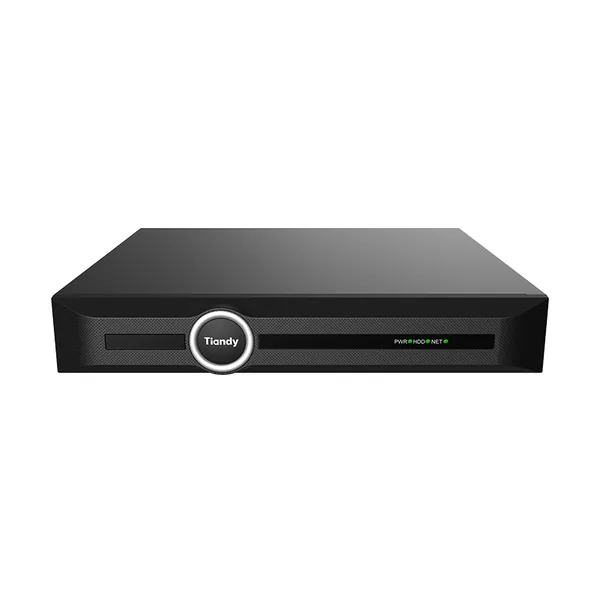
Firmware TC-R3110-IB
1HDD 10ch NVR TC-R3110 Spec:I/B/V3.0
- 10 canale
- AI persoane/vehicule
- 1 HDD
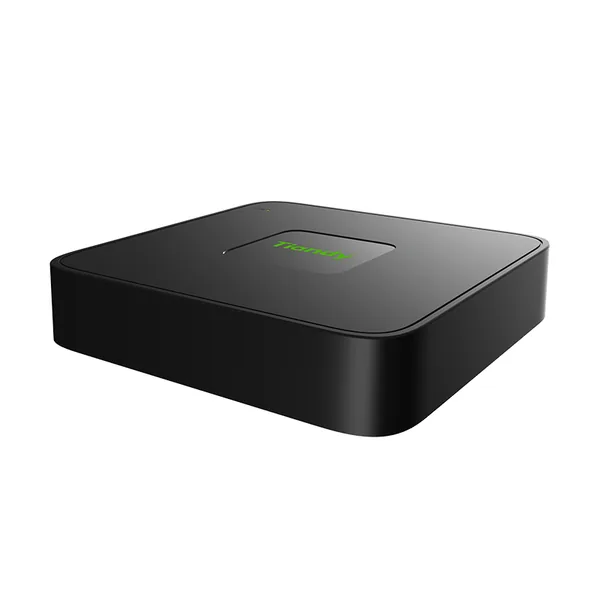
TC-R3110-IB este un NVR (înregistrator video de rețea) Tiandy, cu 10 canale, lățime de bandă la intrare de 60 Mbps, 1 locaș pentru HDD (până la 10 TB fiecare) și înregistrare de până la 8 MP.
Printre caracteristicile tehnice se numără ieșiri video HDMI/VGA (HDMI 4K), decodare H.265/H.264/S+265, filtrare a alarmelor după persoane și vehicule și alimentare 12 V DC. Aparatul cântărește 800 g și are dimensiunile 255(L)238(W)45(H)mm.
La ultima verificare, cel mai nou firmware pentru TC-R3110-IB era V13.15.31 build 260822 (02.09.2026). Pagina se actualizează zilnic din lista oficială Tiandy.
Modelul are mai multe variante hardware (TC-R3110-IB-CIS, TC-R3110-IB-DB, TC-R3110-IB-HM, TC-R3110-IB-KR, TC-R3110-IB-PJ, TC-R3110-IB-SEA) cu firmware diferit: alege varianta trecută pe eticheta aparatului.
Firmware-ul se încarcă din interfața web a aparatului sau, la înregistratoare, din meniul local de upgrade.
Specificațiile complete, cu etichetele traduse în română, sunt în tabelul de mai jos.
Firmware actual
| Versiune | Data | Regiune | Descărcare și note |
|---|---|---|---|
| V13.15.31 build 260822TC-R3110-IB-CIS_DVRS_V13.15.30.20250920-V13.15.31.20260822_ETa · Variantă: TC-R3110-IB-CIS | 02.09.2026 | Global | MD5 3685974F33C92C0C5A21DCED0215CDBDNote de versiune1、Support for Smart Storage feature. 2、Addition of intelligent retrieval functionality. 3、Support for cross-subnet ONVIF camera discovery. 4、Optimization of compatibility between front-end devices and back-end NVR. 5、Plug-and-play support for non-POE NVR models. 6、Support for device activation via the mobile App. 7、Overall usability improvements. Se instalează peste: DVRS_V13.15.30.20250920, DVRS_V13.15.30.20250920_SP01 Metodă de actualizare: UI/WEB/云升级 |
| V13.15.31 build 260822TC-R3110-IB-HM_DVRS_V13.15.30.20250920-V13.15.31.20260822_ETa · Variantă: TC-R3110-IB-HM | 02.09.2026 | Global | MD5 D46E3B502F7C5CE86319DC6479A516CENote de versiune1、Support for Smart Storage feature. 2、Addition of intelligent retrieval functionality. 3、Support for cross-subnet ONVIF camera discovery. 4、Optimization of compatibility between front-end devices and back-end NVR. 5、Plug-and-play support for non-POE NVR models. 6、Support for device activation via the mobile App. 7、Overall usability improvements. Se instalează peste: DVRS_V13.15.30.20250920_DZ256205 Metodă de actualizare: UI/WEB/云升级 |
| V13.15.31 build 260822TC-R3110-IB-SEA_DVRS_V13.15.30.20250920-V13.15.31.20260822_ETa · Variantă: TC-R3110-IB-SEA | 02.09.2026 | Global | MD5 BE3CFEAB61524DDD706B7CB81E64E4FANote de versiune1、Support for Smart Storage feature. 2、Addition of intelligent retrieval functionality. 3、Support for cross-subnet ONVIF camera discovery. 4、Optimization of compatibility between front-end devices and back-end NVR. 5、Plug-and-play support for non-POE NVR models. 6、Support for device activation via the mobile App. 7、Overall usability improvements. Se instalează peste: DVRS_V13.15.30.20250920, DVRS_V13.15.30.20250920_SP01 Metodă de actualizare: UI/WEB/云升级 |
| V13.15.31 build 260822TC-R3110-IB-TU_DVRS_V13.15.30.20250920-V13.15.31.20260822_ETa · Variantă: TC-R3110-IB-TU | 02.09.2026 | Global | MD5 B49CBCE2C98DCA2716C459984C2114B6Note de versiune1、Support for Smart Storage feature. 2、Addition of intelligent retrieval functionality. 3、Support for cross-subnet ONVIF camera discovery. 4、Optimization of compatibility between front-end devices and back-end NVR. 5、Plug-and-play support for non-POE NVR models. 6、Support for device activation via the mobile App. 7、Overall usability improvements. Se instalează peste: DVRS_V13.15.30.20250920, DVRS_V13.15.30.20250920_SP01 Metodă de actualizare: UI/WEB/云升级 |
| V13.15.30 build 250920TC-R3110-IB-KR_DVRS_V13.15.30.20250920_ETa · Variantă: TC-R3110-IB-KR | 28.09.2025 | Global | MD5 B6351353D5562C8F5EE3786E482A3C24Note de versiune1.Optimize keyboard usability 2.Optimize RTSP addition method 3.Non-POE channel switching 4.Alarm linkage email notification function 5.NVR and APP to achieve dual-light camera white light control 6.Playback supports person and vehicle alarms Se instalează peste: DVRS_V13.13.30.20240924, DVRS_V13.13.30.20241130_SP01 Metodă de actualizare: UI/WEB/云升级 |
| V13.13.0 build 241130TC-R3110-IB-PJ_DVRS_V13.13.30.20241203-V13.13.0.20241130_SP01_ETa · Variantă: TC-R3110-IB-PJ | 30.11.2024 | Global | MD5 BADB39FE044CC5B2D3586BCF3CD2E39DNote de versiuneFix known defects Atenție: numele fișierului indică V13.13.0 build 241130, dar descrierea Tiandy indică DVRS_V13.13.30.20241130. Se instalează peste: DVRS_V13.13.30.20240924 |
| V13.11.0 build 231125TC-R3110-IB-DB_DVRS_V13.6.0-V13.11.0.20231125_ETa · Variantă: TC-R3110-IB-DB | 22.02.2024 | Global | MD5 A0A8641CCEF71366CDD327EF695D8E96Ce e nou în această versiune (textul producătorului)1. Add device physical examination function to the UI of NVR, and output test report, including: network, hard disk, app online status. 2. UI Preview interface Switch simple boot wizard and preview interface style. 3. Add the frame recording configuration page on the Internet Explorer interface, and add a prompt when selecting Frame recording on the WEB and UI interfaces. 4. Albanian language is added to the WEB and UI interface of the 128M model. 5. The NVR WEB and UI interface is set when the location GMT+3, the corresponding time zone shows the city of Baghdad in the addition of the city. 6. Added the ability to change the channel order by dragging and dropping, simplifying the initial deployment procedure. 7. UI Added the IPC batch cloud upgrade function. 8. The NVR: UI preview interface that supports target detection has added intelligent analysis (trip line, perimeter, double trip line) alarm image display function. 9. The web video playback interface of NVR allows for video filtering on the timeline based on three categories: "event", "scheduled", and "manual". 10. LiteK and above series NVR (P2P-A) are used in conjunction with the APP to achieve search by target type: different colors are drawn on the playback timeline based on the target type (person, vehicle). 11. The captured images of NVR events need to be changed to the following format: NVR IP+channel number+capture time+sequence code+event name (in English only). 12. The web preview interface of NVR needs to display all added cameras (both online and offline). 13. NVR has increased compatibility with the standby action of the ball machine, and the standby time drop-down menu has added options of 10 seconds and 20 seconds. 14. The NVR displays the model name on the IPC control management interface. 15. UI preview interface, windows that cannot add channels can achieve clock function overlay display, and support enabling and disabling. 16. UI playback interface usability improvement: adjust the layout of the playback interface, simplify the video retrieval steps and playback process; Adjust the button and sunlight scale effect, beautify the interface effect, adjust the storage related configuration position, and simplify the storage configuration steps; Adjust the accuracy and display effect of entries. 17. VOD module optimization: supports VOD download file disconnection and continuous transmission function; Add integrity verification to files downloaded from VOD. 18. NVR supports capturing real-time images of NVR through the CGI protocol. 19. SNMP security improvement: Non popular models have added support for v2 and v3 protocols, and WEB and UI have added configuration and switch options. 20. Optimize video encryption methods to solve the problem of single player playback of encrypted videos downloaded from devices without the need for a password. 21. The WEB interface has added a factory reset function, which can restore the NVR IP. 22. ONVIF supports preset position acquisition |
| V13.11.0 build 231125TC-R3110-IB-WL_DVRS_V13.10.0-V13.11.0.20231125_ETa · Variantă: TC-R3110-IB-WL | 22.02.2024 | Global | MD5 5CB79C21CB5F231970CD30B43CBEF8BDCe e nou în această versiune (textul producătorului)1. Add device physical examination function to the UI of NVR, and output test report, including: network, hard disk, app online status. 2. UI Preview interface Switch simple boot wizard and preview interface style. 3. Add the frame recording configuration page on the Internet Explorer interface, and add a prompt when selecting Frame recording on the WEB and UI interfaces. 4. Albanian language is added to the WEB and UI interface of the 128M model. 5. The NVR WEB and UI interface is set when the location GMT+3, the corresponding time zone shows the city of Baghdad in the addition of the city. 6. Added the ability to change the channel order by dragging and dropping, simplifying the initial deployment procedure. 7. UI Added the IPC batch cloud upgrade function. 8. The NVR: UI preview interface that supports target detection has added intelligent analysis (trip line, perimeter, double trip line) alarm image display function. 9. The web video playback interface of NVR allows for video filtering on the timeline based on three categories: "event", "scheduled", and "manual". 10. LiteK and above series NVR (P2P-A) are used in conjunction with the APP to achieve search by target type: different colors are drawn on the playback timeline based on the target type (person, vehicle). 11. The captured images of NVR events need to be changed to the following format: NVR IP+channel number+capture time+sequence code+event name (in English only). 12. The web preview interface of NVR needs to display all added cameras (both online and offline). 13. NVR has increased compatibility with the standby action of the ball machine, and the standby time drop-down menu has added options of 10 seconds and 20 seconds. 14. The NVR displays the model name on the IPC control management interface. 15. UI preview interface, windows that cannot add channels can achieve clock function overlay display, and support enabling and disabling. 16. UI playback interface usability improvement: adjust the layout of the playback interface, simplify the video retrieval steps and playback process; Adjust the button and sunlight scale effect, beautify the interface effect, adjust the storage related configuration position, and simplify the storage configuration steps; Adjust the accuracy and display effect of entries. 17. VOD module optimization: supports VOD download file disconnection and continuous transmission function; Add integrity verification to files downloaded from VOD. 18. NVR supports capturing real-time images of NVR through the CGI protocol. 19. SNMP security improvement: Non popular models have added support for v2 and v3 protocols, and WEB and UI have added configuration and switch options. 20. Optimize video encryption methods to solve the problem of single player playback of encrypted videos downloaded from devices without the need for a password. 21. The WEB interface has added a factory reset function, which can restore the NVR IP. 22. ONVIF supports preset position acquisition |
| V13.6.0 build 221029TC-R3110-IB_DVRS_V13.2.2.20220117,20220425,20220527-V13.6.0.20221029_ETa | 20.03.2023 | Global | MD5 DABFBAB2F2885A4C1D5B8593371FFC33Note de versiune1. Improved usability of user operation functions in the UI 2. Support mobile APP to set the intelligent alarm linkage item of dual optical alert products through NVR 3. Optimized the NVR function through APP operation 4. Supports the recording estimation function, which evaluates the maximum recording time based on the total capacity of the selected disk or the capacity manually entered 5. Improved compatibility between NVR and IPC 6. The network authentication function is added 7. The public network agent is supported for remote device maintenance 8.NVR security has been optimized and improved 9.windows Google access device, interface added 10. The bandwidth usage is displayed on the WEB page 11. The cloud upgrade function has been optimized and improved 12. In the UI menu of NVR, the triggering direction of the mixing line can be displayed when setting the mixing line 13. The access and forwarding capability of NVR has been optimized and improved Se instalează peste: DVRS_V13.2.2.20220117, DVRS_V13.5.0.20220425 |
Versiuni anterioare
| Versiune | Data | Regiune | Descărcare și note |
|---|---|---|---|
| V13.15.30 build 250920TC-R3110-IB-HM_DVRS_V13.15.30.20250920_ETa · Variantă: TC-R3110-IB-HM | 28.09.2025 | Global | MD5 FB764935AD470DD1EBCD4E7CAF8DCCA3Note de versiune1.Optimize keyboard usability 2.Optimize RTSP addition method 3.Non-POE channel switching 4.Alarm linkage email notification function 5.NVR and APP to achieve dual-light camera white light control 6.Playback supports person and vehicle alarms Se instalează peste: DVRS_V13.13.30.20240924, DVRS_V13.13.30.20241130_SP01 Metodă de actualizare: UI/WEB/云升级 |
| V13.15.30 build 250920TC-R3110-IB-SEA_DVRS_V13.15.30.20250920_ETa · Variantă: TC-R3110-IB-SEA | 28.09.2025 | Global | MD5 65AE89AFF90F69F6D6FA9DBDA69D0AF9Note de versiune1.Optimize keyboard usability 2.Optimize RTSP addition method 3.Non-POE channel switching 4.Alarm linkage email notification function 5.NVR and APP to achieve dual-light camera white light control 6.Playback supports person and vehicle alarms Se instalează peste: DVRS_V13.13.30.20240924, DVRS_V13.13.30.20241130_SP01 Metodă de actualizare: UI/WEB/云升级 |
| V13.15.30 build 250920TC-R3110-IB-TU_DVRS_V13.15.30.20250920_ETa · Variantă: TC-R3110-IB-TU | 28.09.2025 | Global | MD5 84B01C40D77699F88C3A479C05C6F161Note de versiune1.Optimize keyboard usability 2.Optimize RTSP addition method 3.Non-POE channel switching 4.Alarm linkage email notification function 5.NVR and APP to achieve dual-light camera white light control 6.Playback supports person and vehicle alarms Se instalează peste: DVRS_V13.12.1.20240628_SP04, DVRS_V13.13.30.20240924, DVRS_V13.13.30.20241130_SP01 Metodă de actualizare: UI/WEB/云升级 |
| V13.13.0 build 241130TC-R3110-IB-HM_DVRS_V13.13.30.20241203-V13.13.0.20241130_SP01_ETa · Variantă: TC-R3110-IB-HM | 30.11.2024 | Global | MD5 9317B4DC855782CFCE6BE5684C107190Note de versiuneFix known defects Atenție: numele fișierului indică V13.13.0 build 241130, dar descrierea Tiandy indică DVRS_V13.13.30.20241130. Se instalează peste: DVRS_V13.13.30.20240924 |
| V13.13.0 build 241130TC-R3110-IB-KR_DVRS_V13.13.30.20241203-V13.13.0.20241130_SP01_ETa · Variantă: TC-R3110-IB-KR | 30.11.2024 | Global | MD5 7C3A5C2D3CDD889AB713B5AB6810458FNote de versiuneFix known defects Atenție: numele fișierului indică V13.13.0 build 241130, dar descrierea Tiandy indică DVRS_V13.13.30.20241130. Se instalează peste: DVRS_V13.13.30.20240924 |
| V13.13.0 build 241130TC-R3110-IB-SEA_DVRS_V13.13.30.20241203-V13.13.0.20241130_SP01_ETa · Variantă: TC-R3110-IB-SEA | 30.11.2024 | Global | MD5 844E5A4254E859E3C4B52841B3E27756Note de versiuneFix known defects Atenție: numele fișierului indică V13.13.0 build 241130, dar descrierea Tiandy indică DVRS_V13.13.30.20241130. Se instalează peste: DVRS_V13.13.30.20240924 |
| V13.13.0 build 241130TC-R3110-IB-TU_DVRS_V13.12.1.20241203-V13.13.0.20241130_SP01_ETa · Variantă: TC-R3110-IB-TU | 30.11.2024 | Global | MD5 E7341E972C98CE4B9A447B10AED51C97Note de versiuneAdd new features, fix known defects Atenție: numele fișierului indică V13.13.0 build 241130, dar descrierea Tiandy indică DVRS_V13.13.30.20241130. Se instalează peste: DVRS_V13.12.1.20240628_SP04, DVRS_V13.13.30.20240924 |
| V13.11.0 build 231125TC-R3110-IB-KR_DVRS_V13.6.0-V13.11.0.20231125_ETa · Variantă: TC-R3110-IB-KR | 22.02.2024 | Global | MD5 D11ED3DB5A9A649014803F8369F64EF4Ce e nou în această versiune (textul producătorului)1. Add device physical examination function to the UI of NVR, and output test report, including: network, hard disk, app online status. 2. UI Preview interface Switch simple boot wizard and preview interface style. 3. Add the frame recording configuration page on the Internet Explorer interface, and add a prompt when selecting Frame recording on the WEB and UI interfaces. 4. Albanian language is added to the WEB and UI interface of the 128M model. 5. The NVR WEB and UI interface is set when the location GMT+3, the corresponding time zone shows the city of Baghdad in the addition of the city. 6. Added the ability to change the channel order by dragging and dropping, simplifying the initial deployment procedure. 7. UI Added the IPC batch cloud upgrade function. 8. The NVR: UI preview interface that supports target detection has added intelligent analysis (trip line, perimeter, double trip line) alarm image display function. 9. The web video playback interface of NVR allows for video filtering on the timeline based on three categories: "event", "scheduled", and "manual". 10. LiteK and above series NVR (P2P-A) are used in conjunction with the APP to achieve search by target type: different colors are drawn on the playback timeline based on the target type (person, vehicle). 11. The captured images of NVR events need to be changed to the following format: NVR IP+channel number+capture time+sequence code+event name (in English only). 12. The web preview interface of NVR needs to display all added cameras (both online and offline). 13. NVR has increased compatibility with the standby action of the ball machine, and the standby time drop-down menu has added options of 10 seconds and 20 seconds. 14. The NVR displays the model name on the IPC control management interface. 15. UI preview interface, windows that cannot add channels can achieve clock function overlay display, and support enabling and disabling. 16. UI playback interface usability improvement: adjust the layout of the playback interface, simplify the video retrieval steps and playback process; Adjust the button and sunlight scale effect, beautify the interface effect, adjust the storage related configuration position, and simplify the storage configuration steps; Adjust the accuracy and display effect of entries. 17. VOD module optimization: supports VOD download file disconnection and continuous transmission function; Add integrity verification to files downloaded from VOD. 18. NVR supports capturing real-time images of NVR through the CGI protocol. 19. SNMP security improvement: Non popular models have added support for v2 and v3 protocols, and WEB and UI have added configuration and switch options. 20. Optimize video encryption methods to solve the problem of single player playback of encrypted videos downloaded from devices without the need for a password. 21. The WEB interface has added a factory reset function, which can restore the NVR IP. 22. ONVIF supports preset position acquisition |
| V13.11.0 build 231125TC-R3110-IB-TU_DVRS_V13.6.0-V13.11.0.20231125_ETa · Variantă: TC-R3110-IB-TU | 22.02.2024 | Global | MD5 6D1DF8DF469CAB426175E13C49345A72Ce e nou în această versiune (textul producătorului)1. Add device physical examination function to the UI of NVR, and output test report, including: network, hard disk, app online status. 2. UI Preview interface Switch simple boot wizard and preview interface style. 3. Add the frame recording configuration page on the Internet Explorer interface, and add a prompt when selecting Frame recording on the WEB and UI interfaces. 4. Albanian language is added to the WEB and UI interface of the 128M model. 5. The NVR WEB and UI interface is set when the location GMT+3, the corresponding time zone shows the city of Baghdad in the addition of the city. 6. Added the ability to change the channel order by dragging and dropping, simplifying the initial deployment procedure. 7. UI Added the IPC batch cloud upgrade function. 8. The NVR: UI preview interface that supports target detection has added intelligent analysis (trip line, perimeter, double trip line) alarm image display function. 9. The web video playback interface of NVR allows for video filtering on the timeline based on three categories: "event", "scheduled", and "manual". 10. LiteK and above series NVR (P2P-A) are used in conjunction with the APP to achieve search by target type: different colors are drawn on the playback timeline based on the target type (person, vehicle). 11. The captured images of NVR events need to be changed to the following format: NVR IP+channel number+capture time+sequence code+event name (in English only). 12. The web preview interface of NVR needs to display all added cameras (both online and offline). 13. NVR has increased compatibility with the standby action of the ball machine, and the standby time drop-down menu has added options of 10 seconds and 20 seconds. 14. The NVR displays the model name on the IPC control management interface. 15. UI preview interface, windows that cannot add channels can achieve clock function overlay display, and support enabling and disabling. 16. UI playback interface usability improvement: adjust the layout of the playback interface, simplify the video retrieval steps and playback process; Adjust the button and sunlight scale effect, beautify the interface effect, adjust the storage related configuration position, and simplify the storage configuration steps; Adjust the accuracy and display effect of entries. 17. VOD module optimization: supports VOD download file disconnection and continuous transmission function; Add integrity verification to files downloaded from VOD. 18. NVR supports capturing real-time images of NVR through the CGI protocol. 19. SNMP security improvement: Non popular models have added support for v2 and v3 protocols, and WEB and UI have added configuration and switch options. 20. Optimize video encryption methods to solve the problem of single player playback of encrypted videos downloaded from devices without the need for a password. 21. The WEB interface has added a factory reset function, which can restore the NVR IP. 22. ONVIF supports preset position acquisition |
| V13.6.0 build 221029TC-R3110-IB-KR_DVRS_V13.2.2.20220117,20220525-V13.6.0.20221029_ETa · Variantă: TC-R3110-IB-KR | 20.03.2023 | Global | MD5 F656549B266CA3B92E2E7E0D67B70214Note de versiune1. Improved usability of user operation functions in the UI 2. Support mobile APP to set the intelligent alarm linkage item of dual optical alert products through NVR 3. Optimized the NVR function through APP operation 4. Supports the recording estimation function, which evaluates the maximum recording time based on the total capacity of the selected disk or the capacity manually entered 5. Improved compatibility between NVR and IPC 6. The network authentication function is added 7. The public network agent is supported for remote device maintenance 8.NVR security has been optimized and improved 9.windows Google access device, interface added 10. The bandwidth usage is displayed on the WEB page 11. The cloud upgrade function has been optimized and improved 12. In the UI menu of NVR, the triggering direction of the mixing line can be displayed when setting the mixing line 13. The access and forwarding capability of NVR has been optimized and improved Se instalează peste: DVRS_V13.2.2.20220117, DVRS_V13.2.2.20220117_SP06, DVRS_V13.5.1.20220525, DVRS_V13.5.1.20220525_SP02 |
| V13.6.0 build 221029TC-R3110-IB-TU_DVRS_V13.2.2.20220117,20220425,20220527-V13.6.0.20221029_ETa · Variantă: TC-R3110-IB-TU | 20.03.2023 | Global | MD5 61176AA0030FFF1EC19081291D7CA623Note de versiune1. Improved usability of user operation functions in the UI 2. Support mobile APP to set the intelligent alarm linkage item of dual optical alert products through NVR 3. Optimized the NVR function through APP operation 4. Supports the recording estimation function, which evaluates the maximum recording time based on the total capacity of the selected disk or the capacity manually entered 5. Improved compatibility between NVR and IPC 6. The network authentication function is added 7. The public network agent is supported for remote device maintenance 8.NVR security has been optimized and improved 9.windows Google access device, interface added 10. The bandwidth usage is displayed on the WEB page 11. The cloud upgrade function has been optimized and improved 12. In the UI menu of NVR, the triggering direction of the mixing line can be displayed when setting the mixing line 13. The access and forwarding capability of NVR has been optimized and improved Se instalează peste: DVRS_V13.5.0.20220527, DVRS_V13.5.0.20220527_SP13 |
Specificații TC-R3110-IB
Video și audio
| Canale de acces | 10 |
|---|---|
| Lățime de bandă la intrare | 60Mbps |
| Lățime de bandă la ieșire | 40Mbps |
| Rezoluție | 8MP/6MP/5MP/4MP/3MP/1080P/UXGA/720P/VGA/4CIF/DCIF/2CIF/CIF/QCIF |
| Capacitate de decodare la previzualizare | 8MP(30fps)×1, 6MP(30fps)×2, 5MP(30fps)×2, 4MP(30fps)×3, 3MP(30fps)×4, 1080P(30fps)×6, 720P(30fps)×10, 4CIF(30fps)×10 |
| Capacitate de decodare la redare | 8MP(30fps)×1, 6MP(30fps)×2, 5MP(30fps)×2, 4MP(30fps)×3, 3MP(30fps)×4, 1080P(30fps)×4, 720P(30fps)×4, 4CIF(30fps)×4 |
| Acces camere terțe | ONVIF(Profile S/T); RTSP |
| Ieșire HDMI | HDMI: 1024×768(60Hz), (720P )1280×720(50Hz/60Hz), 1280×800(60Hz), 1366×768(60Hz), 1440×900(60Hz), (1080P)1920×1080(50Hz/60Hz), (4K)3840×2160(30Hz) |
| Ieșire VGA | VGA: 1024×768(60Hz), (720P )1280×720(50Hz/60Hz), 1280×800(60Hz), 1366×768(60Hz), 1440×900(60Hz), (1080P)1920×1080(50Hz/60Hz) |
| Afișare multi-ecran | Simultaneous Output: VGA: 1/2A/2B/3/4/5/6/7/8/9/10 HDMI: 1/2A/2B/3/4/5/6/7/8/9/10 |
| Ieșire audio | 1-ch, RCA (Linear, 1 KΩ) |
Standard de compresie
| Compresie video | S+265; H.265; S+264; H.264 |
|---|---|
| Compresie audio | G.711A; G.711U; ADPCM_D |
| Tip flux | Video; Video & Audio |
Rețea
| Protocol de rețea | 802.1X; ARP; DDNS; DHCP; DNS; Easy DDNS; HTTP; HTTPS; ICMP; IGMP; IPv4; IPv6; Multicast; NTP; RTCP; RTP; RTSP; SMTP; SRTP; SSH; TLSv1.2; TCP; UDP; Unicast; UPnP |
|---|---|
| Aplicație mobilă | EasyLive Plus (Android, iOS) |
| Compatibilitate sistem | RTSP; CGI; SDK; P2P |
| Web | IE10+; Firefox52+; Edge89+; Safari11+; Chrome57+ |
Înregistrare și redare
| Redare multicanal | 4 |
|---|---|
| Mod de înregistrare | Manual Recording; Alarm Recording; Schedule Recording |
| Metodă de stocare | Local HDD |
| Backup | USB storage device |
| Funcție de redare | Play/Pause/Stop/Slow/Speed/Backwards 30s/Forwards 30s/Full Screen/Backup (Video Editing)/Step/Digital Zoom/Instant Replay |
| Dual Stream Record | Da |
Alarmă
| Alarme generale | Motion Detection; Mask Alarm; Alarm Input(IPC) |
|---|---|
| Alarme la excepții | Video Loss; Network Disconnected; No Disk; Illegal Access; Disk group space alert; Disk Full; Disk R/W Error; Recording Abnormal; Abnormal found in smart of disk; Abnormal temperature of the disk; Voltage Alarm(IPC); RTC Failure; IP Address Conflict; MAC Address Conflict; Disk Overload |
Analiză inteligentă
| AI pe cameră | Tripwire; Double Tripwire; Perimeter; Object Abandon; Object Missing; Running; Parking; Loitering; Video Abnormal; Audio Abnormal; On Duty Detection; Crowd Detection; Smart Alarm; Human/Vehicle Classification |
|---|---|
| Căutare VCA | Early-warning Search |
Stocare
| Capacitate HDD | Până la 10 TB capacity for each HDD |
|---|---|
| Grupuri de discuri | 1 Disk Group |
Porturi externe
| USB | 2×USB2.0 |
|---|---|
| HDMI | 1×HDMI(supports up to 4K resolution output) |
| VGA | 1×VGA |
| Interfață de rețea | 1×RJ-45, 10/100 Mbps self-adaptive Ethernet port |
| SATA | 1×SATA interface |
General
| Limba interfeței | English; Spanish; Italian; Turkish; French; Polish; Hebrew; German; Portuguese; Greek |
|---|---|
| Alimentare | DC12V |
| Greutate netă | 0.8 kg |
| Greutate brută | 1.45 kg |
| Dimensiuni exterioare | 255(L)238(W)45(H)mm |
| Dimensiuni ambalaj | 385(L)80(W)280(H)mm |
| Temperatură de funcționare | -10℃~+55℃ (+14℉~+131℉) |
| Umiditate de funcționare | 10%~90%RH (fără condensare) |
| Temperatură de depozitare | -20℃~+60℃ (-4℉~+140℉) |
| Conținut pachet | Network Video Recorder*1; Screw Pack*1; Mouse*1; Power Adapter(DC12V 3.33A)*1; European Standard Power Cord*1; Instructions*1; Parts List*1 |
Specificațiile sunt cele publicate de Tiandy, cu etichetele traduse în română (preluate la 02.11.2026). Ce nu am tradus a rămas în engleză.
Denumiri și variante: TC-R3110 Spec:I/B/V3.0, 1D.20030.021858, 494349, TC-R3110/IB, TC-R3110/I/B/V3.0, TC-R3110-IB-HM, 1D.20030.022056, 494753, TC-R3110-IB-CIS, 1D.20030.020961, 490118, TC-R3110-IB-SEA, 1D.20030.022304, 496054, TC-R3110-IB-TU, 1D.20030.022145, 495306, 1D.20030.022379, 496324, 1D.20030.021769, 493762, 1D.20030.020976, 490162, 1D.20030.020749, 489158, 1D.20030.021652, 493357, 1D.20030.020993, 490236, 1D.20030.020621
Modele din aceeași serie
 NVRTC-R3105-IBFirmware V13.15.31 build 260822 · 02.09.2026
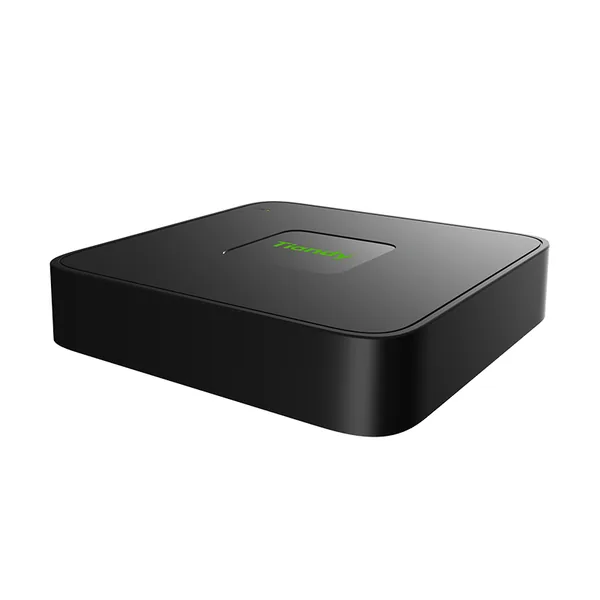 NVRTC-R3105-IBLFirmware V13.15.31 build 260822 · 02.09.2026
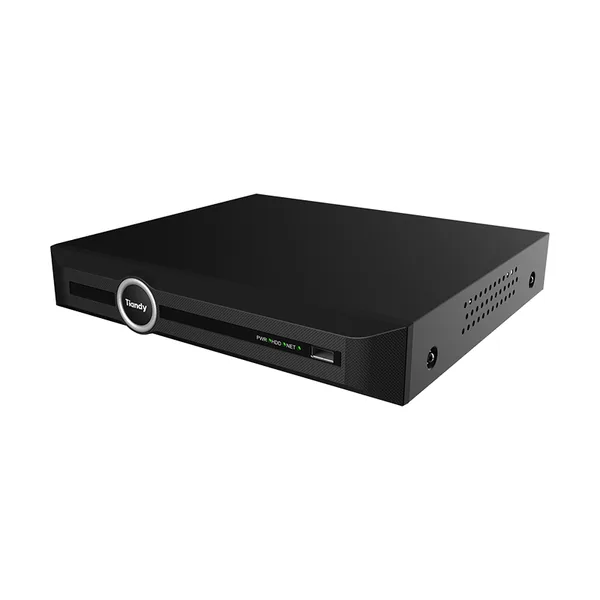 NVRTC-R3105-IBPFirmware V13.15.31 build 260822 · 02.09.2026
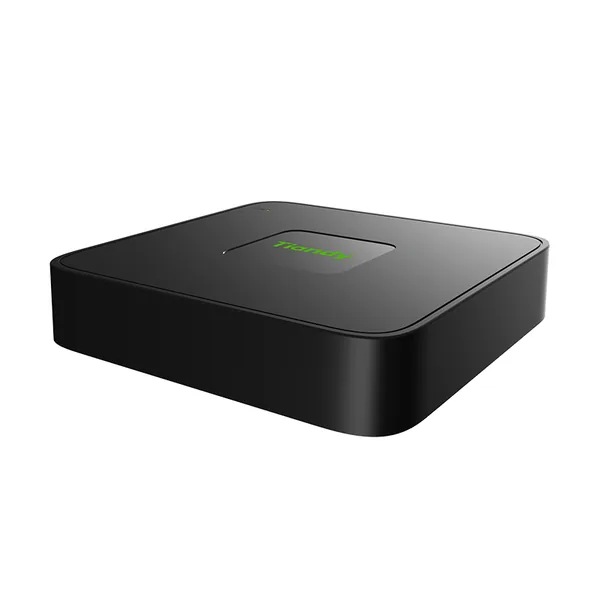 NVRTC-R3105-IBPLFirmware V13.13.30 build 250102 · 03.03.2025
 NVRTC-R3110-IBLFirmware V13.15.31 build 260822 · 02.09.2026
 NVRTC-R3110-IBP8Firmware V13.13.30 build 250102 · 03.03.2025
 NVRTC-R3110-IBP8LSFirmware V13.15.31 build 260822 · 02.09.2026
 NVRTC-R3120-IBFirmware V19.3.30 build 260523 · 15.06.2026
 NVRTC-R3105 Spec:I/B/L/Eu/V1.1Fără firmware public
 NVRTC-R3110 Spec:I/B/L/Eu/V1.1Fără firmware public