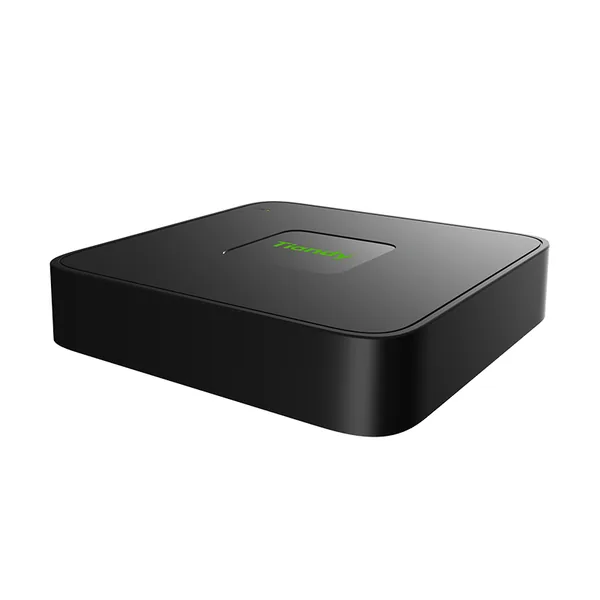
Firmware TC-R3105-IBL
1HDD 5ch NVR TC-R3105 Spec:I/B/L/V1.1
- 5 canale
- AI persoane/vehicule
- 1 HDD
Înregistratorul TC-R3105-IBL de la Tiandy are 5 canale, lățime de bandă la intrare de 60 Mbps, 1 locaș pentru HDD (până la 8 TB fiecare) și înregistrare de până la 8 MP.
Câteva date tehnice importante: ieșiri video HDMI/VGA (HDMI 4K), decodare H.265/H.264/S+265, filtrare a alarmelor după persoane și vehicule și alimentare 12 V DC. Ca gabarit, cântărește 400 g și are dimensiunile 201(L)202(W)43(H)mm.
Ultima versiune de firmware publicată de Tiandy pentru TC-R3105-IBL este V13.15.31 build 260822, din 02.09.2026. Mai jos găsești link-ul oficial de descărcare, notele de versiune și versiunile anterioare.
Modelul are mai multe variante hardware (TC-R3105-IBL-KR, TC-R3105-IBL-TU, TC-R3105-IBL-V1.1-AR, TC-R3105-IBL-V1.1-CIS, TC-R3105-IBL-V1.1-HM, TC-R3105-IBL-V1.1-KR) cu firmware diferit: alege varianta trecută pe eticheta aparatului.
Firmware-ul se încarcă din interfața web a aparatului sau, la înregistratoare, din meniul local de upgrade.
Tabelul de specificații de mai jos conține toate datele tehnice publicate de producător, traduse în română.
Firmware actual
| Versiune | Data | Regiune | Descărcare și note |
|---|---|---|---|
| V13.15.31 build 260822TC-R3105-IBL-V1.1-CIS_DVRS_V13.15.30.20250920-V13.15.31.20260822_ETa · Variantă: TC-R3105-IBL-V1.1-CIS | 02.09.2026 | Global | MD5 7DA414F6EFFC6E99D90656D5AD649FBENote de versiune1、Support for Smart Storage feature. 2、Addition of intelligent retrieval functionality. 3、Support for cross-subnet ONVIF camera discovery. 4、Optimization of compatibility between front-end devices and back-end NVR. 5、Plug-and-play support for non-POE NVR models. 6、Support for device activation via the mobile App. 7、Overall usability improvements. Se instalează peste: DVRS_V13.15.30.20250920 Metodă de actualizare: UI/WEB/云升级 |
| V13.15.31 build 260822TC-R3105-IBL-V1.1-HM_DVRS_V13.15.30.20250920-V13.15.31.20260822_ETa · Variantă: TC-R3105-IBL-V1.1-HM | 02.09.2026 | Global | MD5 AA395C133997ACC1B3D1DD4DF8C7DE74Note de versiune1、Support for Smart Storage feature. 2、Addition of intelligent retrieval functionality. 3、Support for cross-subnet ONVIF camera discovery. 4、Optimization of compatibility between front-end devices and back-end NVR. 5、Plug-and-play support for non-POE NVR models. 6、Support for device activation via the mobile App. 7、Overall usability improvements. Se instalează peste: DVRS_V13.15.30.20250920, DVRS_V13.15.30.20250920_SP01 Metodă de actualizare: UI/WEB/云升级 |
| V13.15.31 build 260822TC-R3105-IBL-V1.1-PJ_DVRS_V13.15.30.20250920-V13.15.31.20260822_ETa · Variantă: TC-R3105-IBL-V1.1-PJ | 02.09.2026 | Global | MD5 ADD48521EBAFC288FD21F2A0DC4FC95ENote de versiune1、Support for Smart Storage feature. 2、Addition of intelligent retrieval functionality. 3、Support for cross-subnet ONVIF camera discovery. 4、Optimization of compatibility between front-end devices and back-end NVR. 5、Plug-and-play support for non-POE NVR models. 6、Support for device activation via the mobile App. 7、Overall usability improvements. Se instalează peste: DVRS_V13.15.30.20250920 Metodă de actualizare: UI/WEB/云升级 |
| V13.15.31 build 260822TC-R3105-IBL-V1.1-SEA_DVRS_V13.15.30.20250920-V13.15.31.20260822_ETa · Variantă: TC-R3105-IBL-V1.1-SEA | 02.09.2026 | Global | MD5 EB7B6DD57AE5807B3436C31BE2EC8FB1Note de versiune1、Support for Smart Storage feature. 2、Addition of intelligent retrieval functionality. 3、Support for cross-subnet ONVIF camera discovery. 4、Optimization of compatibility between front-end devices and back-end NVR. 5、Plug-and-play support for non-POE NVR models. 6、Support for device activation via the mobile App. 7、Overall usability improvements. Se instalează peste: DVRS_V13.15.30.20250920 Metodă de actualizare: UI/WEB/云升级 |
| V13.15.31 build 260822TC-R3105-IBL-V1.1-TU_DVRS_V13.15.30.20250920-V13.15.31.20260822_ETa · Variantă: TC-R3105-IBL-V1.1-TU | 02.09.2026 | Global | MD5 5B6F9A3F779E5B6410A6CA54DD8A196CNote de versiune1、Support for Smart Storage feature. 2、Addition of intelligent retrieval functionality. 3、Support for cross-subnet ONVIF camera discovery. 4、Optimization of compatibility between front-end devices and back-end NVR. 5、Plug-and-play support for non-POE NVR models. 6、Support for device activation via the mobile App. 7、Overall usability improvements. Se instalează peste: DVRS_V13.15.30.20250920, DVRS_V13.15.30.20250920_SP01 Metodă de actualizare: UI/WEB/云升级 |
| V13.15.30 build 250920TC-R3105-IBL-V1.1-KR_DVRS_V13.15.30.20250920_ETa · Variantă: TC-R3105-IBL-V1.1-KR | 28.09.2025 | Global | MD5 DE48709F12BA277B64232163AE671B55Note de versiune1.Optimize keyboard usability 2.Optimize RTSP addition method 3.Non-POE channel switching 4.Alarm linkage email notification function 5.NVR and APP to achieve dual-light camera white light control 6.Playback supports person and vehicle alarms Se instalează peste: DVRS_V13.13.30.20240924, DVRS_V13.13.30.20241130_SP01 Metodă de actualizare: UI/WEB/云升级 |
| V13.13.0 build 241130TC-R3105-IBL-V1.1-AR_DVRS_V13.13.30.20241203-V13.13.0.20241130_SP01_ETa · Variantă: TC-R3105-IBL-V1.1-AR | 30.11.2024 | Global | MD5 C0128A6A7601A817A8D41EA91668C26FNote de versiuneFix known defects Atenție: numele fișierului indică V13.13.0 build 241130, dar descrierea Tiandy indică DVRS_V13.13.30.20241130. Se instalează peste: DVRS_V13.13.30.20240924 |
| V13.11.0 build 231125TC-R3105-IBL-V1.1-VN_DVRS_V13.9.0-V13.11.0.20231125_ETa · Variantă: TC-R3105-IBL-V1.1-VN | 22.02.2024 | Global | MD5 7F8ECAA1C55A48F40CC249DB26F5C708Ce e nou în această versiune (textul producătorului)1. Add device physical examination function to the UI of NVR, and output test report, including: network, hard disk, app online status. 2. UI Preview interface Switch simple boot wizard and preview interface style. 3. Add the frame recording configuration page on the Internet Explorer interface, and add a prompt when selecting Frame recording on the WEB and UI interfaces. 4. Albanian language is added to the WEB and UI interface of the 128M model. 5. The NVR WEB and UI interface is set when the location GMT+3, the corresponding time zone shows the city of Baghdad in the addition of the city. 6. Added the ability to change the channel order by dragging and dropping, simplifying the initial deployment procedure. 7. UI Added the IPC batch cloud upgrade function. 8. The NVR: UI preview interface that supports target detection has added intelligent analysis (trip line, perimeter, double trip line) alarm image display function. 9. The web video playback interface of NVR allows for video filtering on the timeline based on three categories: "event", "scheduled", and "manual". 10. LiteK and above series NVR (P2P-A) are used in conjunction with the APP to achieve search by target type: different colors are drawn on the playback timeline based on the target type (person, vehicle). 11. The captured images of NVR events need to be changed to the following format: NVR IP+channel number+capture time+sequence code+event name (in English only). 12. The web preview interface of NVR needs to display all added cameras (both online and offline). 13. NVR has increased compatibility with the standby action of the ball machine, and the standby time drop-down menu has added options of 10 seconds and 20 seconds. 14. The NVR displays the model name on the IPC control management interface. 15. UI preview interface, windows that cannot add channels can achieve clock function overlay display, and support enabling and disabling. 16. UI playback interface usability improvement: adjust the layout of the playback interface, simplify the video retrieval steps and playback process; Adjust the button and sunlight scale effect, beautify the interface effect, adjust the storage related configuration position, and simplify the storage configuration steps; Adjust the accuracy and display effect of entries. 17. VOD module optimization: supports VOD download file disconnection and continuous transmission function; Add integrity verification to files downloaded from VOD. 18. NVR supports capturing real-time images of NVR through the CGI protocol. 19. SNMP security improvement: Non popular models have added support for v2 and v3 protocols, and WEB and UI have added configuration and switch options. 20. Optimize video encryption methods to solve the problem of single player playback of encrypted videos downloaded from devices without the need for a password. 21. The WEB interface has added a factory reset function, which can restore the NVR IP. 22. ONVIF supports preset position acquisition |
| V13.11.0 build 231125TC-R3105-IBL-V1.1-WL_DVRS_V13.9.0-V13.11.0.20231125_ETa · Variantă: TC-R3105-IBL-V1.1-WL | 22.02.2024 | Global | MD5 3C81C8B3BCA99BEAA9DB61BFAEFEE7C3Ce e nou în această versiune (textul producătorului)1. Add device physical examination function to the UI of NVR, and output test report, including: network, hard disk, app online status. 2. UI Preview interface Switch simple boot wizard and preview interface style. 3. Add the frame recording configuration page on the Internet Explorer interface, and add a prompt when selecting Frame recording on the WEB and UI interfaces. 4. Albanian language is added to the WEB and UI interface of the 128M model. 5. The NVR WEB and UI interface is set when the location GMT+3, the corresponding time zone shows the city of Baghdad in the addition of the city. 6. Added the ability to change the channel order by dragging and dropping, simplifying the initial deployment procedure. 7. UI Added the IPC batch cloud upgrade function. 8. The NVR: UI preview interface that supports target detection has added intelligent analysis (trip line, perimeter, double trip line) alarm image display function. 9. The web video playback interface of NVR allows for video filtering on the timeline based on three categories: "event", "scheduled", and "manual". 10. LiteK and above series NVR (P2P-A) are used in conjunction with the APP to achieve search by target type: different colors are drawn on the playback timeline based on the target type (person, vehicle). 11. The captured images of NVR events need to be changed to the following format: NVR IP+channel number+capture time+sequence code+event name (in English only). 12. The web preview interface of NVR needs to display all added cameras (both online and offline). 13. NVR has increased compatibility with the standby action of the ball machine, and the standby time drop-down menu has added options of 10 seconds and 20 seconds. 14. The NVR displays the model name on the IPC control management interface. 15. UI preview interface, windows that cannot add channels can achieve clock function overlay display, and support enabling and disabling. 16. UI playback interface usability improvement: adjust the layout of the playback interface, simplify the video retrieval steps and playback process; Adjust the button and sunlight scale effect, beautify the interface effect, adjust the storage related configuration position, and simplify the storage configuration steps; Adjust the accuracy and display effect of entries. 17. VOD module optimization: supports VOD download file disconnection and continuous transmission function; Add integrity verification to files downloaded from VOD. 18. NVR supports capturing real-time images of NVR through the CGI protocol. 19. SNMP security improvement: Non popular models have added support for v2 and v3 protocols, and WEB and UI have added configuration and switch options. 20. Optimize video encryption methods to solve the problem of single player playback of encrypted videos downloaded from devices without the need for a password. 21. The WEB interface has added a factory reset function, which can restore the NVR IP. 22. ONVIF supports preset position acquisition |
| V13.9.0 build 230607TC-R3105-IBL-TU_DVRS_V13.6.0.20221029-V13.9.0.20230607_ETa · Variantă: TC-R3105-IBL-TU | 16.10.2024 | Global | MD5 16AFFD0A69A2E2E6DD4205DD710162CFNote de versiuneupgrade Se instalează peste: DVRS_V13.6.0.20221029_SP09 |
| V13.9.0 build 230607DVRS_SSR621Q_V13.6_V13.9.X_SP09 · Variantă: TC-R3105-IBL-KR · același fișier pentru 15 modele | 07.06.2023 | Global | MD5 365FEE253E1101C59C99D5009D120EB1Note de versiuneFix known defects Se instalează peste: DVRS_V13.9.0.20230607 |
Versiuni anterioare
| Versiune | Data | Regiune | Descărcare și note |
|---|---|---|---|
| V13.15.30 build 250920TC-R3105-IBL-V1.1-SEA_DVRS_V13.15.30.20250920_ETa · Variantă: TC-R3105-IBL-V1.1-SEA | 28.09.2025 | Global | MD5 46E695F82CF65FB40F3EC208C903135DNote de versiune1.Optimize keyboard usability 2.Optimize RTSP addition method 3.Non-POE channel switching 4.Alarm linkage email notification function 5.NVR and APP to achieve dual-light camera white light control 6.Playback supports person and vehicle alarms Se instalează peste: DVRS_V13.13.30.20240924, DVRS_V13.13.30.20241130_SP01 Metodă de actualizare: UI/WEB/云升级 |
| V13.15.30 build 250920TC-R3105-IBL-V1.1-TU_DVRS_V13.15.30.20250920_ETa · Variantă: TC-R3105-IBL-V1.1-TU | 28.09.2025 | Global | MD5 C4597F2779C64C68B616747C3814A136Note de versiune1.Optimize keyboard usability 2.Optimize RTSP addition method 3.Non-POE channel switching 4.Alarm linkage email notification function 5.NVR and APP to achieve dual-light camera white light control 6.Playback supports person and vehicle alarms Se instalează peste: DVRS_V13.12.1.20240628_SP04, DVRS_V13.13.30.20240924, DVRS_V13.13.30.20241130_SP01 Metodă de actualizare: UI/WEB/云升级 |
| V13.13.0 build 241130TC-R3105-IBL-V1.1-PJ_DVRS_V13.13.30.20241203-V13.13.0.20241130_SP01_ETa · Variantă: TC-R3105-IBL-V1.1-PJ | 03.03.2025 | Global | MD5 93B0B4B929C4FD872E893A00065AFF47Ce e nou în această versiune (textul producătorului)1. Improved compatibility of ONVIF and RTSP connections. 2. The domain name server address of DDNS can be customized by customers (the domain name server used by customers needs to be a standard domain name server protocol). 3. The GUI interface has been optimized for device model display usability. 4. When replaying the LikeK series WEB and UI, add support for only playing recordings retrieved by target or event. 5. The preview interface and video playback interface of the LikeK series support intelligent analysis of rule lines and add support for intelligent analysis algorithms. 6. The LiteK series is compatible with high temperature warning alarms for fire point cameras. During high temperature warning, only the alarm log and transparent alarm situation are recorded, and alarm linkage is not supported. 7. LiteK series adds network protocol QoS control. 8. LiteN adds real-time playback function, which turns multi screen real-time playback into single screen playback, and restores multi screen preview when turned off. 9. The UI interface of NVR supports batch modification of the IP addresses of devices in the search list (without added devices). 10. After adding a dual light camera to the NVR, the VCA linked white light mode can be selected for alarm linked light mode (such as flashing/constant light). 11. NVR can set the minimum and maximum exposure time of the camera through the UI/Web interface (this feature needs to be supported by the camera). 12. NVR supports searching for recordings by event type through the web and downloading corresponding recordings. 13. NVR supports searching for images by event type through WEB and downloading corresponding images. 14. Add two screens of upper and lower structure to the UI interface. 15. UI right-click menu optimization: supports quick jumping to commonly used settings and query interfaces. 16. When the UI preview window video cannot be played, the prompt will add multiple languages. 17. The latest interface style has been updated for the web interface, with unified main menu entries for both web and UI interfaces, and improved usability of functional locations. 18. Improved backup usability: 1) Fast backup, increase the limit of records from 600 to 1000; Optimize interface display and backup steps. 2) Name backups by time and category for easy viewing of backup status. 19. Optimization of the usability of the linked alarm output port number, which can determine which alarm output port corresponds to it. 20. Video template optimization, adding intelligent analysis event templates to video templates; Add event category recordings to facilitate users' configuration for storing only alarm recordings. 21. Video status prompt optimization. 22. In conjunction with the platform, NVR devices provide interface protocols for querying network resource usage. 23. In conjunction with cameras that support intelligent analysis, NVR supports configuring perimeter trip line algorithms for displaying targets and bidir |
| V13.13.0 build 241130TC-R3105-IBL-V1.1-HM_DVRS_V13.13.30.20241203-V13.13.0.20241130_SP01_ETa · Variantă: TC-R3105-IBL-V1.1-HM | 30.11.2024 | Global | MD5 2811D41A5D444902CF32D44EA8585685Note de versiuneFix known defects Atenție: numele fișierului indică V13.13.0 build 241130, dar descrierea Tiandy indică DVRS_V13.13.30.20241130. Se instalează peste: DVRS_V13.13.30.20240924 |
| V13.13.0 build 241130TC-R3105-IBL-V1.1-KR_DVRS_V13.13.30.20241203-V13.13.0.20241130_SP01_ETa · Variantă: TC-R3105-IBL-V1.1-KR | 30.11.2024 | Global | MD5 D487EFCDBC50CE48CBFDEE9611CDACACNote de versiuneFix known defects Atenție: numele fișierului indică V13.13.0 build 241130, dar descrierea Tiandy indică DVRS_V13.13.30.20241130. Se instalează peste: DVRS_V13.13.30.20240924 |
| V13.13.0 build 241130TC-R3105-IBL-V1.1-SEA_DVRS_V13.13.30.20241203-V13.13.0.20241130_SP01_ETa · Variantă: TC-R3105-IBL-V1.1-SEA | 30.11.2024 | Global | MD5 54B6A4490A0DCC47F6F8B57699D692ACNote de versiuneFix known defects Atenție: numele fișierului indică V13.13.0 build 241130, dar descrierea Tiandy indică DVRS_V13.13.30.20241130. Se instalează peste: DVRS_V13.13.30.20240924 |
| V13.13.0 build 241130TC-R3105-IBL-V1.1-TU_DVRS_V13.12.1.20241203-V13.13.0.20241130_SP01_ETa · Variantă: TC-R3105-IBL-V1.1-TU | 30.11.2024 | Global | MD5 BB987EC826AAB7EF22F35495CEC4539BNote de versiuneAdd new features, fix known defects Atenție: numele fișierului indică V13.13.0 build 241130, dar descrierea Tiandy indică DVRS_V13.13.30.20241130. Se instalează peste: DVRS_V13.12.1.20240628_SP04, DVRS_V13.13.30.20240924 |
| V13.11.0 build 231125TC-R3105-IBL-V1.1-TU_DVRS_V13.6.0-V13.11.0.20231125_SP01_ETa · Variantă: TC-R3105-IBL-V1.1-TU | 04.03.2024 | Global | MD5 EE93976341C6D6749A9157480786786FCe e nou în această versiune (textul producătorului)1. Add device physical examination function to the UI of NVR, and output test report, including: network, hard disk, app online status. 2. UI Preview interface Switch simple boot wizard and preview interface style. 3. Add the frame recording configuration page on the Internet Explorer interface, and add a prompt when selecting Frame recording on the WEB and UI interfaces. 4. Albanian language is added to the WEB and UI interface of the 128M model. 5. The NVR WEB and UI interface is set when the location GMT+3, the corresponding time zone shows the city of Baghdad in the addition of the city. 6. Added the ability to change the channel order by dragging and dropping, simplifying the initial deployment procedure. 7. UI Added the IPC batch cloud upgrade function. 8. The NVR: UI preview interface that supports target detection has added intelligent analysis (trip line, perimeter, double trip line) alarm image display function. 9. The web video playback interface of NVR allows for video filtering on the timeline based on three categories: "event", "scheduled", and "manual". 10. LiteK and above series NVR (P2P-A) are used in conjunction with the APP to achieve search by target type: different colors are drawn on the playback timeline based on the target type (person, vehicle). 11. The captured images of NVR events need to be changed to the following format: NVR IP+channel number+capture time+sequence code+event name (in English only). 12. The web preview interface of NVR needs to display all added cameras (both online and offline). 13. NVR has increased compatibility with the standby action of the ball machine, and the standby time drop-down menu has added options of 10 seconds and 20 seconds. 14. The NVR displays the model name on the IPC control management interface. 15. UI preview interface, windows that cannot add channels can achieve clock function overlay display, and support enabling and disabling. 16. UI playback interface usability improvement: adjust the layout of the playback interface, simplify the video retrieval steps and playback process; Adjust the button and sunlight scale effect, beautify the interface effect, adjust the storage related configuration position, and simplify the storage configuration steps; Adjust the accuracy and display effect of entries. 17. VOD module optimization: supports VOD download file disconnection and continuous transmission function; Add integrity verification to files downloaded from VOD. 18. NVR supports capturing real-time images of NVR through the CGI protocol. 19. SNMP security improvement: Non popular models have added support for v2 and v3 protocols, and WEB and UI have added configuration and switch options. 20. Optimize video encryption methods to solve the problem of single player playback of encrypted videos downloaded from devices without the need for a password. 21. The WEB interface has added a factory reset function, which can restore the NVR IP. 22. ONVIF supports preset position acquisition |
| V13.11.0 build 231125TC-R3105-IBL-V1.1-AR_DVRS_V13.10.0-V13.11.0.20231125_ETa · Variantă: TC-R3105-IBL-V1.1-AR | 22.02.2024 | Global | MD5 6C9E8C0F1A53FA9E70F207A4CC89F7E0Ce e nou în această versiune (textul producătorului)1. Add device physical examination function to the UI of NVR, and output test report, including: network, hard disk, app online status. 2. UI Preview interface Switch simple boot wizard and preview interface style. 3. Add the frame recording configuration page on the Internet Explorer interface, and add a prompt when selecting Frame recording on the WEB and UI interfaces. 4. Albanian language is added to the WEB and UI interface of the 128M model. 5. The NVR WEB and UI interface is set when the location GMT+3, the corresponding time zone shows the city of Baghdad in the addition of the city. 6. Added the ability to change the channel order by dragging and dropping, simplifying the initial deployment procedure. 7. UI Added the IPC batch cloud upgrade function. 8. The NVR: UI preview interface that supports target detection has added intelligent analysis (trip line, perimeter, double trip line) alarm image display function. 9. The web video playback interface of NVR allows for video filtering on the timeline based on three categories: "event", "scheduled", and "manual". 10. LiteK and above series NVR (P2P-A) are used in conjunction with the APP to achieve search by target type: different colors are drawn on the playback timeline based on the target type (person, vehicle). 11. The captured images of NVR events need to be changed to the following format: NVR IP+channel number+capture time+sequence code+event name (in English only). 12. The web preview interface of NVR needs to display all added cameras (both online and offline). 13. NVR has increased compatibility with the standby action of the ball machine, and the standby time drop-down menu has added options of 10 seconds and 20 seconds. 14. The NVR displays the model name on the IPC control management interface. 15. UI preview interface, windows that cannot add channels can achieve clock function overlay display, and support enabling and disabling. 16. UI playback interface usability improvement: adjust the layout of the playback interface, simplify the video retrieval steps and playback process; Adjust the button and sunlight scale effect, beautify the interface effect, adjust the storage related configuration position, and simplify the storage configuration steps; Adjust the accuracy and display effect of entries. 17. VOD module optimization: supports VOD download file disconnection and continuous transmission function; Add integrity verification to files downloaded from VOD. 18. NVR supports capturing real-time images of NVR through the CGI protocol. 19. SNMP security improvement: Non popular models have added support for v2 and v3 protocols, and WEB and UI have added configuration and switch options. 20. Optimize video encryption methods to solve the problem of single player playback of encrypted videos downloaded from devices without the need for a password. 21. The WEB interface has added a factory reset function, which can restore the NVR IP. 22. ONVIF supports preset position acquisition |
| V13.11.0 build 231125TC-R3105-IBL-V1.1-KR_DVRS_V13.6.0-V13.11.0.20231125_ETa · Variantă: TC-R3105-IBL-V1.1-KR | 22.02.2024 | Global | MD5 1B652C6F8079C017D4DBEF3A7606E38CCe e nou în această versiune (textul producătorului)1. Add device physical examination function to the UI of NVR, and output test report, including: network, hard disk, app online status. 2. UI Preview interface Switch simple boot wizard and preview interface style. 3. Add the frame recording configuration page on the Internet Explorer interface, and add a prompt when selecting Frame recording on the WEB and UI interfaces. 4. Albanian language is added to the WEB and UI interface of the 128M model. 5. The NVR WEB and UI interface is set when the location GMT+3, the corresponding time zone shows the city of Baghdad in the addition of the city. 6. Added the ability to change the channel order by dragging and dropping, simplifying the initial deployment procedure. 7. UI Added the IPC batch cloud upgrade function. 8. The NVR: UI preview interface that supports target detection has added intelligent analysis (trip line, perimeter, double trip line) alarm image display function. 9. The web video playback interface of NVR allows for video filtering on the timeline based on three categories: "event", "scheduled", and "manual". 10. LiteK and above series NVR (P2P-A) are used in conjunction with the APP to achieve search by target type: different colors are drawn on the playback timeline based on the target type (person, vehicle). 11. The captured images of NVR events need to be changed to the following format: NVR IP+channel number+capture time+sequence code+event name (in English only). 12. The web preview interface of NVR needs to display all added cameras (both online and offline). 13. NVR has increased compatibility with the standby action of the ball machine, and the standby time drop-down menu has added options of 10 seconds and 20 seconds. 14. The NVR displays the model name on the IPC control management interface. 15. UI preview interface, windows that cannot add channels can achieve clock function overlay display, and support enabling and disabling. 16. UI playback interface usability improvement: adjust the layout of the playback interface, simplify the video retrieval steps and playback process; Adjust the button and sunlight scale effect, beautify the interface effect, adjust the storage related configuration position, and simplify the storage configuration steps; Adjust the accuracy and display effect of entries. 17. VOD module optimization: supports VOD download file disconnection and continuous transmission function; Add integrity verification to files downloaded from VOD. 18. NVR supports capturing real-time images of NVR through the CGI protocol. 19. SNMP security improvement: Non popular models have added support for v2 and v3 protocols, and WEB and UI have added configuration and switch options. 20. Optimize video encryption methods to solve the problem of single player playback of encrypted videos downloaded from devices without the need for a password. 21. The WEB interface has added a factory reset function, which can restore the NVR IP. 22. ONVIF supports preset position acquisition |
| V13.11.0 build 231125TC-R3105-IBL-V1.1-TU_DVRS_V13.6.0-V13.11.0.20231125_ETa · Variantă: TC-R3105-IBL-V1.1-TU | 22.02.2024 | Global | MD5 3229F82C4665D999B31E761804DC27FACe e nou în această versiune (textul producătorului)1. Add device physical examination function to the UI of NVR, and output test report, including: network, hard disk, app online status. 2. UI Preview interface Switch simple boot wizard and preview interface style. 3. Add the frame recording configuration page on the Internet Explorer interface, and add a prompt when selecting Frame recording on the WEB and UI interfaces. 4. Albanian language is added to the WEB and UI interface of the 128M model. 5. The NVR WEB and UI interface is set when the location GMT+3, the corresponding time zone shows the city of Baghdad in the addition of the city. 6. Added the ability to change the channel order by dragging and dropping, simplifying the initial deployment procedure. 7. UI Added the IPC batch cloud upgrade function. 8. The NVR: UI preview interface that supports target detection has added intelligent analysis (trip line, perimeter, double trip line) alarm image display function. 9. The web video playback interface of NVR allows for video filtering on the timeline based on three categories: "event", "scheduled", and "manual". 10. LiteK and above series NVR (P2P-A) are used in conjunction with the APP to achieve search by target type: different colors are drawn on the playback timeline based on the target type (person, vehicle). 11. The captured images of NVR events need to be changed to the following format: NVR IP+channel number+capture time+sequence code+event name (in English only). 12. The web preview interface of NVR needs to display all added cameras (both online and offline). 13. NVR has increased compatibility with the standby action of the ball machine, and the standby time drop-down menu has added options of 10 seconds and 20 seconds. 14. The NVR displays the model name on the IPC control management interface. 15. UI preview interface, windows that cannot add channels can achieve clock function overlay display, and support enabling and disabling. 16. UI playback interface usability improvement: adjust the layout of the playback interface, simplify the video retrieval steps and playback process; Adjust the button and sunlight scale effect, beautify the interface effect, adjust the storage related configuration position, and simplify the storage configuration steps; Adjust the accuracy and display effect of entries. 17. VOD module optimization: supports VOD download file disconnection and continuous transmission function; Add integrity verification to files downloaded from VOD. 18. NVR supports capturing real-time images of NVR through the CGI protocol. 19. SNMP security improvement: Non popular models have added support for v2 and v3 protocols, and WEB and UI have added configuration and switch options. 20. Optimize video encryption methods to solve the problem of single player playback of encrypted videos downloaded from devices without the need for a password. 21. The WEB interface has added a factory reset function, which can restore the NVR IP. 22. ONVIF supports preset position acquisition |
| V13.9.0 build 230607TC-R3105-IBL-V1.1-WL_DVRS_V13.0.0.20221227-V13.9.0.20230607_ETa · Variantă: TC-R3105-IBL-V1.1-WL | 26.06.2025 | Global | MD5 E415F5E3E49EE89815FB1C436F024CA6Note de versiuneupgrade the software version Se instalează peste: DVRS_V13.0.0.20221227_SP61 |
| V13.9.0 build 230607DVRS_SSR621Q_V13.6_V13.9.X_SP09 · Variantă: TC-R3105-IBL-TU · același fișier pentru 15 modele | 07.06.2023 | Global | MD5 365FEE253E1101C59C99D5009D120EB1Note de versiuneFix known defects Se instalează peste: DVRS_V13.9.0.20230607 |
| V13.6.0 build 221029TC-R3105-IBL-KR_DVRS_V13.2.2.20220117,20220525-V13.6.0.20221029_ETa · Variantă: TC-R3105-IBL-KR | 20.03.2023 | Global | MD5 2BD871CF1E956FDABEC60DAF631F9CEDNote de versiune1. Improved usability of user operation functions in the UI 2. Support mobile APP to set the intelligent alarm linkage item of dual optical alert products through NVR 3. Optimized the NVR function through APP operation 4. Supports the recording estimation function, which evaluates the maximum recording time based on the total capacity of the selected disk or the capacity manually entered 5. Improved compatibility between NVR and IPC 6. The network authentication function is added 7. The public network agent is supported for remote device maintenance 8.NVR security has been optimized and improved 9.windows Google access device, interface added 10. The bandwidth usage is displayed on the WEB page 11. The cloud upgrade function has been optimized and improved 12. In the UI menu of NVR, the triggering direction of the mixing line can be displayed when setting the mixing line 13. The access and forwarding capability of NVR has been optimized and improved Se instalează peste: DVRS_V13.2.2.20220117, DVRS_V13.2.2.20220117_SP06, DVRS_V13.5.1.20220525, DVRS_V13.5.1.20220525_SP02 |
| V13.6.0 build 221029TC-R3105-IBL-TU_DVRS_V13.0.0.20220117,20220425,20220527-V13.6.0.20221029_ETa · Variantă: TC-R3105-IBL-TU | 20.03.2023 | Global | MD5 69DE8F2FF0CA2D401A0D30D029E2B8F7Note de versiune1. Improved usability of user operation functions in the UI 2. Support mobile APP to set the intelligent alarm linkage item of dual optical alert products through NVR 3. Optimized the NVR function through APP operation 4. Supports the recording estimation function, which evaluates the maximum recording time based on the total capacity of the selected disk or the capacity manually entered 5. Improved compatibility between NVR and IPC 6. The network authentication function is added 7. The public network agent is supported for remote device maintenance 8.NVR security has been optimized and improved 9.windows Google access device, interface added 10. The bandwidth usage is displayed on the WEB page 11. The cloud upgrade function has been optimized and improved 12. In the UI menu of NVR, the triggering direction of the mixing line can be displayed when setting the mixing line 13. The access and forwarding capability of NVR has been optimized and improved Se instalează peste: DVRS_V13.0.0.20201223_SP07, DVRS_V13.2.2.20220117, DVRS_V13.5.0.20220425, DVRS_V13.5.0.20220527, DVRS_V13.5.0.20220527_SP13 |
Specificații TC-R3105-IBL
Video și audio
| Canale de acces | 5 |
|---|---|
| Lățime de bandă la intrare | 60Mbps |
| Lățime de bandă la ieșire | 40Mbps |
| Rezoluție | 8MP/6MP/5MP/4MP/3MP/1080P/UXGA/720P/VGA/4CIF/DCIF/2CIF/CIF/QCIF |
| Capacitate de decodare la previzualizare | 8MP(30fps)×1, 6MP(30fps)×2, 5MP(30fps)×2, 4MP(30fps)×3, 3MP(30fps)×4, 1080P(30fps)×5, 720P(30fps)×5, 4CIF(30fps)×5 |
| Capacitate de decodare la redare | 8MP(30fps)×1, 6MP(30fps)×2, 5MP(30fps)×2, 4MP(30fps)×3, 3MP(30fps)×4, 1080P(30fps)×4, 720P(30fps)×4, 4CIF(30fps)×4 |
| Acces camere terțe | ONVIF(Profile S/T); RTSP |
| Ieșire HDMI | HDMI: 1024×768(60Hz), (720P )1280×720(50Hz/60Hz), 1280×800(60Hz), 1366×768(60Hz), 1440×900(60Hz), (1080P)1920×1080(50Hz/60Hz), (4K)3840×2160(30Hz) |
| Ieșire VGA | VGA: 1024×768(60Hz), (720P )1280×720(50Hz/60Hz), 1280×800(60Hz), 1366×768(60Hz), 1440×900(60Hz), (1080P)1920×1080(50Hz/60Hz) |
| Afișare multi-ecran | Simultaneous Output: VGA: 1/2A/2B/3/4/5/6 HDMI: 1/2A/2B/3/4/5/6 |
Standard de compresie
| Compresie video | S+265; H.265; S+264; H.264 |
|---|---|
| Compresie audio | G.711A; G.711U; ADPCM_D |
| Tip flux | Video; Video & Audio |
Rețea
| Protocol de rețea | 802.1X; ARP; DDNS; DHCP; DNS; Easy DDNS; HTTP; HTTPS; ICMP; IGMP; IPv4; IPv6; Multicast; NTP; RTCP; RTP; RTSP; SMTP; SRTP; SSH; TLSv1.2; TCP; UDP; Unicast; UPnP |
|---|---|
| Aplicație mobilă | EasyLive Plus (Android, iOS) |
| Compatibilitate sistem | RTSP; CGI; SDK; P2P |
| Web | IE10+; Firefox52+; Edge89+; Safari11+; Chrome57+ |
Înregistrare și redare
| Redare multicanal | 4 |
|---|---|
| Mod de înregistrare | Manual Recording; Alarm Recording; Schedule Recording |
| Metodă de stocare | Local HDD |
| Backup | USB storage device |
| Funcție de redare | Play/Pause/Stop/Slow/Speed/Backwards 30s/Forwards 30s/Full Screen/Backup (Video Editing)/Step/Digital Zoom/Instant Replay |
| Dual Stream Record | Da |
Alarmă
| Alarme generale | Motion Detection; Mask Alarm; Alarm Input(IPC) |
|---|---|
| Alarme la excepții | Video Loss; Network Disconnected; No Disk; Illegal Access; Disk group space alert; Disk Full; Disk R/W Error; Recording Abnormal; Abnormal found in smart of disk; Abnormal temperature of the disk; Voltage Alarm(IPC); RTC Failure; IP Address Conflict; MAC Address Conflict; Disk Overload |
Analiză inteligentă
| AI pe cameră | Tripwire; Double Tripwire; Perimeter; Object Abandon; Object Missing; Running; Parking; Loitering; Video Abnormal; Audio Abnormal; On Duty Detection; Crowd Detection; Smart Alarm; Human/Vehicle Classification |
|---|---|
| Căutare VCA | Early-warning Search |
Stocare
| Capacitate HDD | Până la 8 TB capacity for each HDD |
|---|---|
| Grupuri de discuri | 1 Disk Group |
Porturi externe
| USB | 2×USB2.0 |
|---|---|
| HDMI | 1×HDMI(supports up to 4K resolution output) |
| VGA | 1×VGA |
| Interfață de rețea | 1×RJ-45, 10/100 Mbps self-adaptive Ethernet port |
| SATA | 1×SATA interface |
General
| Limba interfeței | English; Spanish; Italian; Turkish; French; Polish; Hebrew; German; Portuguese; Greek |
|---|---|
| Alimentare | DC12V |
| Greutate netă | 0.4 kg |
| Greutate brută | 0.7 kg |
| Dimensiuni exterioare | 201(L)202(W)43(H)mm |
| Dimensiuni ambalaj | 315(L)70(W)235(H)mm |
| Temperatură de funcționare | -10℃~+55℃ (+14℉~+131℉) |
| Umiditate de funcționare | 10%~90%RH (fără condensare) |
| Temperatură de depozitare | -20℃~+60℃ (-4℉~+140℉) |
| Conținut pachet | Network Video Recorder*1; Screw Pack*1; Mouse*1; Instructions*1; Parts List*1 |
Specificațiile sunt cele publicate de Tiandy, cu etichetele traduse în română (preluate la 02.11.2026). Ce nu am tradus a rămas în engleză.
Denumiri și variante: TC-R3105 Spec:I/B/L/V1.1, 1D.20030.022487, 497087, TC-R3105/IBL, TC-R3105/I/B/L/V1.1, TC-R3105-IBL-V1.1-CIS, 1D.20030.022049, 494746, 1D.20030.020962, 490119, TC-R3105-IBL-V1.1-SEA, 1D.20030.020252, 486924, TC-R3105-IBL-V1.1-HM, 1D.20030.021556, 492799, TC-R3105-IBL-V1.1-PJ, 1D.20030.020732, 489086, 1D.20030.021543, 492776, 1D.20030.021348, 492066, 1D.20030.020575, 488334, 1D.20030.020682, 488778, 1D.20030.020651, 488660, 1D.20030.020524
Modele din aceeași serie
 NVRTC-R3105-IBFirmware V13.15.31 build 260822 · 02.09.2026
 NVRTC-R3105-IBPFirmware V13.15.31 build 260822 · 02.09.2026
 NVRTC-R3105-IBPLFirmware V13.13.30 build 250102 · 03.03.2025
 NVRTC-R3110-IBFirmware V13.15.31 build 260822 · 02.09.2026
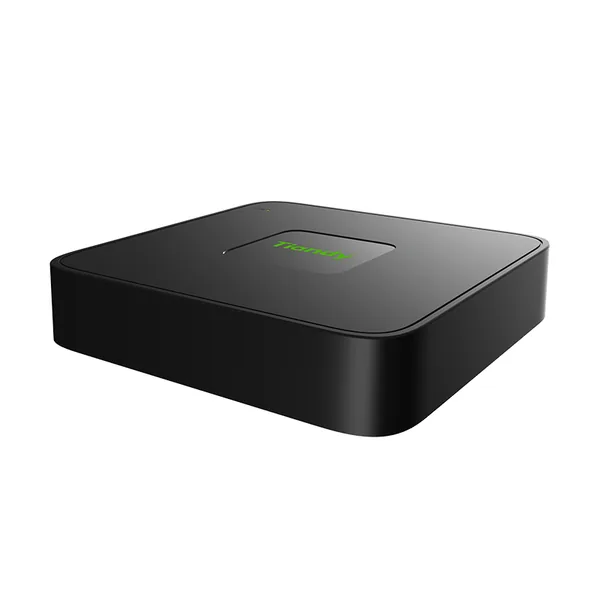 NVRTC-R3110-IBLFirmware V13.15.31 build 260822 · 02.09.2026
 NVRTC-R3110-IBP8Firmware V13.13.30 build 250102 · 03.03.2025
 NVRTC-R3110-IBP8LSFirmware V13.15.31 build 260822 · 02.09.2026
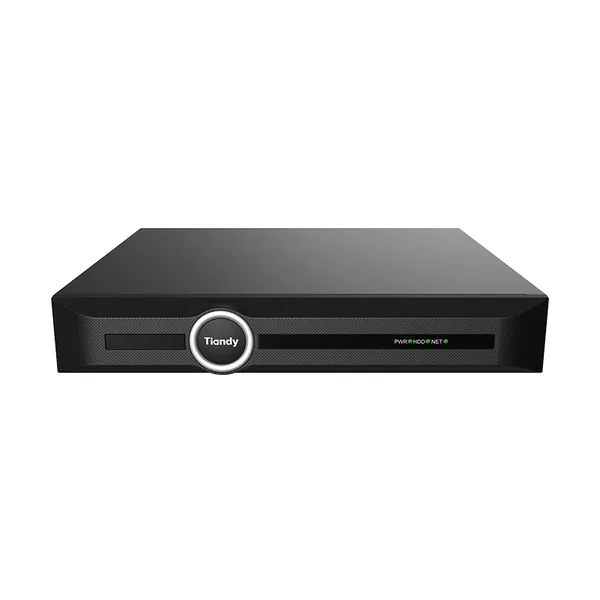 NVRTC-R3120-IBFirmware V19.3.30 build 260523 · 15.06.2026
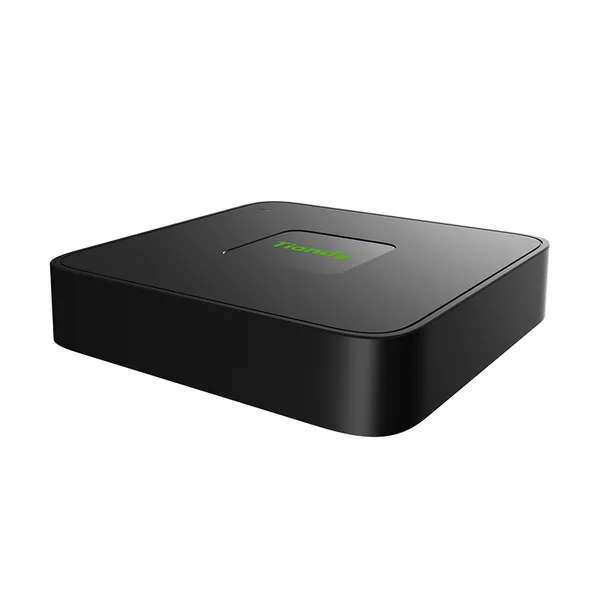 NVRTC-R3105 Spec:I/B/L/Eu/V1.1Fără firmware public
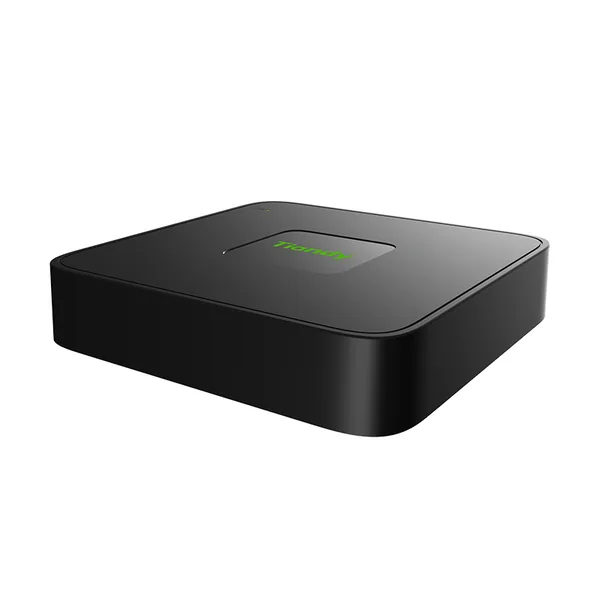 NVRTC-R3110 Spec:I/B/L/Eu/V1.1Fără firmware public