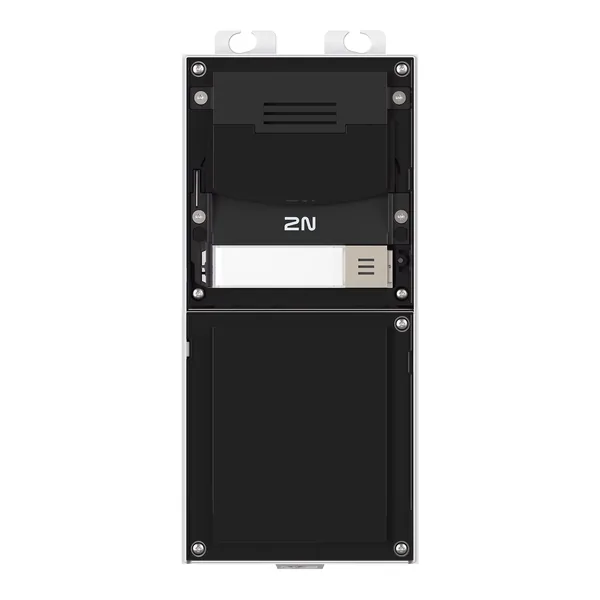
Firmware 9155211CB
2N IP Verso 2.0 – Main Unit with Camera - Black
- IR 10 m
- PoE
- IP54
9155211CB este un dispozitiv de videointerfon 2N din categoria „Intercoms”.
Din fișa tehnică reținem: alimentare PoE (802.3af), protecție IP54 și rezistență la impact IK08. Aparatul cântărește 2 kg.
Ultima versiune de firmware publicată de 2N pentru 9155211CB este V3.3.1, din 31.08.2026. Mai jos găsești link-ul oficial de descărcare, notele de versiune și versiunile anterioare.
Firmware-ul se încarcă de obicei din interfața web a aparatului sau din software-ul de administrare al producătorului.
Specificațiile complete, cu etichetele traduse în română, sunt în tabelul de mai jos.
Firmware actual
| Versiune | Data | Regiune | Descărcare și note |
|---|---|---|---|
| V3.3.1Firmware 3.3.1 - 2N IP Verso 2.0 | 31.08.2026 | Global | 68 MB Note de versiuneSHA-256: f54f077696f80a9d5a2d4399b6dce99f0337aacf814763b237b7beb8005ea811 Fișier: firmware_3_3_1_2n_ip_verso_2_0.zip 2N OS version 3.3.1 for 2N Intercoms includes the following changes New Functions and Improvements Added mobile access support for Electronic Locks. A new NFC Electronic Locks option in Services > Access Control > Secured Cards enables users to add access keys via 2N Access Commander, pair with the My2N app over Bluetooth, and use NFC in the mobile app to unlock 2N Fortis locks. Essential Corrections Updated several internal libraries. Important bug fixes. 2N OS version 3.3.0 for 2N Intercoms includes the following changes New Functions and Improvements Firmware management has been consolidated into a new dedicated section: System > Firmware, including firmware auto provisioning settings. Automatic firmware updates — firmware can now be updated automatically on device startup or on a configurable periodic schedule. LTS track support — devices can now be assigned to a Long-Term Support firmware track. Auto provisioning for answering units — firmware auto provisioning is now supported on answering units as well. Added an option to disable all on-device firmware operations entirely. Added support for new card type: ICODE® SLI (NXP SL2ICS20) The Integration > Access Control > Lift feature now supports AXIS A9210 and A9910 Network I/O Relay Modules. Their relay outputs can be mapped to specific floors within the access control interface, enabling extended floor control and integration into existing elevator management systems. This provides a more compact and cost-effective footprint for multi-story installations. Essential Corrections The `SendHttpRequest` Automation block now correctly encodes unsafe characters using percent encoding. To send the backslash `\` and comma `,` characters, they must be escaped with a preceding backslash `\`, otherwise they are used for escaping and separating parameters, respectively. For example, to send a command containing this text: `https://127.0.0.1/axis-cgi/io/port.cgi?action=2:\`, the backslash must be escaped with a `\` as follows: `https://127.0.0.1/axis-cgi/io/port.cgi?action=2:\\`. This results in a correctly encoded HTTP command: `https://127.0.0.1/axis-cgi/io/port.cgi?action=2%3A%5C`. Added the IP One-specific Night Mode Threshold parameter to internal camera settings in the new web interface. Fixed a time profile-related crash in the user detail view of the new web interface. Fixed auto discovery communication mode (plain, MAC, encrypted) for DESFire cards. Updated several internal libraries. Important bug fixes. |
Versiuni anterioare
| Versiune | Data | Regiune | Descărcare și note |
|---|---|---|---|
| V3.2.0Firmware 3.2.0 - 2N IP Verso 2.0 | 19.05.2026 | Global | 66 MB Note de versiuneSHA-256: 2a9506bc788c5fba6d244d60a530a8d67a211396527ad19c2aa8c384204990b5 Fișier: firmware_3_2_0_2n_ip_verso_2_0.zip 2N OS version 3.2.0 for 2N Intercoms includes the following changes New Functions and Improvements IP Style, IP Verso 2.0, IP One, and IP Force 2.0 can now be updated through AXIS Camera Station. Improved camera image quality with new fisheye corrections. Users can adjust `Custom Image Crop` and toggle `Fisheye Correction` in `Customization > Camera > Internal Camera` to achieve the desired angle of view. Note that `Custom Image Crop` changes are only applied after a stream restart. Added `Enlarge Bluetooth Button When Idle` option to `Customization > Display > Touchscreen` in IP Style. The Bluetooth button enlarges when the display is idle and a user with the My2N app is detected within range. Added support for SHA-256 / RFC 8760 to SIP. Improved the phone number creation dialog for better usability. Redesigned the `Access > Access Rules` section for an improved user experience. Added the ability to bypass on-device access control via `Integration > Access Control > Override`; available modes include: 2N on-device access control : Device is managed by 2N access control. Genetec Synergis : Device is managed by Genetec Synergis access control. Axis access control : Device is managed by Axis access control. Essential Corrections Improved ACS connection stability. Fixed a memory leak in Automation. Improved Force 2.0 camera exposure stability. Added and corrected `originator` parameter values in `DtmfEntered` and `SwitchStateChanged` events to accurately reflect the action origin. Added support for a new Vbus display revision. Improved configuration import speed and stability. Updated several internal libraries. Important bug fixes. |
| V3.1.0Firmware 3.1.0 - 2N IP Verso 2.0 | 04.03.2026 | Global | 66 MB Note de versiuneSHA-256: f5bca8585b3a0566f7cd1f156609ebf01cec1b16da39aa345aef21542d9853eb Fișier: firmware_3_1_0_2n_ip_verso_2_0.zip 2N OS version 3.1.0 for 2N Intercoms includes the following changes Precautions to be taken during update to FW version 3.1.x Devices no longer emit audible beeps during boot or network state changes by default. If required, this behavior can be enabled under `Customization > Audio > Startup and Network States Signalization`. It may be necessary to refresh the webpage to access the login screen when updating from older firmware because this version generates new device certificates. New Functions and Improvements The Privacy Masking feature is now also available for IP One. Essential Corrections Improved stability when using 2N Electronic Locks. Fixed the detection algorithm for logical loops in Automation. Improved SMTP compatibility. SIP registration should no longer get stuck in an unregistered state. Fixed a rare issue that prevented SIP registration to My2N. Fixed an issue with 2N Electronic Locks that limited the device directory to 2000 users. Automation functions containing the ProfileStateChanged block no longer return an error after reboot. Updated several internal libraries. Other corrections and fixes. |
| V3.0.2Firmware 3.0.2 - 2N IP Verso 2.0 | 19.02.2026 | Global | 65 MB Note de versiuneSHA-256: c7fab43bacd6f19a2d26f96840e10d6b05910c55f5f2dbe6fcff289833f809e3 Fișier: firmware_3_0_2_2n_ip_verso_2_0.zip 2N OS version 3.0.2 for 2N Intercoms includes the following changes Important update notice If you are updating from version 3.0.0, the new web interface cannot download firmware from the update server . Update the device using the old web interface or manually upload a newer firmware file. Essential Corrections Fixed an issue that prevented downloading a new firmware from the update server via the new web interface. As a workaround when updating from version 3.0.0, use the old web interface or manually upload a newer firmware file to the device. Important bug fixes. 2N OS version 3.0.0 for 2N Intercoms includes the following changes Precautions to be taken during update to FW version 3.0.x For security reasons, network settings can no longer be modified using 2N Network Scanner. All 2N OS devices (except those on the original platform: IP Vario, IP Force, IP Safety, IP Solo, IP/LTE Verso, IP Base, IP Uni, IP Audio Kit, IP Video Kit, Access Unit, SIP Speaker) can no longer be downgraded below version 2.47.0 after updating. Devices no longer accept certificates signed with 1024-bit RSA keys. These certificates are removed during the update and must be replaced with certificates using at least 2048-bit RSA or ECC keys. Services relying on weaker certificates will stop functioning, and a warning will appear next to the certificate selection parameter in the web interface. In EAP-TLS mode, 802.1x no longer supports RADIUS certificates containing the `id-kp-clientAuth` Extended Key Usage. If such certificates are used, they will be rejected after the update, resulting in the device being unable to authenticate and connect to the network. Introducing the MVP of our new graphical interface We are excited to deliver the first Minimum Viable Product of our redesigned graphical interface. This initial release brings several impactful improvements that make everyday work smoother and more intuitive. Among the most notable additions are guided wizards, an enhanced search experience, and other usability upgrades aimed at significantly improving overall user interaction. Because this is an MVP, some features are still in development. We will continue to refine, expand, and optimize the interface over the coming updates to ensure it reaches its full potential as quickly as possible. If you’re interested in learning how you can support the ongoing development of the new interface and share your feedback with us, please visit the following link: https://www.2n.com/-/media/Files/Web/downloads/Introducing-the-New-2N-Web-Interface New Functions and Improvements Reception of `In-Band (Audio)` DTMF is now disabled by default to improve resilience against malicious attacks. STUN support has been added and can be configured under `Calling > SIP # > Configuration`. Added support for the Japanese language in the display UI of Answering Units and IP Style. |
| V2.49.1.80Firmware 2.49.1.80 - 2N IP Verso 2.0 - 2N Fortis support · Etichetă regiune: Fortis | 18.11.2025 | Global | 62 MB Note de versiuneSHA-256: 9c8c8a672a6317f5b2053690edf1d858ef3d1e25525e964ce6f45fdb447af94c Fișier: firmware_2_49_1_80_2n_ip_verso_2_0.zip 2N OS version 2.49.1 for 2N Intercoms includes the following changes Essential Corrections Updated an internal library containing critical vulnerabilities. Fixed a critical issue with DNS which caused the device to, e.g., become unable to re-register to a SIP server after its IP address changes. This also solved other DNS-related issues. Important bug fixes. 2N OS version 2.49.0 for 2N Intercoms includes the following changes Precautions to be taken during update to FW version 2.49.x Empty device names are no longer supported. Set the name via Services > Web Server > Device Name. If left blank, the device may fail to update. All 2N OS devices (except those on the original platform: IP Vario, IP Force, IP Safety, IP Solo, IP/LTE Verso, IP Base, IP Uni, IP Audio Kit, IP Video Kit, Access Unit, SIP Speaker) can no longer be downgraded below version 2.47.0 after updating. Devices no longer accept certificates signed with 1024-bit RSA keys. These certificates are removed during the update and must be replaced with certificates using at least 2048-bit RSA or ECC keys. Services relying on weaker certificates will stop functioning, and a warning will appear next to the certificate selection parameter in the web interface. In EAP-TLS mode, 802.1x no longer supports RADIUS certificates containing the `id-kp-clientAuth` Extended Key Usage. If such certificates are used, they will be rejected after the update, resulting in the device being unable to authenticate and connect to the network. New Functions and Improvements The administrator account now accepts "root" as a valid username as well. AXIS Camera Station integration has been significantly improved: The ACS tab in the web interface is now renamed to AXIS. AXIS Camera Station integration is now always enabled and accessible using the device's administrator account. After the initial login to the web interface, the "root" username can also be used for ACS access. An optional dedicated ACS account is now available. If ACS was previously enabled with both username and password configured, the dedicated account can still be used. If your dedicated ACS account used "admin" or "root" as the username and had the same password as the administrator account, it will be merged with the administrator account and you can continue using the same credentials. If your dedicated ACS account used "admin" or "root" but had a different password from the administrator account, it will be migrated to a temporary administrator account. You can continue using the same credentials, and the account will be merged with the administrator account after its password is updated. 2N IP Utility can now also be used to configure IP settings after the default password has been changed. The `Enter PIN` button on the IP Style home screen is now blue to help distinguish it from call-related buttons. Separate parameters a |
| V2.49.1.75Firmware 2.49.1.75 - 2N IP Verso 2.0 | 14.01.2026 | Global | 62 MB Note de versiuneSHA-256: 864f350d1cd1b109d46a261d48c95f72e95ac1f37c6772be68c33517d450de06 Fișier: firmware_2_49_1_2n_ip_verso_2_0.zip 2N OS version 2.49.1 for 2N Intercoms includes the following changes Essential Corrections Updated an internal library containing critical vulnerabilities. Fixed a critical issue with DNS which caused the device to, e.g., become unable to re-register to a SIP server after its IP address changes. This also solved other DNS-related issues. Important bug fixes. 2N OS version 2.49.0 for 2N Intercoms includes the following changes Precautions to be taken during update to FW version 2.49.x Empty device names are no longer supported. Set the name via Services > Web Server > Device Name. If left blank, the device may fail to update. All 2N OS devices (except those on the original platform: IP Vario, IP Force, IP Safety, IP Solo, IP/LTE Verso, IP Base, IP Uni, IP Audio Kit, IP Video Kit, Access Unit, SIP Speaker) can no longer be downgraded below version 2.47.0 after updating. Devices no longer accept certificates signed with 1024-bit RSA keys. These certificates are removed during the update and must be replaced with certificates using at least 2048-bit RSA or ECC keys. Services relying on weaker certificates will stop functioning, and a warning will appear next to the certificate selection parameter in the web interface. In EAP-TLS mode, 802.1x no longer supports RADIUS certificates containing the `id-kp-clientAuth` Extended Key Usage. If such certificates are used, they will be rejected after the update, resulting in the device being unable to authenticate and connect to the network. New Functions and Improvements The administrator account now accepts "root" as a valid username as well. AXIS Camera Station integration has been significantly improved: The ACS tab in the web interface is now renamed to AXIS. AXIS Camera Station integration is now always enabled and accessible using the device's administrator account. After the initial login to the web interface, the "root" username can also be used for ACS access. An optional dedicated ACS account is now available. If ACS was previously enabled with both username and password configured, the dedicated account can still be used. If your dedicated ACS account used "admin" or "root" as the username and had the same password as the administrator account, it will be merged with the administrator account and you can continue using the same credentials. If your dedicated ACS account used "admin" or "root" but had a different password from the administrator account, it will be migrated to a temporary administrator account. You can continue using the same credentials, and the account will be merged with the administrator account after its password is updated. 2N IP Utility can now also be used to configure IP settings after the default password has been changed. The `Enter PIN` button on the IP Style home screen is now blue to help distinguish it from call-related buttons. Separate parameters are |
| V2.48.1Firmware 2.48.1 - 2N IP Verso 2.0 | 06.08.2025 | Global | 58 MB Note de versiuneSHA-256: 4c01902eaacb479f51288b36c0c07d4bdc2b6e6571f76f8574c70bb4bd512962 Fișier: firmware_2_48_1_2n_ip_verso_2_0.zip 2N OS version 2.48.1 for 2N Intercoms includes the following changes Precautions to be taken during update to FW version 2.48.x All 2N OS devices (except those on the original platform: IP Vario, IP Force, IP Safety, IP Solo, IP/LTE Verso, IP Base, IP Uni, IP Audio Kit, IP Video Kit, Access Unit, SIP Speaker) can no longer be downgraded below version 2.47.0 after updating. Devices no longer accept certificates signed with 1024-bit RSA keys. These certificates are removed during the update and must be replaced with certificates using at least 2048-bit RSA or ECC keys. Services relying on weaker certificates will stop functioning, and a warning will appear next to the certificate selection parameter in the web interface. In EAP-TLS mode, 802.1x no longer supports RADIUS certificates containing the `id-kp-clientAuth` Extended Key Usage. If such certificates are used, they will be rejected after the update, resulting in the device being unable to authenticate and connect to the network. New Functions and Improvements IP Style now turns off the display backlight when idle to improve power efficiency. This setting can be adjusted via Hardware > Backlight > Backlight in Power Saving Mode. Devices can now generate Certificate Signing Requests (CSR) directly from the web interface under System > Certificates > CSR. All SIP accounts now support additional backup proxy and registrar servers. Accessibility features added to IP Style include Blind Assistance Mode and support for quick dial button modules. These can be configured under Calling > Dialing. The Bluetooth button on IP Style has been enlarged and centered in the navigation bar, which now shares a consistent design across both the standard and custom GUI interfaces. Changing the web interface password now requires entering the current password. As a result, restoring a configuration will no longer change the password. Auto Provisioning can change the password only if the current one is still set to default. A firewall has been added to ARTPEC-based devices: IP Style, IP Verso 2.0, IP One, Access Unit QR, and IP Force 2.0. Essential Corrections Improved certificate handling. The visitor message on IP Style is now shown only when access is granted during a call. Fixed occasional camera preview outages after reboot. Prevented some certificates from reverting to factory defaults after a software factory reset (without selecting Network Settings), avoiding potential network disconnection. Enhanced stability of IP Style when streaming and displaying multiple video feeds. SIP unregistration now works correctly with non-RFC-compliant User Agent Servers. Removed certain unnecessary syslog messages. Improved stability of the Custom GUI on IP Style. Improved formatting of exported Directory CSV files. `/api/camera/snapshot` now properly applies the `quality` parameter when supported. SIP authen |
| V2.48.0Firmware 2.48.0 - 2N IP Verso 2.0 - 2N Fortis support · Etichetă regiune: Fortis | 12.08.2025 | Global | 58 MB Note de versiuneSHA-256: d6cebc2017e78ff60783f0a8597dc28a143dabf842dff7e327b4da4d69709ab0 Fișier: firmware_2_48_0_2n_ip_verso_2_0.zip 2N OS version 2.48.0 for 2N IP Access Control Systems includes the following changes Precautions to be taken during update to FW version 2.48.x All 2N OS devices (except those on the original platform: IP Vario, IP Force, IP Safety, IP Solo, IP/LTE Verso, IP Base, IP Uni, IP Audio Kit, IP Video Kit, Access Unit, SIP Speaker) can no longer be downgraded below version 2.47.0 after updating. Devices no longer accept certificates signed with 1024-bit RSA keys. These certificates are removed during the update and must be replaced with certificates using at least 2048-bit RSA or ECC keys. Services relying on weaker certificates will stop functioning, and a warning will appear next to the certificate selection parameter in the web interface. In EAP-TLS mode, 802.1x no longer supports RADIUS certificates containing the `id-kp-clientAuth` Extended Key Usage. If such certificates are used, they will be rejected after the update, resulting in the device being unable to authenticate and connect to the network. New Functions and Improvements Support for 2N Electronic Locks with Secure Cards added. Devices can now generate Certificate Signing Requests (CSR) directly from the web interface under System > Certificates > CSR. Changing the web interface password now requires entering the current password. As a result, restoring a configuration will no longer change the password. Auto Provisioning can change the password only if the current one is still set to default. A firewall has been added to ARTPEC-based devices: IP Style, IP Verso 2.0, IP One, Access Unit QR, and IP Force 2.0. Essential Corrections Improved certificate handling. Prevented some certificates from reverting to factory defaults after a software factory reset (without selecting Network Settings), avoiding potential network disconnection. Removed certain unnecessary syslog messages. Improved formatting of exported Directory CSV files. The `UserAuthorized` Automation block now behaves correctly even for failed authorizations. DNS request lengths can now be up to 255 characters. RADIUS certificates are now validated properly in EAP-TLS/MSCHAPv2 scenarios. Commas in the Subject field of the `SendEmail` Automation block no longer cause the subject line to be truncated. Improved SMTP reliability. Enhanced handling of large-scale user directory operations. Important bug fixes. |
Specificații 9155211CB
Alimentare
| Tip | PoE and/or 12 V/3 A DC |
|---|---|
| PoE | 802.3af (Class 0–12.95 W) |
Interfețe
| LAN | 10/100BASE-TX with Auto-MDIX, RJ-45 jack |
|---|---|
| Recommended Cabling | Cat-5e or better |
| Passive Switch | NO/NC contacts, 30V, 1A, AC, DC |
| Inputs | 1 input - in passive/active mode (-30 V – +30 V DC), OFF = open or Uin> 1.5V / ON = short-circuit or Uin< 1.5V |
| Active Switch Output | 8 – 12V, DC, max 400mA |
Audio
| Microfon | 1 integrated microphone |
|---|---|
| Amplifier | (Class D) 5W |
| Difuzor | 2W/8 Ω |
| Sound Pressure Level (SPL Max) | 78dB |
| Line Out | 1VRMS, 600Ω |
| Volume Control | adjustable with automatic adaptive mode |
| Full Duplex | Da (AEC) |
| Ieșire audio | 1,9W |
| Protocoale | RTP/SRTP |
| Codecs | G.711, G.729, G.722, L16/16 kHz |
Camera & Video
| Senzor | 1/2.7″ colour CMOS |
|---|---|
| Focal Lenght | 1.9mm |
| View Angle | 125° (H), 105° (V) |
| View Angle ″Peephole″ | 138° (H), 105° (V) |
| Infrared Light | Da |
| WDR | Da |
| Minimal Illumination | 0,8 lux without IR illumination |
| Protocoale | RTP/RTSP/RTCP/HTTP, ONVIF v2.4 profile S |
| Codecs | MJPEG, H.264, H.265, Zipstream |
| Resolution H.264, MJPEG | 1920 x 1440 (4:3), 1920 x 1080 (16:9) |
| Cadre pe secundă | 30fps |
Bluetooth Reader
| Version | compatible with Bluetooth 5.0 (BLE) |
|---|---|
| Rază de acțiune | short - typically up to 3m, long - typically up to 10m, distances should serve only as an approximate guide and may vary depending on the phone model and installation environment |
| Securitate | RSA-1024 and AES-128encryption |
| RX Sensitivity | Până la -93dB |
| Mode | touch, tap in app, card, motion |
RFID Card Reader
| Supported Frequencies | 125kHz, 13.56MHz |
|---|---|
| Supported Card Types | card type compatibility depends on Order No. |
| 125 KHz | EM4xxx, HID Prox – versions with 125 kHz support and S in Order No. Only |
| 13.56 MHz | ISO14443A, PicoPass (HID iClass), FeliCa, ST SR(IX), NFC (My2N app) |
| Secured 13.56 MHz | ISO14443A (MIFARE® DESFire®), PicoPass (HID iClass), FeliCa, ST SR(IX), NFC (My2N app), HID SE Seos, iClass, MIFARE SE, reads PACs ID (HID iClass cards with SIO object) |
Touch Keypad
| Technology | capacitive touch layer (sensitivity 0,1 pF) |
|---|---|
| Fiabilitate | regular automatic calibration (SmartSence Auto-tunning), does not detect false touches on wet surface |
| Signalling | configurable backlight intensity, indication using multicoloured LEDs, acoustic response for every keypad touch |
Fingerprint Reader
| Senzor | optical sensor protected by resistant glass |
|---|---|
| Fiabilitate | algorithm for fake fingerprint detection |
| Resistance | resistant to water and dust |
| Signalling | acoustic and multicoloured LEDs |
| Sensing Area | large with dimensions of 15.24 x 20.32mm |
| Certificare | certified according to FBI standard |
| Temperatură de funcționare | -20 – 55°C |
Mechanical Properties
| Frame (Cover) | robust zinc cast frame with surface finish (nickel and black color) |
|---|---|
| Temperatură de funcționare | -40 – 60°C |
| Temperatură de depozitare | -40 – 70°C |
| Operating relative humidity | (fără condensare) 10 - 95% |
| Greutate | 2kg |
| Cover Rating | IP54 and IK08 |
Surface Mounting Frame – Dimensions
| 1 Module | 107 (W) x 130 (H) x 28 (D) mm |
|---|---|
| 2 Modules | 107 (W) x 234 (H) x 28 (D) mm |
| 3 Modules | 107 (W) x 339 (H) x 28 (D) mm |
Flush Mounting Frame – Dimensions
| 1 Module | 130 (W) x 153 (H) x 5 (D) mm |
|---|---|
| 2 Modules | 130 (W) x 257 (H) x 5 (D) mm |
| 3 Modules | 130 (W) x 361 (H) x 5 (D) mm |
Garanție
| Length | 5 years (detailed terms: www.2n.com/warranty) |
|---|
Suitable for these products
| 2N IP Verso 2.0 |
Specificațiile sunt cele publicate de 2N, cu etichetele traduse în română (preluate la 06.11.2026). Ce nu am tradus a rămas în engleză.
Documente oficiale
- Datasheet: Datasheet (EN) - 2N IP Verso 2.0
- Photos: Photos - IP Verso - Gooseneck mounting hood
- Presentations: Presentation (EN) - 2N IP Intercoms
- Presentations: Product Presentation (EN) - 2N IP Verso 2.0
Denumiri și variante: Main Unit with Camera - Black, 2N IP Verso 2.0 – Main Unit with Camera - Black
Modele din aceeași serie
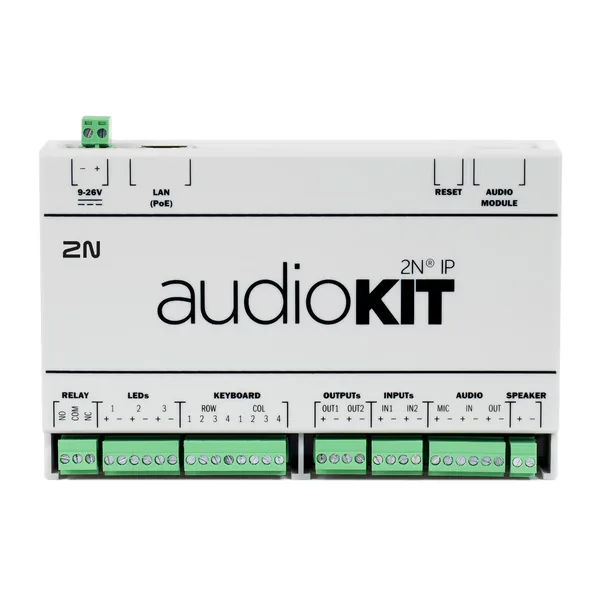 Videointerfon2N Audio KitFirmware V2.50.2 · 02.10.2026
 Videointerfon2N IP BaseFirmware V2.50.2 · 02.10.2026
 Videointerfon2N IP ForceFirmware V2.50.2 · 02.10.2026
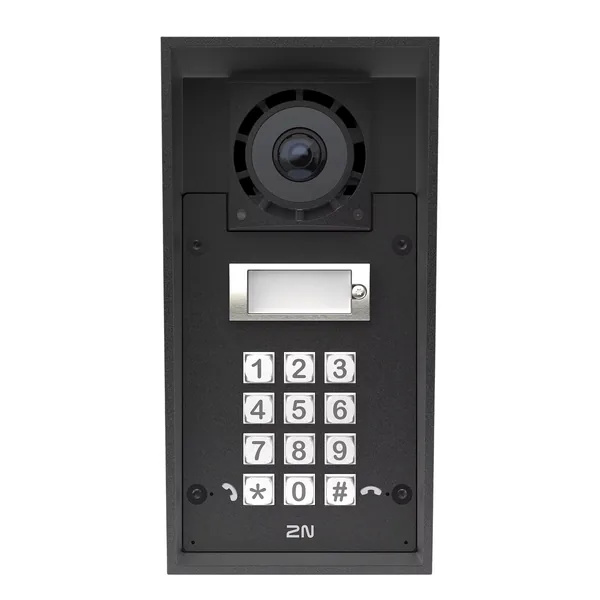 Videointerfon2N IP Force 2.0Firmware V3.3.1 · 31.08.2026
 Videointerfon2N IP OneFirmware V3.3.1 · 31.08.2026
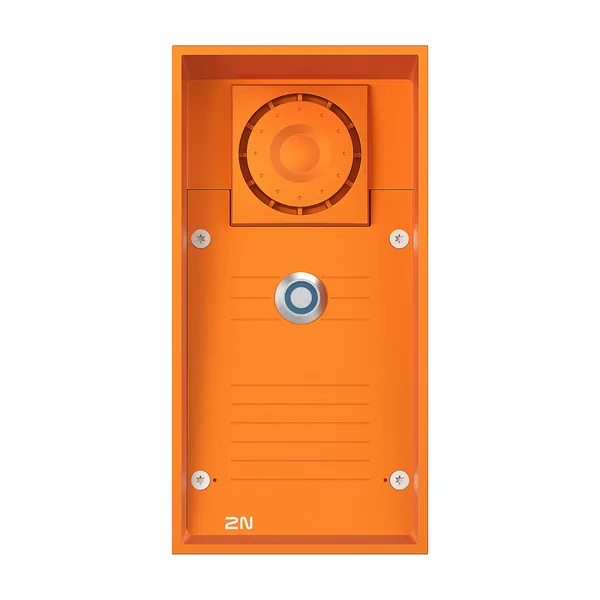 Videointerfon2N IP SafetyFirmware V2.50.2 · 02.10.2026
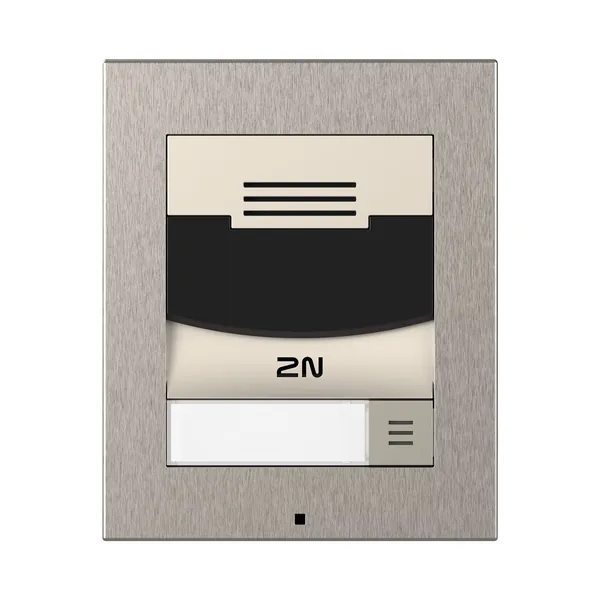 Videointerfon2N IP SoloFirmware V2.50.2 · 02.10.2026
 Videointerfon2N IP StyleFirmware V3.3.1 · 31.08.2026
 Videointerfon2N IP UniFirmware V2.50.2 · 02.10.2026
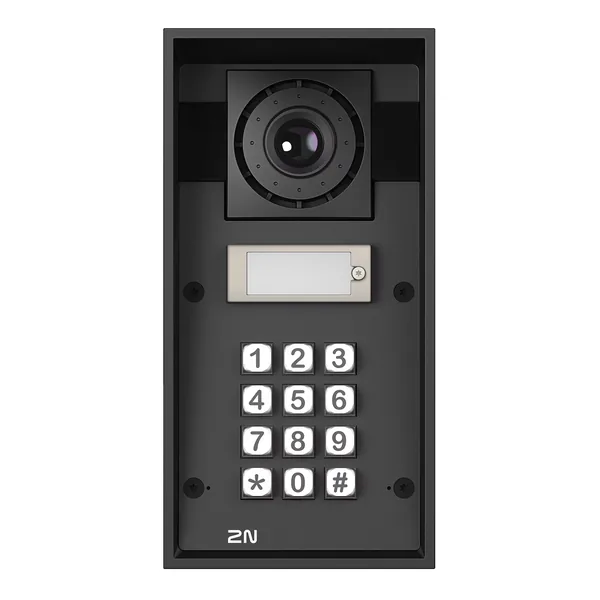 Videointerfon2N IP VarioFirmware V2.50.2 · 02.10.2026
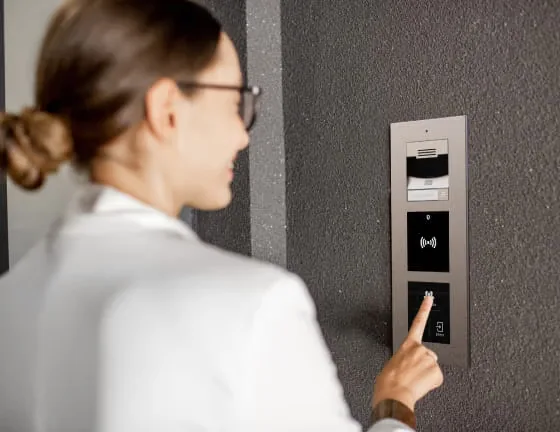 Videointerfon2N IP VersoFirmware V2.50.2 · 02.10.2026
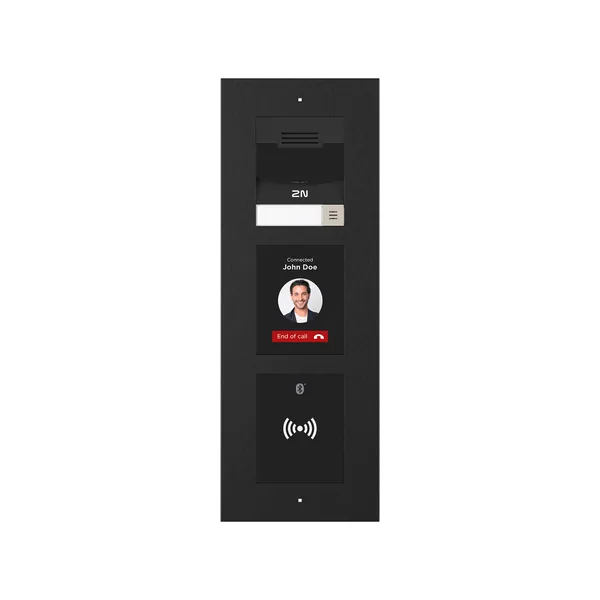 Videointerfon2N IP Verso 2.0Firmware V3.3.1 · 31.08.2026