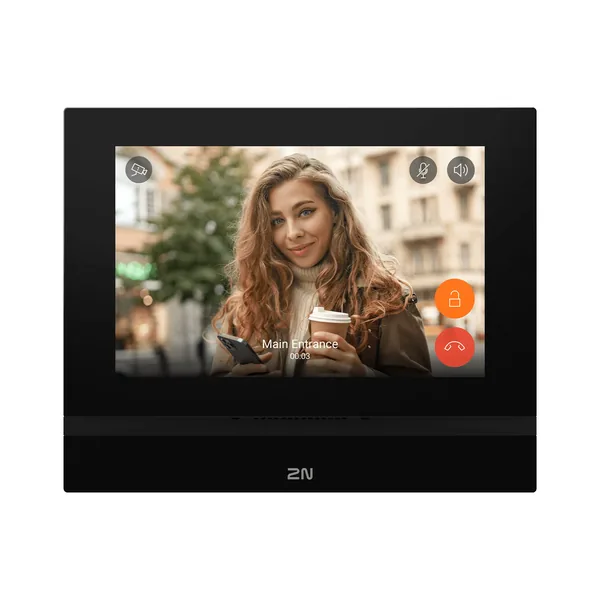
Firmware 2N Indoor View Wi-Fi
2N Indoor View
- 1 MP
2N Indoor View Wi-Fi este un dispozitiv de videointerfon 2N din categoria „Indoor stations”.
Pe scurt, aparatul are ecran de 7". Fizic, cântărește 555 g și are dimensiunile 193x157x50mm.
Ultima versiune de firmware publicată de 2N pentru 2N Indoor View Wi-Fi este V3.3.1, din 31.08.2026. Mai jos găsești link-ul oficial de descărcare, notele de versiune și versiunile anterioare.
Firmware-ul se încarcă de obicei din interfața web a aparatului sau din software-ul de administrare al producătorului.
Mai jos găsești fișa tehnică completă, tradusă în română.
Firmware actual
| Versiune | Data | Regiune | Descărcare și note |
|---|---|---|---|
| V3.3.1Firmware 3.3.1 - 2N Indoor View Wi-Fi | 31.08.2026 | Global | 39 MB Note de versiuneSHA-256: e09846d31ffbb8cc8e6988b21128e24d3507f0cb20fa919f83e5361dc03098a5 Fișier: firmware_3_3_1_2n_indoor_view_wi_fi.zip 2N OS version 3.3.1 for 2N Answering Units includes the following changes Essential Corrections Updated several internal libraries. Important bug fixes. 2N OS version 3.3.0 for 2N Answering Units includes the following changes New Functions and Improvements Added HTTP API support for answering units, aligned with the rest of 2N OS. The doorbell can now be triggered remotely via `POST /api/io/doorbell`. Firmware management has been consolidated into a new dedicated section: System > Firmware, including firmware auto provisioning settings. Automatic firmware updates — firmware can now be updated automatically on device startup or on a configurable periodic schedule. LTS track support — devices can now be assigned to a Long-Term Support firmware track. Auto provisioning for answering units — firmware auto provisioning is now supported on answering units as well. Added an option to disable all on-device firmware operations entirely. Revamped HTTP commands in Indoor View: Action Buttons now replace the previous HTTP commands-only setup and support three preset types: Each of these can be created and assigned to buttons across the device, including Home Screen , In-Call View , External Camera View , and Control Center . HTTP commands : Send direct requests to external systems with one tap. System events : Record externally provided events to the local Event Log when tapped. User events : Trigger custom local events and record them to the Event Log. System and User events do not send outbound commands directly. Instead, they write events to the device Event Log, which third-party systems can monitor through the HTTP API to trigger actions (for example, elevator calls or lighting control). Essential Corrections Fixed a time profile-related crash in the user detail view of the new web interface. Updated several internal libraries. Important bug fixes. |
Versiuni anterioare
| Versiune | Data | Regiune | Descărcare și note |
|---|---|---|---|
| V3.3.0Firmware 3.3.0 - 2N Indoor View Wi-Fi | 05.08.2026 | Global | 39 MB Note de versiuneSHA-256: ef604a26c6f6b909691db46f0c45b62167ed8d1415ea0874eeccc61d8c03ed19 Fișier: firmware_3_3_0_2n_indoor_view_wi_fi.zip 2N OS version 3.3.0 for 2N Answering Units includes the following changes New Functions and Improvements Added HTTP API support for answering units, aligned with the rest of 2N OS. The doorbell can now be triggered remotely via `POST /api/io/doorbell`. Firmware management has been consolidated into a new dedicated section: System > Firmware, including firmware auto provisioning settings. Automatic firmware updates — firmware can now be updated automatically on device startup or on a configurable periodic schedule. LTS track support — devices can now be assigned to a Long-Term Support firmware track. Auto provisioning for answering units — firmware auto provisioning is now supported on answering units as well. Added an option to disable all on-device firmware operations entirely. Revamped HTTP commands in Indoor View: Action Buttons now replace the previous HTTP commands-only setup and support three preset types: Each of these can be created and assigned to buttons across the device, including Home Screen , In-Call View , External Camera View , and Control Center . HTTP commands : Send direct requests to external systems with one tap. System events : Record externally provided events to the local Event Log when tapped. User events : Trigger custom local events and record them to the Event Log. System and User events do not send outbound commands directly. Instead, they write events to the device Event Log, which third-party systems can monitor through the HTTP API to trigger actions (for example, elevator calls or lighting control). Essential Corrections Fixed a time profile-related crash in the user detail view of the new web interface. Updated several internal libraries. Important bug fixes. |
| V3.2.0Firmware 3.2.0 - 2N Indoor View Wi-Fi | 20.05.2026 | Global | 38 MB Note de versiuneSHA-256: 3b0d8351a0c3d195985d30d011a84fd56890c1c00795e310acbb958b20ea1f36 Fișier: firmware_3_2_0_2n_indoor_view_wi_fi.zip 2N OS version 3.2.0 for 2N Answering Units includes the following changes New Functions and Improvements Enabled simultaneous use of both network interfaces on Indoor View Wi-Fi, configurable via `Settings > Advanced Settings`. One interface must be selected as the default route for all outbound traffic (e.g., Internet access). Traffic specifically targeting the other interface's subnet will still use that interface. Added support for SHA-256 / RFC 8760 to SIP. Implemented a network test for 2N Clip 2wire-IP, accessible via `Settings > Device Management > Network Quality Test`. Improved the phone number creation dialog for better usability. Essential Corrections Improved configuration import speed and stability. Updated several internal libraries. Important bug fixes. |
| V3.1.0Firmware 3.1.0 - 2N Indoor View Wi-Fi | 03.03.2026 | Global | 39 MB Note de versiuneSHA-256: 8a8ac5078a6f601f9ecacfa07a09cfc631796f1eeb2618010d720573343695a2 Fișier: firmware_3_1_0_2n_indoor_view_wi_fi.zip 2N OS version 3.1.0 for 2N Answering Units includes the following changes Precautions to be taken during update to FW version 3.1.x Devices no longer emit audible beeps during boot or network state changes by default. If required, this behavior can be enabled under `Customization > Audio > Startup and Network States Signalization`. It may be necessary to refresh the webpage to access the login screen when updating from older firmware because this version generates new device certificates. New Functions and Improvements The Control Center feature has been significantly expanded. It now supports the following widgets: HTTP requests, Clock, Weather, Direct Call, and Notification Center. Widgets now come in more sizes, and the grid density has increased to allow for more placement options. Please note that this feature is not yet available in the new web interface. Essential Corrections SIP registration should no longer get stuck in an unregistered state. A voicemail message is no longer played in SIP calls after an unlock if the call was not answered first. Fixed a rare issue that prevented SIP registration to My2N. Updated several internal libraries. Other corrections and fixes. |
| V3.0.2Firmware 3.0.2 - 2N Indoor View Wi-Fi | 30.12.2025 | Global | 38 MB Note de versiuneSHA-256: dc01633d4d53e1a32f19ef8c494972ed13cc498c24a625bc6ac967890b15dc0b Fișier: firmware_3_0_2_2n_indoor_view_wi_fi.zip 2N OS version 3.0.2 for 2N Answering Units includes the following changes Important update notice If you are updating from version 3.0.0, the new web interface cannot download firmware from the update server . Update the device using the old web interface or manually upload a newer firmware file. Essential Corrections Fixed an issue that prevented downloading a new firmware from the update server via the new web interface. As a workaround when updating from version 3.0.0, use the old web interface or manually upload a newer firmware file to the device. Important bug fixes. 2N OS version 3.0.0 for 2N Answering Units includes the following changes Precautions to be taken during update to FW version 3.0.x For security reasons, network settings can no longer be modified using 2N Network Scanner. All 2N OS devices (except those on the original platform: IP Vario, IP Force, IP Safety, IP Solo, IP/LTE Verso, IP Base, IP Uni, IP Audio Kit, IP Video Kit, Access Unit, SIP Speaker) can no longer be downgraded below version 2.47.0 after updating. Devices no longer accept certificates signed with 1024-bit RSA keys. These certificates are removed during the update and must be replaced with certificates using at least 2048-bit RSA or ECC keys. Services relying on weaker certificates will stop functioning, and a warning will appear next to the certificate selection parameter in the web interface. In EAP-TLS mode, 802.1x no longer supports RADIUS certificates containing the `id-kp-clientAuth` Extended Key Usage. If such certificates are used, they will be rejected after the update, resulting in the device being unable to authenticate and connect to the network. Introducing the MVP of our new graphical interface We are excited to deliver the first Minimum Viable Product of our redesigned graphical interface. This initial release brings several impactful improvements that make everyday work smoother and more intuitive. Among the most notable additions are guided wizards, an enhanced search experience, and other usability upgrades aimed at significantly improving overall user interaction. Because this is an MVP, some features are still in development. We will continue to refine, expand, and optimize the interface over the coming updates to ensure it reaches its full potential as quickly as possible. If you’re interested in learning how you can support the ongoing development of the new interface and share your feedback with us, please visit the following link: https://www.2n.com/-/media/Files/Web/downloads/Introducing-the-New-2N-Web-Interface New Functions and Improvements Reception of `In-Band (Audio)` DTMF is now disabled by default to improve resilience against malicious attacks. Added support for Blind Assistance Mode during incoming calls. In this mode, all controls—both physical buttons and the display—perform identical actions. A short p |
| V2.49.1.75Firmware 2.49.1.75 - 2N Indoor View Wi-fi | 22.10.2025 | Global | 35 MB Note de versiuneSHA-256: 558df0d38b3c3b343e40ef930cda5e3417e93d2eaefc73a3d416726cb44fbe90 Fișier: firmware_2_49_1_2n_indoor_view_wi_fi.zip 2N OS version 2.49.1 for 2N Answering Units includes the following changes Essential Corrections Updated an internal library containing critical vulnerabilities. Fixed a critical issue with DNS which caused the device to, e.g., become unable to re-register to a SIP server after its IP address changes. This also solved other DNS-related issues. Important bug fixes. 2N OS version 2.49.0 for 2N Answering Units includes the following changes Precautions to be taken during update to FW version 2.49.x Empty device names are no longer supported. Set the name via Services > Web Server > Device Name. If left blank, the device may fail to update. All 2N OS devices (except those on the original platform: IP Vario, IP Force, IP Safety, IP Solo, IP/LTE Verso, IP Base, IP Uni, IP Audio Kit, IP Video Kit, Access Unit, SIP Speaker) can no longer be downgraded below version 2.47.0 after updating. Devices no longer accept certificates signed with 1024-bit RSA keys. These certificates are removed during the update and must be replaced with certificates using at least 2048-bit RSA or ECC keys. Services relying on weaker certificates will stop functioning, and a warning will appear next to the certificate selection parameter in the web interface. In EAP-TLS mode, 802.1x no longer supports RADIUS certificates containing the `id-kp-clientAuth` Extended Key Usage. If such certificates are used, they will be rejected after the update, resulting in the device being unable to authenticate and connect to the network. New Functions and Improvements The administrator account now accepts "root" as a valid username as well. AXIS Camera Station integration has been significantly improved: The ACS tab in the web interface is now renamed to AXIS. AXIS Camera Station integration is now always enabled and accessible using the device's administrator account. After the initial login to the web interface, the "root" username can also be used for ACS access. An optional dedicated ACS account is now available. If ACS was previously enabled with both username and password configured, the dedicated account can still be used. If your dedicated ACS account used "admin" or "root" as the username and had the same password as the administrator account, it will be merged with the administrator account and you can continue using the same credentials. If your dedicated ACS account used "admin" or "root" but had a different password from the administrator account, it will be migrated to a temporary administrator account. You can continue using the same credentials, and the account will be merged with the administrator account after its password is updated. 2N IP Utility can now also be used to configure IP settings after the default password has been changed. Indoor View now includes an optional Control Center screen, providing access to additional HTTP commands and widgets suc |
| V2.48.1Firmware 2.48.1 - 2N Indoor View Wi-fi | 06.08.2025 | Global | 31 MB Note de versiuneSHA-256: eced5261e2438fdcb8892dbd6595dd3c9ba3d95485f0dd0c294f4c1ac5c9d652 Fișier: firmware_2_48_1_2n_indoor_view_wi_fi.zip 2N OS version 2.48.1 for 2N Answering Units includes the following changes Precautions to be taken during update to FW version 2.48.x All 2N OS devices (except those on the original platform: IP Vario, IP Force, IP Safety, IP Solo, IP/LTE Verso, IP Base, IP Uni, IP Audio Kit, IP Video Kit, Access Unit, SIP Speaker) can no longer be downgraded below version 2.47.0 after updating. Devices no longer accept certificates signed with 1024-bit RSA keys. These certificates are removed during the update and must be replaced with certificates using at least 2048-bit RSA or ECC keys. Services relying on weaker certificates will stop functioning, and a warning will appear next to the certificate selection parameter in the web interface. In EAP-TLS mode, 802.1x no longer supports RADIUS certificates containing the `id-kp-clientAuth` Extended Key Usage. If such certificates are used, they will be rejected after the update, resulting in the device being unable to authenticate and connect to the network. New Functions and Improvements Devices can now generate Certificate Signing Requests (CSR) directly from the web interface under System > Certificates > CSR. All SIP accounts now support additional backup proxy and registrar servers. Changing the web interface password now requires entering the current password. As a result, restoring a configuration will no longer change the password. Auto Provisioning can change the password only if the current one is still set to default. Cameras assigned to a device in Indoor View can now be shown as the default instead of the device’s internal camera. Third-party cameras can be added via Hardware > Cameras, and the display behavior adjusted under Directory > Devices > device detail > Cameras. Essential Corrections Improved certificate handling. Prevented some certificates from reverting to factory defaults after a software factory reset (without selecting Network Settings), avoiding potential network disconnection. SIP unregistration now works correctly with non-RFC-compliant User Agent Servers. Removed certain unnecessary syslog messages. Improved formatting of exported Directory CSV files. SIP authentication passwords can now be up to 255 characters in length. DNS request lengths can now be up to 255 characters. Improved stability of Indoor View. RADIUS certificates are now validated properly in EAP-TLS/MSCHAPv2 scenarios. Fixed device crashes caused by missing Origin fields in SDP offers. SRTP media is now correctly offered in the ACK response when using delayed SDP negotiation enforced via options. When SRTP is re-negotiated during a RE-INVITE, the newly established encryption key is now properly applied to outgoing media streams. Improved stability of the G.729 codec. Important bug fixes. |
Specificații 2N Indoor View Wi-Fi
Alimentare
| Tip | 12V DC adapter or PoE 802.3af |
|---|---|
| Recommended power supply | 12V/1A |
| Reverse polarity protection | Da |
User Interface
| Controls | capacitive touch panel |
|---|---|
| Display size | 7″ colour display |
| Rezoluție | 1024x600px |
Audio
| Microfon | Integrat |
|---|---|
| Difuzor | integrated, 2W/8 Ω |
| Induction loop output | 600mV RMS |
| Codecs | G.711a/u, G.722, G.729, L16/16 kHz |
Video
| Codecs | H.264 |
|---|
Interfețe
| LAN | 10/100BaseT, RJ-45 |
|---|---|
| Recommended cabling | Cat5e or higher |
Doorbell input
| Input type | switching contact (button/relay) |
|---|---|
| Contact type | normally open (NO) |
| Contact parameters | Până la 50V/5mA, DC |
Wi-Fi (optional)
| Frecvență | 2.4GHz and 5GHz |
|---|---|
| Standard | 802.11n and 802.11ac |
| Antenă | in-built |
| Important | supports simultaneous Wi-Fi and Ethernet connectivity |
Mechanical Properties
| Dimensions (W x H x D) | 193x157x50mm |
|---|---|
| Greutate | 555g |
| Temperatură de funcționare | 0 – 50°C |
| Relative operating humidity | 10 – 90% (fără condensare) |
| Temperatură de depozitare | -20 – 70°C |
| Recommended altitude | 0 – 2000m |
Garanție
| Length | 5 years (detailed terms: www.2n.com/warranty) |
|---|
Specificațiile sunt cele publicate de 2N, cu etichetele traduse în română (preluate la 05.11.2026). Ce nu am tradus a rămas în engleză.
Documente oficiale
- Manual: User guide for residents (EN)
- Software: Software 3.0.9 - 2N Network Scanner
- Datasheet: Datasheet (EN) - 2N Indoor View
- Leaflets: Leaflet (EN) - Free intercom to mobile calls
- Leaflets: Leaflet (EN) - Residential portfolio
- Leaflets: Product Leaflet (EN) - 2N Induction Loop
- Catalogue: 2N Catalogue for Planners 2026 (EN)
- Catalogue: 2N Product Catalogue (EN)
- Declaration of Conformity: Declaration of Conformity (EN) - 2N Indoor View Wi-Fi
- Declaration of Conformity: Declaration of Conformity (EN) - 2N Indoor View
- Declaration of Conformity: Declaration of Conformity (EN) - 2N Induction Loop
- A&E Specifications: A&E specifications Indoor View
- CAD and BIM: BIM Objects - Indoor Stations (EN EMEA)
- Presentations: Product Presentation (EN) - Indoor Stations
- Presentations: Presentation (EN) - Residential Portfolio
Denumiri și variante: Indoor View Wi-Fi, 2N Indoor View
Modele din aceeași serie
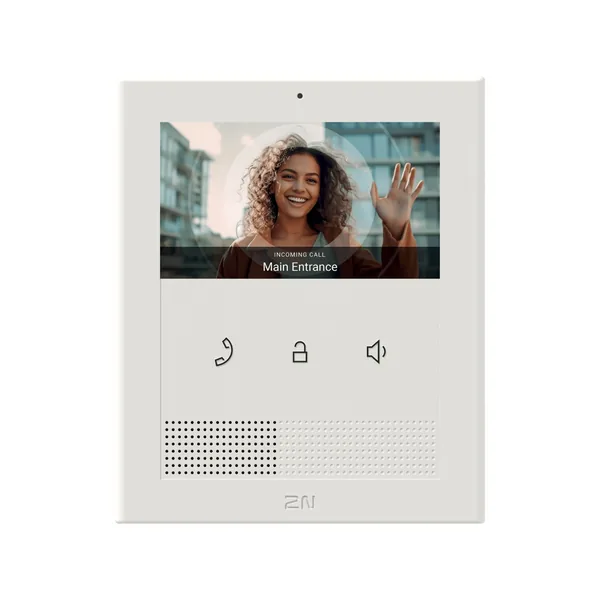 Videointerfon2N ClipFirmware V3.3.1 · 31.08.2026
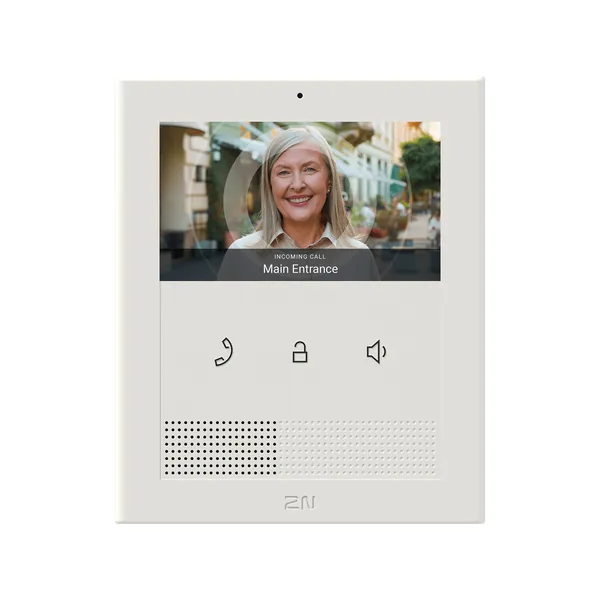 Videointerfon2N Clip 2wire-IPFirmware V3.3.1 · 31.08.2026
 Videointerfon2N Indoor CompactFirmware V3.3.1 · 31.08.2026
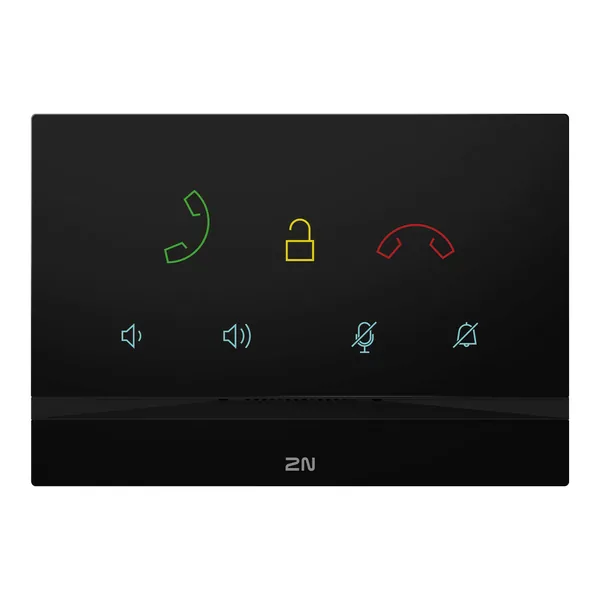 Videointerfon2N Indoor TalkFirmware V3.3.1 · 31.08.2026Videointerfon2N Indoor TouchFirmware V3.5.3.1 · 11.03.2025
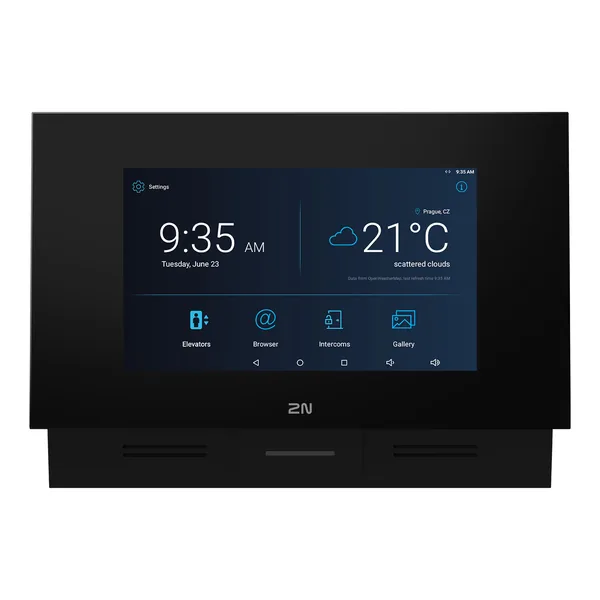 Videointerfon2N Indoor Touch 2.0Firmware V4.8.5 · 06.08.2025
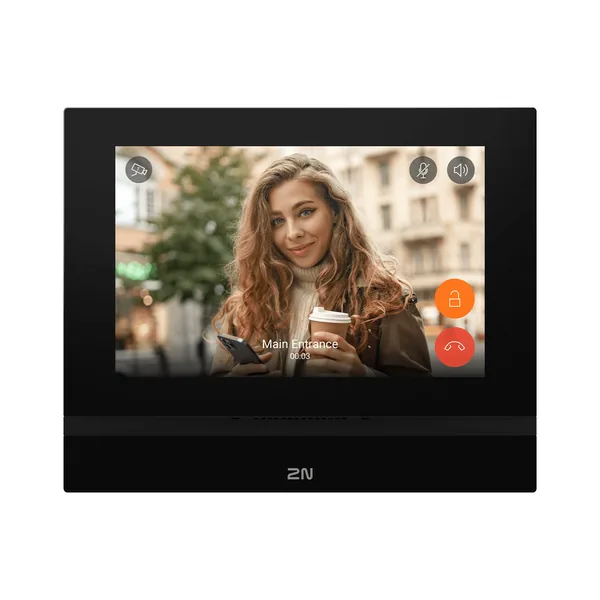 Videointerfon2N Indoor ViewFirmware V3.3.1 · 31.08.2026
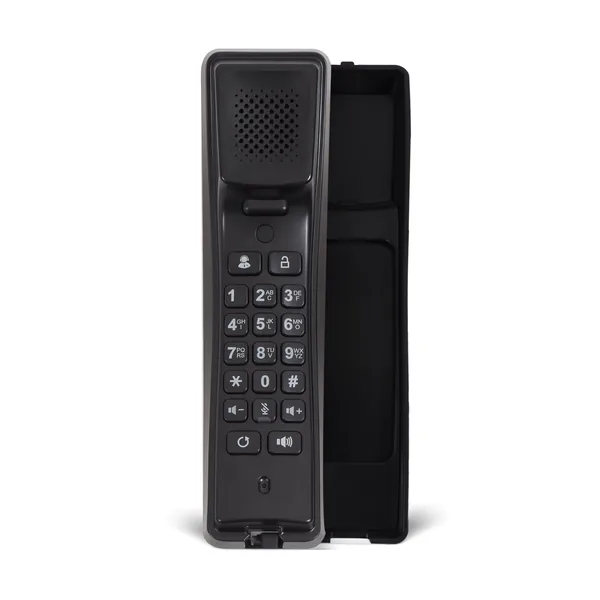 Videointerfon2N IP HandsetFirmware V2.12.22 · 23.05.2025Videointerfon2N IP Phone D7AFirmware V150.87.57.3 · 16.02.2026Videointerfon2N Clip 2wire IP SwitchFără firmware publicVideointerfon2N Clip Desk StandFără firmware publicVideointerfon2N Clip Ethernet Induction Loop Available In Q2 2024Fără firmware public