
Firmware FaceStation F2
Suprema FaceStation F2
- IP65
FaceStation F2 este un echipament Suprema din categoria „Discontinued”.
Pe scurt, aparatul are alimentare 12 V DC, protecție IP65 și funcționare între −20 și +50 °C. Aparatul cântărește 585 g și are dimensiunile FSF2-DB: 119.8 x 233 x 23.5 (mm).
Ultima versiune de firmware publicată de Suprema pentru FaceStation F2 este V2.3.1 build 260922, din 22.09.2026. Mai jos găsești link-ul oficial de descărcare, notele de versiune și versiunile anterioare.
Firmware-ul se încarcă de obicei din interfața web a aparatului sau din software-ul de administrare al producătorului.
Mai jos găsești fișa tehnică completă, tradusă în română.
Firmware actual
| Versiune | Data | Regiune | Descărcare și note |
|---|---|---|---|
| V2.3.1 build 260922FaceStation F2 firmware 2.3.1 | 22.09.2026 | Global | fișierul se descarcă din Download Center Suprema (cont gratuit, cu login) Note: Release notes (Suprema Docs) Ce e nou în această versiune (textul producătorului)Build No. 2.3.1_260922 Caution For devices with the new SE processor, after upgrading the firmware to v2.1.0 or higher, you cannot downgrade to a lower version and downgrade the firmware customized in the lower version. Devices with existing SE processor can be downgraded to a lower version. The devices using the new LCD display cannot be downgraded to a version earlier than v2.2.1 after upgrading the firmware to v2.2.1 or higher. For more information, check the serial number of the device and contact the Suprema . Bug Fixes Lock Override card authentication not working on a door created with a Wiegand reader when the reader is disabled. Affects version : 2.3.0 Anti-passback status not updating after door control through authentication in a Timed Anti-passback environment. Affects version : 2.3.0 Child Wiegand reader not being locked by Trigger & Action when a door is created with a Wiegand reader. Affects version : 2.3.0 Logs recorded multiple times when a relay is configured in Trigger & Action or Zone alarm. Affects version : 2.3.0 Lock icon disappearing when a slave device is rebooted while the door is manually unlocked. Affects version : 2.3.0 |
Versiuni anterioare
| Versiune | Data | Regiune | Descărcare și note |
|---|---|---|---|
| V2.3.0 build 260818FaceStation F2 firmware 2.3.0 | 19.08.2026 | Global | fișierul se descarcă din Download Center Suprema (cont gratuit, cu login) Note: Release notes (Suprema Docs) Ce e nou în această versiune (textul producătorului)Build No. 2.3.0_260818 Caution For devices with the new SE processor, after upgrading the firmware to v2.1.0 or higher, you cannot downgrade to a lower version and downgrade the firmware customized in the lower version. Devices with existing SE processor can be downgraded to a lower version. The devices using the new LCD display cannot be downgraded to a version earlier than v2.2.1 after upgrading the firmware to v2.2.1 or higher. For more information, check the serial number of the device and contact the Suprema . New Features and Improvements - Supports the Lock Override feature, which allows you to enroll a card that can open a door to be opened using a specific card. - Supports real-time monitoring of the device's multiple statuses in BioStar X. - Supports the Extended Door Open Time feature, which allows certain users to have the door remain open longer than the default door open time. - Supports the Door Mode Override feature, which restores the door to its normal state after the administrator changes the door status and a certain period of time has elapsed. - Supports controlling the relay of a connected door from the device menu. - Added support for unlocking or normalizing a door through user authentication. - Improved so that when authentication is attempted on a door set to Manual Lock , an authentication failure event occurs and a locked message appears. - Improved OSDP reader mode to display "Access Denied" when access is denied by a third-party control panel. - Improved door control status to accurately display control results and change details in monitoring. - Improved BLE stability. Expanded allowed characters for User ID and User Name Added support for periods (.) in User ID Added support for periods (.) and apostrophes (') in User Name - Improved Fire alarm zone status display and alarm clearing behavior after power restart following a fire alarm. Bug Fixes - Suprema Mobile Access authentication failing on certain Android devices. Affects version : 1.0.0 - Devices that do not support the buzzer failing to connect when integrated with an OSDP panel. Affects version : 1.0.0 - Card authentication failure on connected Wiegand readers. Affects version : 1.0.0 - Device freezing or rebooting when face authentication occurs while adding or deleting users. Affects version : 1.0.0 - Device freezing or rebooting and delayed user enrollment during user synchronization. Affects version : 1.0.0 |
| V2.2.2 build 260518FaceStation F2 firmware 2.2.2 | 19.05.2026 | Global | fișierul se descarcă din Download Center Suprema (cont gratuit, cu login) Note: Release notes (Suprema Docs) Ce e nou în această versiune (textul producătorului)Build No. 2.2.2_260518 Caution For devices with the new SE processor, after upgrading the firmware to v2.1.0 or higher, you cannot downgrade to a lower version and downgrade the firmware customized in the lower version. Devices with existing SE processor can be downgraded to a lower version. The devices using the new LCD display cannot be downgraded to a version earlier than v2.2.1 after upgrading the firmware to v2.2.1 or higher. For more information, check the serial number of the device and contact the Suprema . New Features and Improvements Supports feature to set the baud rate of slave devices. Supports SL1, SL3, and SL1/SL3 Mix Mode for security level compatibility with MIFARE Plus EV1 cards. ‒ SL1: Compatible mode with MIFARE Classic ‒ SL3: Advanced security mode based on AES Improved to distinguish devices that support the Secure Tamper feature. Bug Fixes Calling the BS2_GetDeviceCapabilities function on a slave device connected via RS-485 outputs incorrect values. Affects version : 1.0.0 Arm/Disarm actions did not operate correctly on specific Supervised Input port of the DM-20 connected as a slave. Affects version : 1.0.0 Wiegand format card data of 25 bits or less is not recognized. Affects version : 2.2.0 |
| V2.2.1 build 241204FaceStation F2 firmware 2.2.1 | 09.12.2024 | Global | fișierul se descarcă din Download Center Suprema (cont gratuit, cu login) Note: Release notes (Suprema Docs) Ce e nou în această versiune (textul producătorului)Build No. 2.2.1_241204 Caution For devices with the new SE processor, after upgrading the firmware to v2.1.0 or higher, you cannot downgrade to a lower version and downgrade the firmware customized in the lower version. Devices with existing SE processor can be downgraded to a lower version. For more information, check the serial number of the device and contact the Suprema . New Features and Improvements - Changes to a new LCD screen. Caution For devices with firmware v2.2.0 or earlier, be sure to upgrade the firmware to the latest version before replacing it with a new LCD display. The devices using the new LCD display cannot be downgraded to a version earlier than v2.2.1 after upgrading the firmware to v2.2.1 or higher. Bug Fixes After a firmware upgrade, authentication failure occurs with the previously used cards. Affects version : 2.2.0 When using Thermal Camera mode with the TCM10 connected, the face authentication screen is displayed abnormally. Affects version : 2.0.1 Custom smart cards with the DESFire Advanced option enabled fail to be recognized. Affects version : 2.2.0 Some smart cards fail to be recognized in environments using the new SE chip firmware. Affects version : 2.1.4 The Mask All but First Letter option in the Auth Result Display Option is not applied correctly. Affects version : 2.2.0 After transferring more than 50,000 users with 1 :N credentials to the device and then upgrading the firmware, the device freezes. Affects version : 2.1.1 When a user with more than two cards enrolled attempts card authentication to the Wiegand output device, the ID of a card other than the authenticated card is output. Affects version : 2.1.1 |
| V2.2.0 build 240704FaceStation F2 firmware 2.2.0 | 10.07.2024 | Global | fișierul se descarcă din Download Center Suprema (cont gratuit, cu login) Note: Release notes (Suprema Docs) Ce e nou în această versiune (textul producătorului)Build No. 2.2.0_240704 Caution For devices with the new SE processor, after upgrading the firmware to v2.1.0 or higher, you cannot downgrade to a lower version and downgrade the firmware customized in the lower version. Devices with existing SE processor can be downgraded to a lower version. For more information, check the serial number of the device and contact the Suprema . New Features and Improvements Supports Custom Smart Card Layout . Added Store Visual Face Image feature. - Supports the feature to save both the actual image and the template in the visual face, or to save only the template without storing the actual image. Supports Template on Mobile . XPass D2 new BLE (Bluetooth Low Energy) chip firmware (Build No. 1.7.0_220921) support. - The BLE chip parts of the hardware have been changed, and the firmware has been upgraded to be compatible with both the existing and new BLE chips. Improved smartcard output byte order setting. - When using Wiegand or OSDP output, it is improved to be affected by the smartcard output byte order when the Wiegand output information is set to send user ID. Extended the user expiration period to a maximum of ' 2037-12-31 '. Supports the Display Result from Controller feature for displaying authentication success or failure results from a 3rd party controller on the device screen when using Intelligent Slave. Supports the Ignore Repeated Signals Duration feature, which ignores repetitive authentication signals from the controller when the device is connected to a 3rd party controller via Wiegand. Improved duplicate fingerprint detection. Improved to get user update succeeded event log using the GetLogWithFilter function in the SDK. Supports the Auth Result Display Option that allows you to select how the user ID and name are displayed on the authentication result screen of the device. User ID Display User Name Display Improved to ensure that values set with osdp_comset are correctly applied on the device connected as a slave. Bug Fixes When issuing an AoC ( Access On Card ) or Secure Credential Card using a Face Template , the device shuts down abnormally. Affects version : 1.1.0 Deleting all users included in an access group in BioStar 2 does not delete the access group from the device's user information. Affects version : 1.1.0 When devices are connected as master-slave, if the slave device is disconnected or deleted, the master device restarts. Affects version : 1.1.0 Device abnormally restarts when changing the device's Network settings in BioStar 2. Affects version : 1.1.0 Face authentication fails on a slave device when the master device restarts without having any Auth Mode . Affects version : 1.1.0 Intermittently, the door does not open even if authentication succeeds when the door uses the slave device's relay. Affects version : 1.1.0 Device -> Server mode could be set without entering a Server IP address in the Server menu. Affects version : 1.1.0 When a fingerprint is entered into the slave |
| V2.1.4 build 230810FaceStation F2 firmware 2.1.4 | 11.08.2023 | Global | fișierul se descarcă din Download Center Suprema (cont gratuit, cu login) Note: Release notes (Suprema Docs) Ce e nou în această versiune (textul producătorului)Build No. 2.1.4_230810 Caution For devices with the new SE processor, after upgrading the firmware to v2.1.0 or higher, you cannot downgrade to a lower version and downgrade the firmware customized in the lower version. Devices with existing SE processor can be downgraded to a lower version. For more information, check the serial number of the device and contact the Suprema . New Features and Improvements Improved face anti-spoofing performance when Fusion Matching and Fake Detection are set to Normal . Added Power Line Frequency option to prevent flicker based on the illuminance environment in which the device is installed. Bug Fixes When authenticating with a BLE mobile card running on iOS, authentication fails and the device restarts intermittently. Affects version : 1.0.0 Device freezes when firmware upgrade to BioStar 2 with more than 50,000 registered users on the device. Affects version : 2.1.1 Restart log is not logged in the device's Event Log when the master device is restarted. Affects version : 2.1.1 Device does not recognize certain MIFARE Classic cards. Affects version : 1.0.0 Device does not recognize certain HID iCLASS Seos cards. Affects version : 1.0.0 When the device with the working Screen Saver is not used for a long time, a black screen occurs and the device freezes. Affects version : 1.0.0 |
| V2.1.3 build 230525FaceStation F2 firmware 2.1.3 | 30.05.2023 | Global | fișierul se descarcă din Download Center Suprema (cont gratuit, cu login) Note: Release notes (Suprema Docs) Ce e nou în această versiune (textul producătorului)Build No. 2.1.3_230525 Caution For devices with the new SE processor, after upgrading the firmware to v2.1.0 or higher, you cannot downgrade to a lower version and downgrade the firmware customized in the lower version. Devices with existing SE processor can be downgraded to a lower version. For more information, check the serial number of the device and contact the Suprema . New Features and Improvements - Improved face anti-spoofing performance. |
| V2.1.2 build 230130FaceStation F2 firmware 2.1.2 | 01.02.2023 | Global | fișierul se descarcă din Download Center Suprema (cont gratuit, cu login) Note: Release notes (Suprema Docs) Ce e nou în această versiune (textul producătorului)Build No. 2.1.2_230130 Caution For devices with the new SE processor, after upgrading the firmware to v2.1.0 or higher, you cannot downgrade to a lower version and downgrade the firmware customized in the lower version. Devices with existing SE processor can be downgraded to a lower version. For more information, check the serial number of the device and contact the Suprema . Bug Fixes When using the relay of the master device for the door, the door does not open when authenticating from the device connected as a slave. Affects version : 2.1.1 The door does not open on authentication when a door deleted from BioStar 2 gets re-added. Affects version : 1.0.0 |
| V2.1.1 build 221130FaceStation F2 firmware 2.1.1 | 30.11.2022 | Global | fișierul se descarcă din Download Center Suprema (cont gratuit, cu login) Note: Release notes (Suprema Docs) Ce e nou în această versiune (textul producătorului)Build No. 2.1.1_221130 Caution For devices with the new SE processor, after upgrading the firmware to v2.1.0 or higher, you cannot downgrade to a lower version and downgrade the firmware customized in the lower version. Devices with existing SE processor can be downgraded to a lower version. For more information, check the serial number of the device and contact the Suprema . New Features and Improvements Improved to select and update only the desired information when updating user information. (Compatible with BioStar v2.9.0 or higher) Improved face authentication speed. Improved Face Detection Setting - Detection Distance , Wide Search option support. Enhancement in the upgrade package encryption. Bug Fixes User ID information was not included when using the BS2_GetLogSmallBlobEx function in the SDK to load the event log for the device's mask detection and temperature measurement operation. Affects version : 1.1.2 When authenticating on the device where Mask Detection is set and the mask detection method set to Check After Authentication , the Access Success (Check Only) event occurs. Affects version : 2.0.1 In BioStar v2.9.x, a user transferred to the device having a blurry image as visual face credential gets enrolled normally. Affects version : 2.0.3 Face gets enrolled normally even if a duplicate face exists on the device. Affects version : 2.0.3 In the process of enrolling a face on the device, the scanned face image is tilted. Affects version : 2.0.3 Improved the structure to prevent authentication fail caused by broken database or cache memory. Affects version : 1.0.0 Door Locked event occurs when input signal gets detected while configured to Arm/Disarm by input signal. Affects version : 1.0.0 When Dynamic ROI is activated on a device installed using the TCM-10 and the temperature is measured, the background behind the face is also detected and the temperature is measured higher than the actual temperature. Affects version : 2.0.1 Face authentication suddenly does not work on a device that has been using face authentication for a certain period of time (about 50 days or more). Affects version : 2.0.3 |
| V2.1.0 build 221005FaceStation F2 firmware 2.1.0 | 05.10.2022 | Global | fișierul se descarcă din Download Center Suprema (cont gratuit, cu login) Note: Release notes (Suprema Docs) Ce e nou în această versiune (textul producătorului)Build No. 2.1.0_221005 Caution For devices with the new SE processor, after upgrading the firmware to v2.1.0 or higher, you cannot downgrade to a lower version and downgrade the firmware customized in the lower version. Devices with existing SE processor can be downgraded to a lower version. For more information, check the serial number of the device and contact the Suprema . New Features and Improvements Supports the dual SE processor. Separated the log related to the cause of the door unlock. Door open request by exit button Door open request by operator Added relay deactivation option for exit button input. - Added the option to set the door open request log to occur but the relay not to operate when the exit button is pressed. Supports setting the byte order for smart cards. - Supports setting the byte order of data to be output to Wiegand or OSDP. Improved the OSDP ID to also be deleted when a security tamper occurs on the FaceStation F2 connected as a slave device. Bug Fixes Migration malfunction occurs when the firmware is upgraded from v1.1.0 or earlier to v1.1.1 or later. Affects version : 2.1.0 - Migration did not complete and the device boots to the main screen, some keys do not work or an abnormal screen is displayed. Mobile card authentication suddenly does not work. Affects version : 1.0.0 When the LAN cable connected to the device is disconnected and reconnected, it takes a long time for IP to be assigned by DHCP. Affects version : 1.0.0 The device restarts when a user's face is enrolled consecutively or the main menu is repeatedly touched. Affects version : 1.0.0 When using the card to authenticate to the device, the card that was normally authenticated fails intermittently. Affects version : 1.0.0 The preview screen shown on the device during face authentication is different from the actual situation in front of the device. Affects version : 1.0.0 If a user enrolled a face while face auth mode is off, and face authentication fails when face auth mode is turned on. Affects version : 1.0.0 When the device sets the face auth mode to 1 :N and sends many user faces on BioStar 2, it is stored even if the maximum number of faces that can be stored on the device is exceeded. Affects version : 1.0.0 Improved the structure to prevent authentication fail caused by broken database or cache memory. Affects version : 1.0.0 |
| V2.0.3 build 220705FaceStation F2 firmware 2.0.3 | 15.07.2022 | Global | fișierul se descarcă din Download Center Suprema (cont gratuit, cu login) Note: Release notes (Suprema Docs) Ce e nou în această versiune (textul producătorului)Build No. 2.0.3_220705 Bug Fixes Stuck in migration progress after upgrading the firmware. Affects version : 2.0.2 Fingerprint sensor not responding after upgrading FSF2-ODB from v1.1.0 to v2.0.2. Affects version : 2.0.2 |
| V2.0.2 build 220502FaceStation F2 firmware 2.0.2 | 10.05.2022 | Global | fișierul se descarcă din Download Center Suprema (cont gratuit, cu login) Note: Release notes (Suprema Docs) Ce e nou în această versiune (textul producătorului)Build No. 2.0.2_220502 New Features and Improvements Visual Face algorithm v2 support. Improved to detect a mask when enrolling a face so that the face cannot be enrolled with a mask on or covering the mouth. Improved Dynamic ROI (Region of Interest) performance. Added a progress bar to screen during migration. Improved to check for the duplication of cards registered with users when transmitting user data from the server to devices. Improved the Arm/Disarm status is maintained if the device loses power. Bug Fixes When upgrading the firmware from v1.x.x to v2.x.x using a USB memory, the upgrade fails, and when the device is rebooted after removing the USB memory, the device stops in the loading state. Affects version : 1.0.0 Info When upgrading the firmware using a USB memory inevitably, first set Menu Timeout to Always On in the Display & Sound menu before proceeding with the upgrade. Also, even if a failure message is displayed during the upgrade, DO NOT remove the USB memory and wait until a success message is displayed. The device will restart automatically when the upgrade is complete. When upgrading the firmware from v1.x.x to v2.x.x while the device memory is full, the device does not boot. Affects version : 1.0.0 The device restarted abnormally after scanning some cards on the device. Affects version : 1.0.0 When communicating with a 3rd party control panel via OSDP, the device does not respond to the Output Status Report command while the relay reacts to it. Affects version : 1.1.2 When communicating with a 3rd party control panel via OSDP, the device incorrectly responds as 'Inactive' when receiving the Input Status Request command while the input port is grounded. Affects version : 1.1.2 When communicating with a 3rd party control panel via OSDP, the device does not respond to the Device Capabilities command (FSF2-DB, FSF2-AB). Affects version : 1.0.0 The master device restarted abnormally if changing the floor settings after setting up the scheduled unlock zone. Affects version : 1.0.0 When different faces are enrolled in one user, authentication failed with the second enrolled face. Affects version : 1.0.0 When changing the intelligent slave settings on the detailed page of the device on BioStar 2, the settings were not applied. Affects version : 1.1.4 If the user authenticated on the device at the time of Auth Timeout, an incorrect error message was displayed. Affects version : 1.0.0 When authenticating with a duress fingerprint on a device with the auth mode set to ID+face+fingerprint/PIN, the duress fingerprint log does not leave. Affects version : 1.0.0 Device does not recognize certain HID iCLASS Seos cards. Affects version : 1.0.0 Device does not connect to a 3rd party controller (Software House iSTAR Edge G2) via OSDP. Affects version : 1.0.0 The device's face authentication and temperature measurement performance has deteriorated in outdoor environments with ceilings. Affects version : 1.0.0 The device's mask de |
| V1.1.4 build 220315FaceStation F2 firmware 1.1.4 | 22.03.2022 | Global | fișierul se descarcă din Download Center Suprema (cont gratuit, cu login) Note: Release notes (Suprema Docs) Ce e nou în această versiune (textul producătorului)Build No. 1.1.4_220315 Caution Before upgrading this firmware, proceed with 'Delete Data & Sync Device' to prevent a very rare case of device lock-up. New Features and Improvements Changed firmware upgrade method according to dualization for the front cover (LCD & touchpad). Improved to extract a new visual face template from the warped image only if necessary after checking the template version (Algorithm compatibility) when sending templates from BioStar 2 or BioStar Device SDK. Bug Fixes Structural issues were found in the flash memory. Affects version : 1.1.2 or earlier - Long usage of some scenarios could overflow the database, causing the device to lose the ability to boot. After upgrading the firmware, the touchpad recognizes a different part from where the user actually touched. Affects version : 1.1.3 Slave devices were disconnected when the master device was rebooted. Affects version : 1.1.2 or earlier The device failed to recognize the iCLASS Seos card intermittently before rebooting the device (FSF2-AB). Affects version : 1.1.2 or earlier When synchronizing user data from the device to the BioStar2 server and retransmitting it to the device, only some users were transmitted or took a long time to transmit. Affects version : 1.1.2 or earlier - When a low-quality visual face warped image is synchronized to another device, the synchronization speed is slowed down by continuously retrying synchronization after the template extraction fails on that device due to the low quality. If the 'Access Granted' event was set in Trigger & Action, the temperature was abnormally displayed as 'NaN' when a user authenticated on the device. Affects version : 1.1.0 or later, 1.1.2 or earlier |
| V1.1.2 build 210903FaceStation F2 firmware 1.1.2 | 01.10.2021 | Global | fișierul se descarcă din Download Center Suprema (cont gratuit, cu login) Note: Release notes (Suprema Docs) Ce e nou în această versiune (textul producătorului)Build No. 1.1.2_210903 New Features and Improvements Intelligent Slave Support - Intelligent Slave: A function that enables 1:1 or 1 :N matching directly from the Suprema device and transmits the authentication result as OSDP card data to the third-party controller. Bug Fixes The device rebooted abnormally when adding an occupancy limit zone. Affects version : 1.1.1 or earlier When the LAN connection of the device configured in the occupancy limit zone was removed, the device rebooted abnormally if a user belonging to the bypass group authenticated on the entry device. Affects version : 1.1.1 or earlier An abnormal IP address was set when using DHCP. Affects version : 1.1.1 or earlier If some ports of the OM-120 connected as a slave are set as a door relay and the device is rebooted, the relay was operated abnormally. Affects version : 1.1.1 or earlier If the device is rebooted with Live Finger Detection turned on, then the device fails to detect a fake fingerprint. Affects version : 1.1.1 or earlier Abnormal authentication failure occurred when the slave device's auth mode was set to card+fingerprint. Affects version : 1.1.1 or earlier PIN authentication did not work properly. Affects version : 1.1.1 or earlier Renamed and improved the light brightness feature Affects version : 1.1.1 or earlier Changed the option name from 'LED Brightness' to 'Light Brightness'. Fixed the device to automatically operate as 'Normal' option when the administrator sets the light brightness to an invalid option. After setting the auth mode to include fingerprint and fingerprint/PIN, an abnormal error message is displayed if a user whose fingerprint or PIN is not enrolled authenticates on a slave device that does not support Extended Private Auth Mode. Affects version : 1.1.1 or earlier If the face auth mode was not used for more than 10 hours. and then activated, the face authentication did not work. Affects version : 1.1.1 or earlier When using server matching, the device rebooted abnormally during the loading if a user with an Operator Level of 'None' inquires about the event log. Affects version : 1.1.1 or earlier - This issue was caused by a conflict between uploading event logs to the server and outputting the user's event logs when the device has a large number of event logs that have not been uploaded to the server for a long period of time. Capturing and authenticating face images in the background was activated during operations unrelated to face authentication. Affects version : 1.1.1 or earlier |
| V1.1.1 build 210623FaceStation F2 firmware 1.1.1 | 25.06.2021 | Global | fișierul se descarcă din Download Center Suprema (cont gratuit, cu login) Note: Release notes (Suprema Docs) Ce e nou în această versiune (textul producătorului)Build No. 1.1.1_210623 New Features and Improvements Improved Visual Face algorithms The new visual face algorithm is not compatible with visual face templates registered in firmware Version 1.0.5 or earlier. When upgrading firmware from version 1.0.5 or earlier to version 1.1.0 or later, migration to extract the previously registered face templates is performed, which may take up to 10 hours depending on the number of registered users. AoC with face data issued by version 1.0.5 or earlier is not compatible with devices with firmware version 1.1.0 or later. When upgrading the firmware to version 1.1.0 or later, it is not able to downgrade to version 1.0.5 or earlier. Occupancy limit zone support Improved usability of the Suprema Thermal Camera. Added voice guidance for temperature measurement distance and user movement Improved the user interface for the ROI guide area. Classified the display of the guide area according to its ROI setting. Changed the default value for ROI Settings from Dynamic ROI to Default ROI Added a guidance message when the temperature measurement failed. Renamed the lighting brightness control feature and added the 'Not Use' option. Changed the option name from 'Ambient Brightness' to 'LED Brightness'. Improved turning off the light of the device by adding the 'Not Use' option. Removed the 'Auto' option. Improved manually turning the secure tamper on or off even when the default hash key is set. Changed the face authentication time interval to 2.5 seconds. Improved to prevent errors from occurring upon decompressing a file that is 2GB or larger after the file has been split and then compressed upon exporting to a USB. Bug Fixes The RS-485 communication did not work properly when connecting the device to a third-party controller after activating the Secure Communication mode. Affects version : 1.0.5 or earlier The brightness of the screen increased and this state persisted when the face authentication failed due to an environment that was too bright, too dark, or backlit. Affects version : 1.0.4 or earlier The Suprema Thermal Camera did not work properly after upgrading the firmware to version 1.0.4 or later. Affects version : 1.0.4 or earlier There was a difference in the time taken depending on whether the user was registered when exporting logs to a USB. Affects version : 1.1.0 or earlier The administrator menu was not displayed intermittently when the authentication mode was set to ID+PIN. Affects version : 1.0.5 or earlier The screen was abnormally displayed when the second user authentication was successful on a slave device with dual authentication. Affects version : 1.1.0 or earlier After being disconnected from BioStar 2, an incorrect pop-up message was displayed until they were reconnected. Affects version : 1.0.5 or earlier The duress authentication logs did not occur in order according to the set authentication mode. Affects version : 1.0.5 or earlier The relay operated as Off (Lock) after setting the sc |
| V1.0.5 build 210422FaceStation F2 firmware 1.0.5 | 06.05.2021 | Global | fișierul se descarcă din Download Center Suprema (cont gratuit, cu login) Note: Release notes (Suprema Docs) Ce e nou în această versiune (textul producătorului)Build No. 1.0.5_210422 Bug Fixes - An infrared image was not displayed when connecting the device to the thermal camera. |
| V1.0.4 build 210303FaceStation F2 firmware 1.0.4 | 10.03.2021 | Global | fișierul se descarcă din Download Center Suprema (cont gratuit, cu login) Note: Release notes (Suprema Docs) Ce e nou în această versiune (textul producătorului)Build No. 1.0.4_210303 New Features and Improvements Changes to a new LCD screen - For devices with firmware version 1.0.3 or earlier, be sure to upgrade the firmware to the latest version before replacing it with a new LCD display. If you upgrade the firmware to version 1.0.4 or higher after replacing the LCD display first, a touch malfunction may occur. Suprema Thermal Camera (TCM10-FSF2) SDK Revision FPS 8.3 applied The management service is separated to recover the system safely after the device stops working abnormally. The infrared image motion stopped working or the device was restarted while using the thermal camera. The specifications of captured image buffer were modified. Bug Fixes The firmware version of the thermal camera was not displayed. The previous T&A code setting was maintained even after changing the setting. A timeout occurred when a user set to Exclude Device Default Authentication Mode attempted to authenticate a card on a slave device with authentication mode set to Card+PIN. The thermal camera froze up when updating resources via BioStar 2. Improved the Visual Face matching algorithm. Improved the face authentication algorithm for users with glasses. Improved the authentication performance when wearing masks. |
| V1.0.3 build 210126FaceStation F2 firmware 1.0.3 | 02.02.2021 | Global | fișierul se descarcă din Download Center Suprema (cont gratuit, cu login) Note: Release notes (Suprema Docs) Ce e nou în această versiune (textul producătorului)Build No. 1.0.3_210126 New Features and Improvements Changes to a new LCD screen - After upgrading a firmware to v1.0.3, you cannot downgrade the firmware to the previous version that includes the kernel and U-Boot. Bug Fixes When a user authenticated using the iCLASS Seos AoC (Access on Card) after saving a face in it, the device timed out or recognized the AoC as a CSN. Motion detection did not work properly after scanning a card. When using T&A mode, the device did not recognize a card intermittently. |
| V1.0.2 build 210104FaceStation F2 firmware 1.0.2 | 05.01.2021 | Global | fișierul se descarcă din Download Center Suprema (cont gratuit, cu login) Note: Release notes (Suprema Docs) Ce e nou în această versiune (textul producătorului)Build No. 1.0.2_210104 New Features and Improvements Improved the usability of Suprema Thermal Camera. Added minimum reference temperature setting function. Improved the user interface for the ROI. Improved temperature deviation in room and low temperature environments. Removed temperature bar from the temperature check screen. Changed the English function name for infrared emissivity. Improved user interface for Suprema Thermal Camera and Mask Detection. - Changed the notification, beeps, and voice guides. Separated event logs of Mobile Access cards and RFID cards. Added support for the option to toggle Screen Saver for slave devices. Improved the Visual Face matching algorithm. Improved the issue where the detection UI was not displayed on the face authentication screen when the verification mode of Suprema thermal camera function was set to 'Check Only'. Improved the authentication performance when wearing masks. Improved the authentication performance for backlit, external light, and low-light use environments. Improved face detection performance. Bug Fixes The device stoped working when calling the BS2AuthConfig of a device using BioStar Device SDK. The slave device restarted abnormally when connected as master-slave. The RS-485 disconnection log continuously occurred when Secure I/O 2 was connected. Mask Detection and temperature measurement operations were not smooth when Dynamic ROI was set when Check mode of the mask detection and Suprema Thermal Camera function was set to 'Check Only'. An issue of Suprema Thermal Camera screen being maintained even when the thermal imaging camera was toggled from 'Enabled' to 'Disabled'. The device abnormally terminated when establishing a communication connection with 'Device → Server'. The Wigand reader connected to the DM-20 operating from Lock to Unlock if the device was restarted when the device was connected as master-slave. An issue that occurred when the device was restarted while the door was set to unlock manually, the door remained locked even after the restart was completed. The Disarm button wss obscured by the device's fake face detection screen when the Intrusion Alarm Zone was set. The Secure Tamper could not be manually turned off by the default hash key. USB keyboard connection restriction to improve security vulnerabilities. Fingerprint registered with AoC could be continuously authenticated with fingerprints without a card when sent to the device after changing them. Image logs and count were not displayed properly in the event log. The device abnormally restarted when attempting face authentication closer than the valid effective distance. |
| V1.0.1 build 201110FaceStation F2 firmware 1.0.1 | 13.11.2020 | Global | fișierul se descarcă din Download Center Suprema (cont gratuit, cu login) Note: Release notes (Suprema Docs) Ce e nou în această versiune (textul producătorului)Build No. 1.0.1_201110 New Features and Improvements Improved the algorithm for the Visual Face matching. Improved to update templates not only the first one but the others when authenticating faces after registering face templates with photos and setting up the Face Matching mode. Improved authentication failures due to quality issues in infrared templates when authenticating faces with the Fusion Matching mode on after registering face templates with photos. Improved authentication failures when authenticating faces getting backlight in the dark environment after registering face templates with photos. Improved both the algorithm for Mask Detection and usability. Added the feature to configure the Screen Saver setting. Changed the default ROI values of the Suprema Thermal Camera. ROI X(%): 30 ROI Y(%): 25 ROI Width(%): 50 ROI Height(%): 55 If the firmware has been upgraded from version 1.0.0, modified ROI values are not applied automatically. To set the default settings for ROI, enter the values manually as shown above. Bug Fixes The performed action, such as temperature output, was different from the intended action responding to the input signal set in the Trigger & Action feature when using the Suprema Thermal Camera. Time shown on the device was displayed incorrectly when setting up time with the BioStar Device SDK. An abnormal device shutdown occurred when sending face templates of FaceStation 2 or FaceLite to the device by using the BioStar Device SDK. The text on the Advanced tab was displayed abnormally when entering the detailed page of the device on BioStar 2 after the device database initialized for Security Tamper. It was not able to register a device on the Dynamic site when registering devices directly from Airfob Pass. The image log function was not working properly. Modified the Check Mode to operate depending on the Check Mode of the Suprema Thermal Camera when the Suprema Thermal Camera was in use and the Wiegand Output mode was set to Bypass. The firmware upgrade of XPass D2 (Rev 2) connected as a slave did not work properly. |
| V1.0.0 build 200915FaceStation F2 firmware 1.0.0 | 15.09.2020 | Global | fișierul se descarcă din Download Center Suprema (cont gratuit, cu login) Note: Release notes (Suprema Docs) Ce e nou în această versiune (textul producătorului)Build No. 1.0.0_200915 Initial Firmware Developed. |
Specificații FaceStation F2
Credential
| Biometrics | FSF2-DB: Face FSF2-AB: Face FSF2-ODB: Face, Fingerprint |
|---|---|
| RF Option | FSF2-DB: 125 kHz EM & 13.56 MHz MIFARE, MIFARE Plus, DESFire, DESFire EV1/EV2/EV3 , FeliCa FSF2-AB: 125 kHz EM, HID Prox & 13.56 MHz MIFARE, MIFARE Plus, DESFire, DESFire EV1/EV2/EV3 , FeliCa, iCLASS SE/SR/Seos FSF2-ODB: 125 kHz EM & 13.56 MHz MIFARE, MIFARE Plus, DESFire, DESFire EV1/EV2/ EV3 , FeliCa |
| RF read range | FSF2-DB: EM/MIFARE/DESFire: 50 mm, FeliCa: 30 mm FSF2-AB: EM/MIFARE/DESFire/HID iCLASS: 50 mm, FeliCa/HID Prox: 30 mm FSF2-ODB: EM/MIFARE/DESFire: 50 mm, FeliCa: 30 mm |
| Mobile Card | NFC, BLE |
Protections
| IP rating | IP65 |
|---|
Face
| Authentication Distance | 0.3 ~ 1.3 m |
|---|---|
| Authentication Height | 1.4 ~ 1.9 m |
| Matching speed | Within 0.5 seconds |
| Live Face Detection | Suportat |
Fingerprint
| Image dimension | FSF2-DB: N/A FSF2-AB: N/A FSF2-ODB: 300 x 400 pixels |
|---|---|
| Rezoluție | FSF2-DB: N/A FSF2-AB: N/A FSF2-ODB: 500 dpi |
| Template | FSF2-DB: N/A FSF2-AB: N/A FSF2-ODB: SUPREMA / ISO19794-2, ANSI-378 |
| Extractor / Matcher | FSF2-DB: N/A FSF2-AB: N/A FSF2-ODB: MINEX certified and compliant |
| Sensor Certificates | FSF2-DB: N/A FSF2-AB: N/A FSF2-ODB: FBI PIV and FBI Mobile ID FAP20 |
| Live Fingerprint Detection | FSF2-DB: N/A FSF2-AB: N/A FSF2-ODB: Supported (SW-based) |
Capacitate
| Max. User | 100,000 |
|---|---|
| Max. Credential (1:N) | Face: 50,000 Fingerprint: 100,000 |
| Max. Credential (1:1) | Face: 100,000 / Card: 100,000 / PIN: 100,000 Fingerprint: 100,000 |
| Max. Text Log | 5,000,000 |
| Max. Image Log | 50,000 |
General
| Procesor | 1.8 GHz Dual Core + 1.4 GHz Quad Core |
|---|---|
| Memory | 16GB Flash + 2GB RAM |
| Crypto Chip | Suportat |
| Afișaj | 7” IPS color LCD |
| Display Resolution | 800 x 1280 pixels |
| Sound | 16bit |
| Temperatură de funcționare | -20°C ~ 50°C (-4°F ~ 122°F) |
| Temperatură de depozitare | -40°C ~ 70°C |
| Umiditate de funcționare | 0 % ~ 80 %, fără condensare |
| Umiditate de depozitare | 0 % ~ 90 %, fără condensare |
| Greutate | FSF2-DB: Device: 585g Bracket: 181g (Including washer and bolt) FSF2-AB: Device: 585g Bracket: 181g (Including washer and bolt) FSF2-ODB: Device: 670g Bracket: 205g (Including washer and bolt) |
| Dimension (WxHxD, mm) | FSF2-DB: 119.8 x 233 x 23.5 (mm) FSF2-AB: 119.8 x 233 x 23.5 (mm) FSF2-ODB: 119.8 x 268.3 x 49.6 (Bottom) / 23.5 (Top) (mm) |
| Certificări | CE, UKCA, KC, FCC, IC, RCM, BIS, ANATEL, SIG, RoHS, REACH, WEEE |
Interfețe
| Ethernet | Supported (10/100 Mbps, auto MDI/MDI-X) |
|---|---|
| Protocol de rețea | TCP, UDP |
| RS-485 | 1 ch Master / Slave (Selectable) |
| RS-485 Communication Protocol | OSDP V2 Compliant |
| Wiegand | 1 ch Input / 1 ch Output (Selectable) |
| Input | 2 ch Inputs |
| Releu | 1 Relay |
| USB | USB 2.0 (Host) |
| Anti-sabotaj | Suportat |
Electric
| Alimentare | Voltage: 12 Vdc, Current: Max. 2.1 A Voltage: 24 Vdc, Current: Max. 1 A |
|---|
Notes
| DESFire EV2/EV3 cards are supported by having backward compatibility of DESFire EV1 cards. CSN and smart card functions are compatible with FaceStation F2. The RF detection range may vary depending on the installation environment. The minimum facial authentication distance shown is the default setting for the product, and the recommended facial authentication distance is 0.5 – 1.3 m. Based on users enrolled without credentials. If a device with a fingerprint sensor is connected as a slave, the slave device can be used for fingerprint authentication. |
Specificațiile sunt cele publicate de Suprema, cu etichetele traduse în română (preluate la 05.11.2026). Ce nu am tradus a rămas în engleză.
Documente oficiale
- Brochures: FaceStation F2 Brochure EN (Feb 16, 2023, 2.22 MB)
- Brochures: FaceStation F2 Guideline for Face Recognition (Jul 28, 2021, 797.02 KB)
- Brochures: FaceStation F2 Guide for Installation and Enrollment (Jul 28, 2021, 320.93 KB)
- Brochures: Suprema Fusion Matching EN (Apr 19, 2021, 996.18 KB)
Denumiri și variante: Suprema FaceStation F2, FSF2-DB, FSF2-AB, FSF2-ODB
Modele din aceeași serie
 AlteleBioEntry PlusFără firmware publicAlteleBioEntry WFără firmware publicAlteleBioLite NetFără firmware publicAlteleBioLite SoloFără firmware publicAlteleBioStar 1Fără firmware publicAlteleBiostationFără firmware publicAlteleBioStation T2Fără firmware publicAlteleCompact Face Recognition Terminal FaceLiteFără firmware public
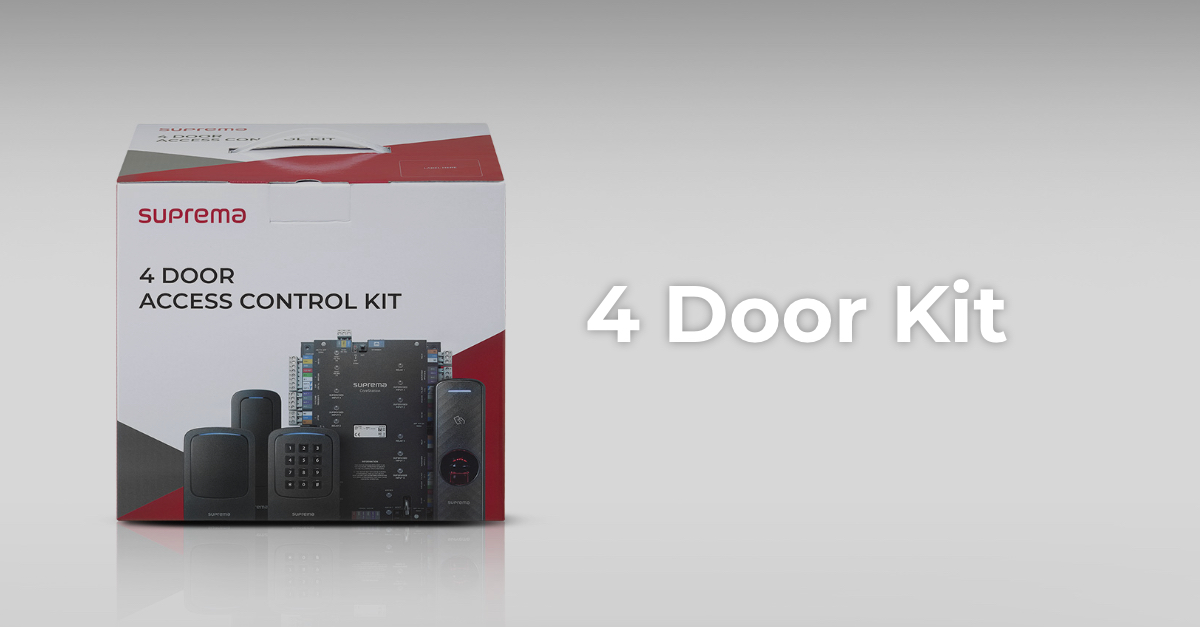 AlteleCoreStation 4 Door Access Control KitFără firmware publicAlteleFaceStationFără firmware public
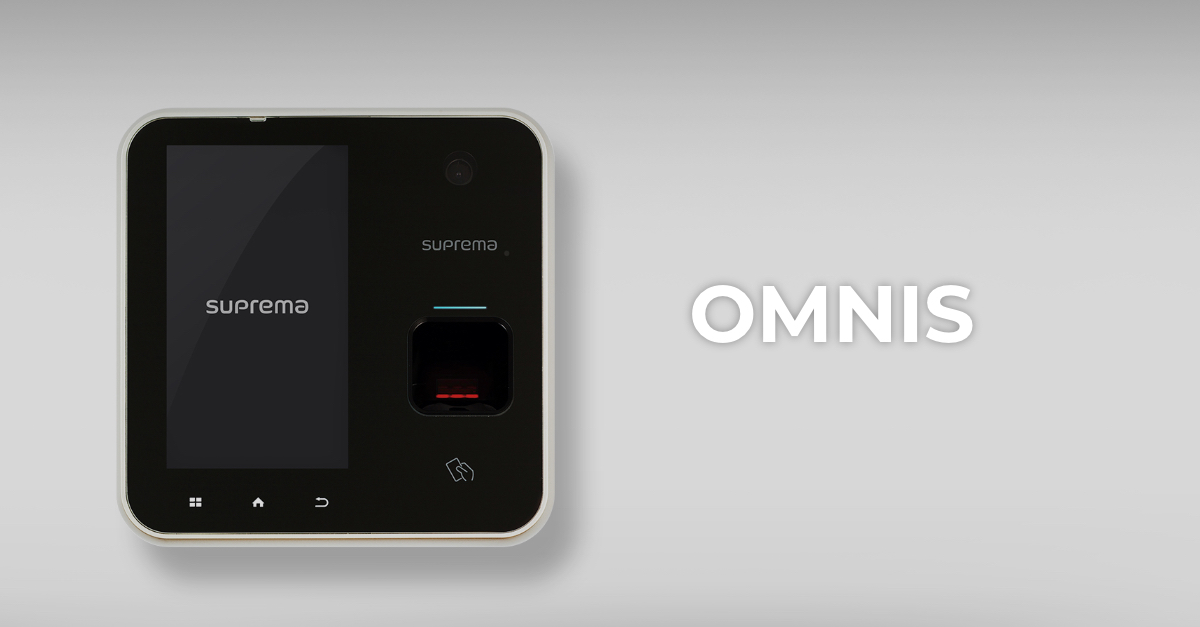 AlteleOMNISFără firmware publicAlteleSecure Floor Access Control I/O ModuleFără firmware public